






To fix a plugin that will not load, type plugins in the Console and then read latest.log near the start. The first warning about the plugin names the cause: a missing dependency, two copies of the plugin, a file that is not a plugin, or a build that does not fit your Minecraft version.
In the list plugins prints, Paper says a plugin in green is running and one in red is not enabled. If the plugin is not in the list at all, the server never saw the file.
Find the first message
- Type
pluginsin the Console, with no slash. Note which plugin is red or missing. - Open the Files tab, then the
logsfolder, thenlatest.log. Scroll near the beginning, where plugins are loaded. - Search for the plugin’s name. The first warning with its name is the one that matters.
You can also open the Crashes tab, choose Logs and open latest.log. A plugin that failed to load shows under Detected issues as ”
Now match the message to a cause below.
The plugin is for a mod loader, not a plugin loader
Plugins run on Paper and its forks, such as Purpur. Mods run on Fabric, Forge and NeoForge. They are different things, and neither runs on the other’s server.
- A file from a mod site put in
pluginsfails withInvalid plugin.yml.
In the ArthOS panel, open Add-ons. The page says “Plugins run on Paper and its forks, mods on Fabric, Forge and NeoForge.” If your server runs another software, there is no Plugins button. Choose Versions to see what runs now. See change the server version and mods.
Invalid plugin.yml
The log shows:
Could not load 'plugins/MyPlugin-1.0.0.jar' in folder 'plugins'
org.bukkit.plugin.InvalidDescriptionException: Invalid plugin.yml
This means the file is not a valid plugin. Paper lists two usual causes:
- It is not a plugin at all, but a mod for Forge, Fabric or similar.
- The download is incomplete, or you saved a web page instead of the file. Download it again from the plugin’s own page. If you upload with FTP, use binary mode, or use Files or SFTP.
Unknown or missing dependency
The log shows:
Unknown/missing dependency plugins: [Vault]. Please download and install these plugins to run 'MyPlugin'.
Some plugins need another plugin first. The name in the brackets is the one to add. Install it, then restart the server. The panel does not add dependencies for you.
Ambiguous plugin name
The log shows:
Ambiguous plugin name 'Essentials' for files 'plugins/EssentialsX-2.19.4.jar' and 'plugins/EssentialsX-2.20.0-dev.jar' in 'plugins'
Two jars in plugins are the same plugin. Only one can run.
- Open Files and go into the
pluginsfolder. - Delete the older jar. Keep the one you want.
- Restart the server.
This often happens after updating by hand: the new file is added but the old one stays.
The plugin is for another Minecraft version
The panel only offers plugin builds made for your server’s exact Minecraft version and software. A plugin that has none does not show in the search. If you open one from a source’s page, the Install dialog says “No build of this is made for this server’s version and loader.”
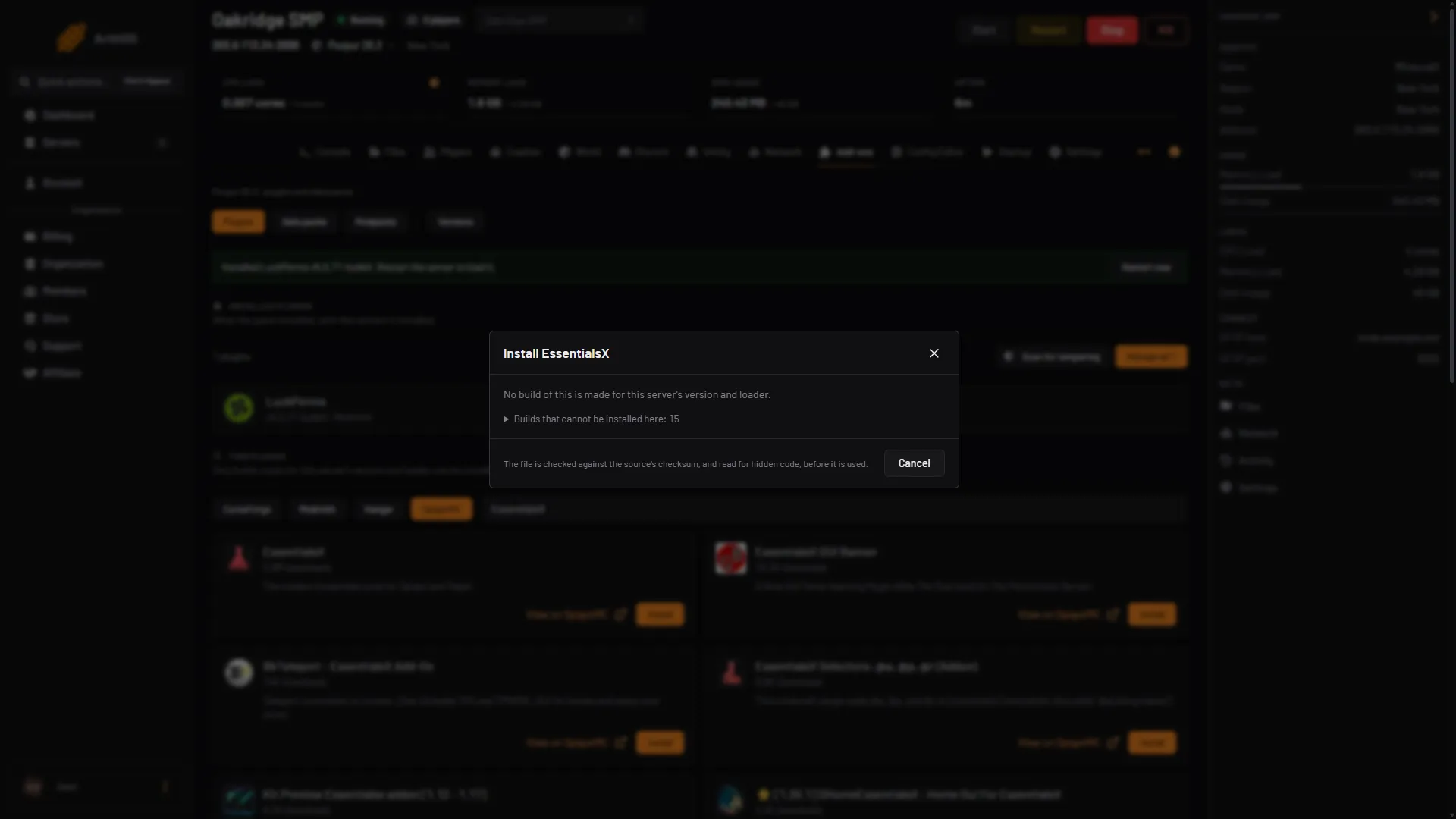
- No build is made for this server's version and loader
If you put a plugin on the server by hand that was made for an older Minecraft version, it may still work, but it can cause bugs or lag, or not load. Take a backup first. The steps are in install plugins.
On 26.3, some popular plugins had no build when checked: EssentialsX and CoreProtect had none, and WorldEdit had only betas. See when a plugin has no build for your version.
Your options:
- Wait for a release made for your version.
- Run the Minecraft version the plugin supports, under Versions.
- Use an older build only after a backup, and watch the Console.
The plugin is not in the list at all
- The file is not directly in the
pluginsfolder. A jar inside a subfolder is never loaded. - The file does not end in
.jar. Unpack a.zipand use the.jarinside. - The plugin is turned off. Open Add-ons, Plugins, Manage all. A plugin that is off has its file renamed to end in
.disabled, which the server skips. Turn it on and restart. - You did not restart. Plugins load when the server starts.
Turn off a plugin that blocks the start
- Open Add-ons, Plugins, Manage all.
- Tick the plugin, then choose Turn off.
- Restart the server.
If you do not know which plugin does it, turn off half of them, restart, and see whether the problem stays. Then split the half that caused it. Keep plugins that need each other together.
By hand
- Put the plugin’s
.jarfile straight into thepluginsfolder. - Restart the server.
- Type
pluginsin the server console. Green is running, red is not. - Read
logs/latest.logfor the first warning with the plugin’s name.
If it does not work
- The log has no line about the plugin. The server did not see the file. Check the folder and the
.jarname. - The plugin loads, then errors when used. Its own settings may be wrong. Check its page for the config file.
More on plugins: Minecraft servers.
Sources: docs.papermc.io: Adding plugins, docs.papermc.io: Basic troubleshooting