












Palworld writes the world to disk every 30 seconds by default. That gap is the setting AutoSaveSpan. If the server crashes, you lose the time since the last save. A longer gap means a bigger loss. A shorter gap means a smaller one.
Two settings control this, both in the Config Editor:
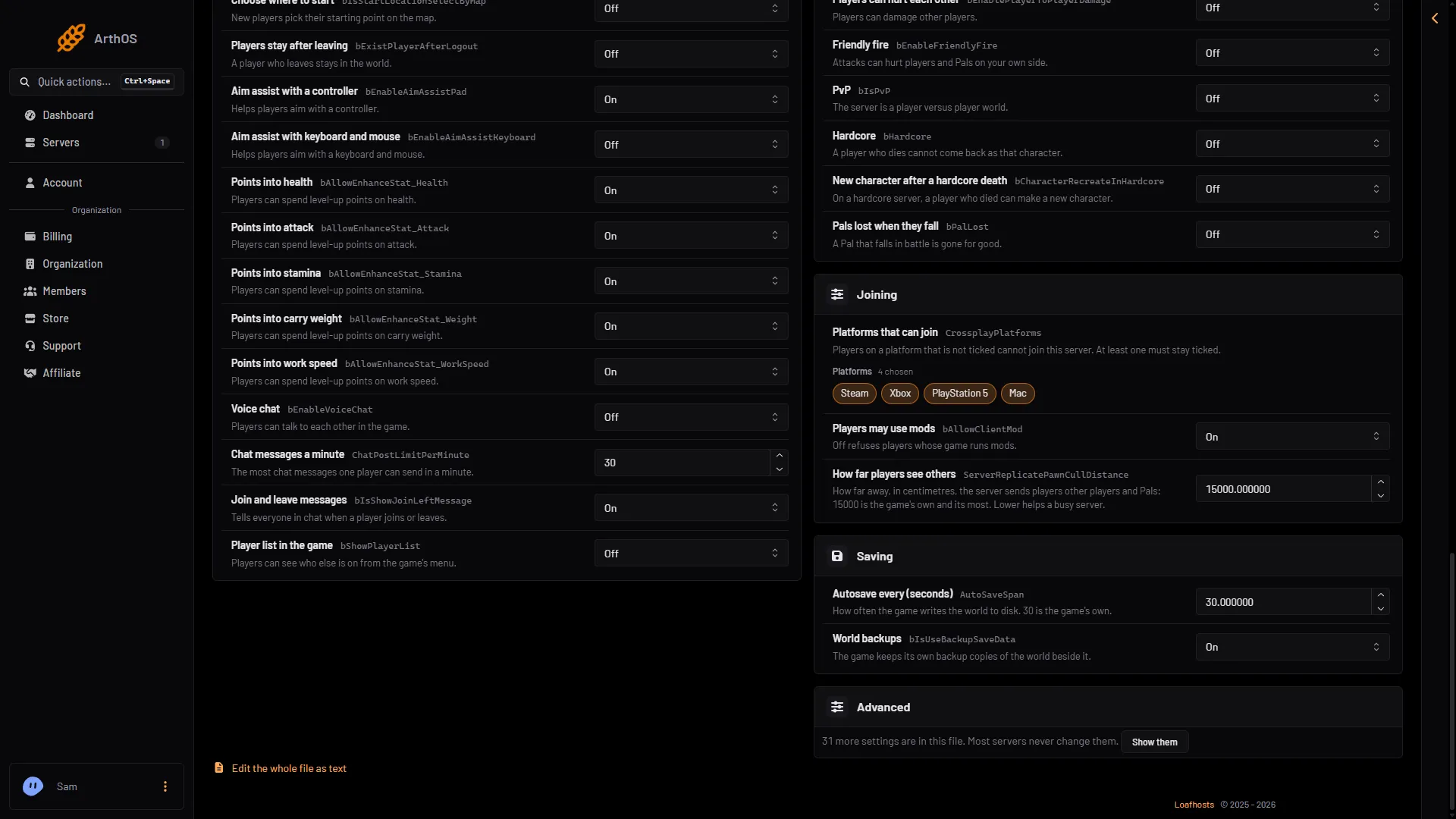
- Autosave every (seconds) (
AutoSaveSpan): how often the game saves the world. The game’s own value is 30. The panel accepts 1 to 86,400. - World backups (
bIsUseBackupSaveData): whether the game keeps its own backup copies of the world beside it. It is On by default.
Change them in the panel
- Open the Config Editor page.
- At the top, choose Game settings.
- Find the group Saving.
- Change Autosave every (seconds) (1), World backups (2), or both.
- Choose Save.
- Autosave every (seconds)
- World backups
The game reads these settings when it starts. If the server is running, the page shows “Saved, waiting for the next restart: (names).” and Restart now. The change goes into the file just before the next start. Restart now applies it, and a restart disconnects everyone. If the server is stopped, the change is written straight away.
What a longer gap risks
The game saves on its timer. If it crashes or loses power between two saves, everything since the last save is gone. With the default autosave (every 30 seconds), a crash normally loses about the last 30 seconds. If the world could not be saved, more can be lost. With 600 seconds, you can lose ten minutes of building, taming and progress.
When you stop or restart the server from the panel, it saves the world first, while the game’s API is on. The game’s API is how the panel talks to the game. The panel keeps it on while the Admin password is 16 characters or more (a new server gets a 20-character one). With the API off, Save now does not work either. Wait for the next autosave, then restart, or set an admin password of 16 or more first. See Players page says the API is off.
For most servers, leave the gap at 30. Only raise it if you have a reason. Pocketpair’s page does not say what a shorter gap costs the server, so do not set it to 1 second just to be safe.
World backups
With World backups On, the game makes a backup folder inside the world’s save folder. Pocketpair lists how many copies it keeps:
- 5 copies, one every 30 seconds
- 6 copies, one every 10 minutes
- 12 copies, one every hour
- 7 copies, one every day
Each copy is a whole copy of the world. Pocketpair says turning this on “increases disk load”. Turn it Off only if you keep your own backups and disk space is tight. You can put a game backup back from the World page. See Palworld world backups.
By hand
Edit the file only while the server is stopped. The Config Editor does it for you at any time. The file is Pal/Saved/Config/LinuxServer/PalWorldSettings.ini. With server mods on, it is in another folder under Pal/Saved/Config. Open Config in Files and use the folder that holds it, or use the Config Editor, which always finds it. The file has one OptionSettings=(...) line. Inside it, change these pairs and keep the commas between them:
AutoSaveSpan=30.000000,bIsUseBackupSaveData=TrueIf it does not work
- Your change is not in effect. The server is still running. Restart it. The page says “Saved, waiting for the next restart” until then.
- You edited
PalWorldSettings.iniby hand and it changed back. The game writes the file again when it stops. Edit it only while the server is stopped, or use the Config Editor. A change still waiting in the Config Editor is written over the same setting in a hand edit at the next start. - Autosave is ignored for one world. A world with its own
WorldOption.savignores these settings. On the World page, choose Use the Config Editor’s settings for it, then restart.
More about the game: Palworld servers.
Sources: docs.palworldgame.com: Configuration