












The Players page and the Map need the game’s API to see who is on. The game’s API is how the panel talks to the game. The panel keeps it on while the Admin password is 16 characters or more (a new server gets a 20-character one). With a shorter password, set a longer one in the Config Editor and restart the server. Then the page works.
The three messages
The Players page shows a note in place of its lists. There are three, and each has its own cause.
“The admin password is shorter than 16 characters, so the panel keeps the game’s API off: who is on, kicks, bans and messages need it. Set a longer one in the Config Editor and restart.”
The admin password is under 16 characters. This is the usual cause. Someone set a short one. Fix it below.
“The server has no admin password yet. One is made at its next start.”
The server has no admin password. Restart the server. A random one with 20 characters is made when it starts, and the API comes on.
“This server still runs the start line it came with. Who is on, kicks and bans show here after its next restart.”
The server has not restarted since the panel changed how it starts Palworld servers. Restart it once. The page then shows who is on.
The Map says it in its own words: “Who is where needs an admin password of 16 or more characters (Config Editor, Server settings), then a restart.”
Set a longer admin password
The first picture shows the note (1) on the Players page and the button inside it (2).
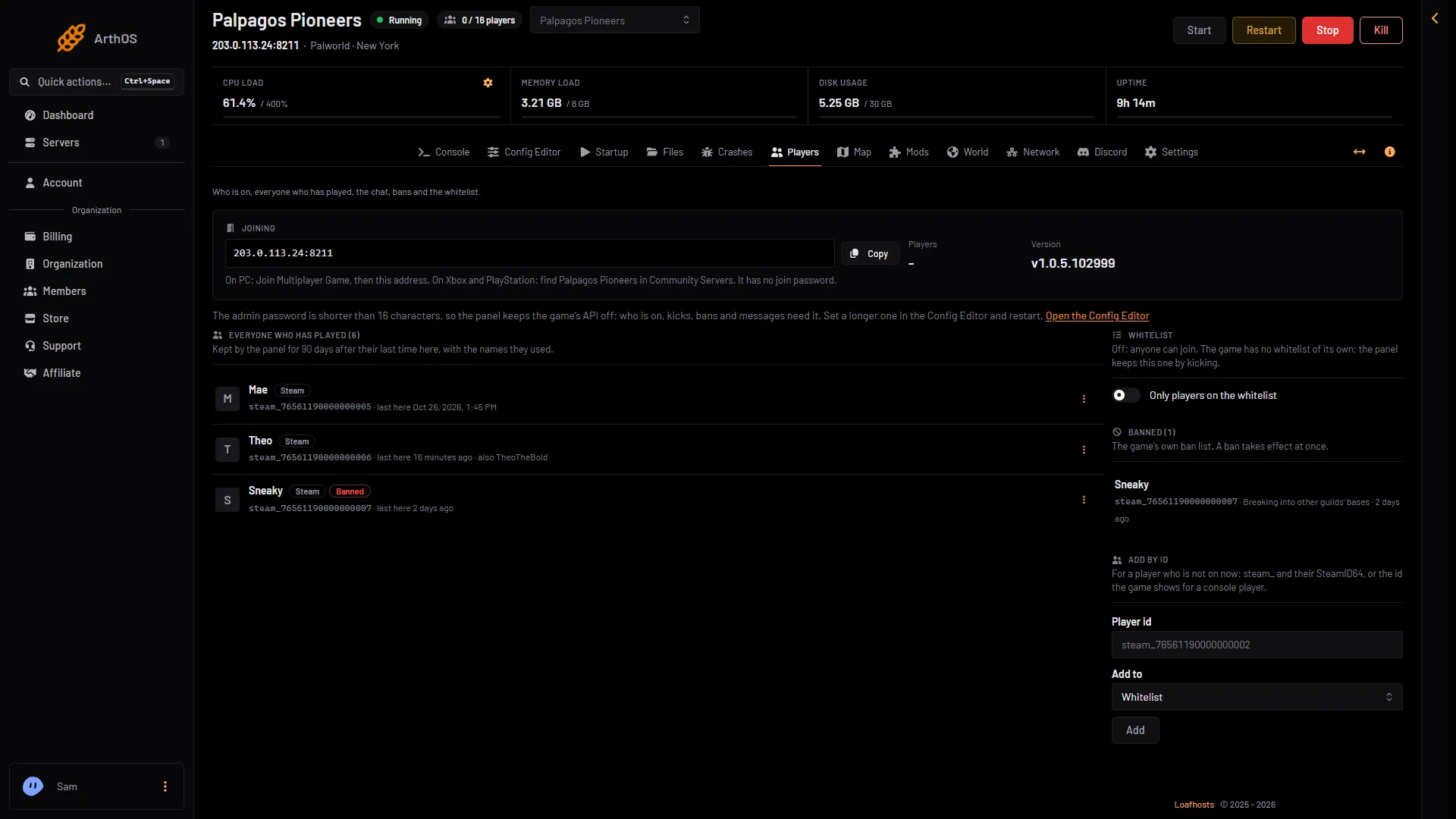
- The note about the API
- Open the Config Editor
-
On the Players page, choose Open the Config Editor (2 in the first picture). Or open the Config Editor page.
-
Choose Server settings (1 in the second picture).
-
In the Passwords card, find Admin password (2 in the second picture). Type a password of 16 to 30 characters. Use letters, digits,
-and_only. The field allows 5 to 30, but the API needs 16 or more.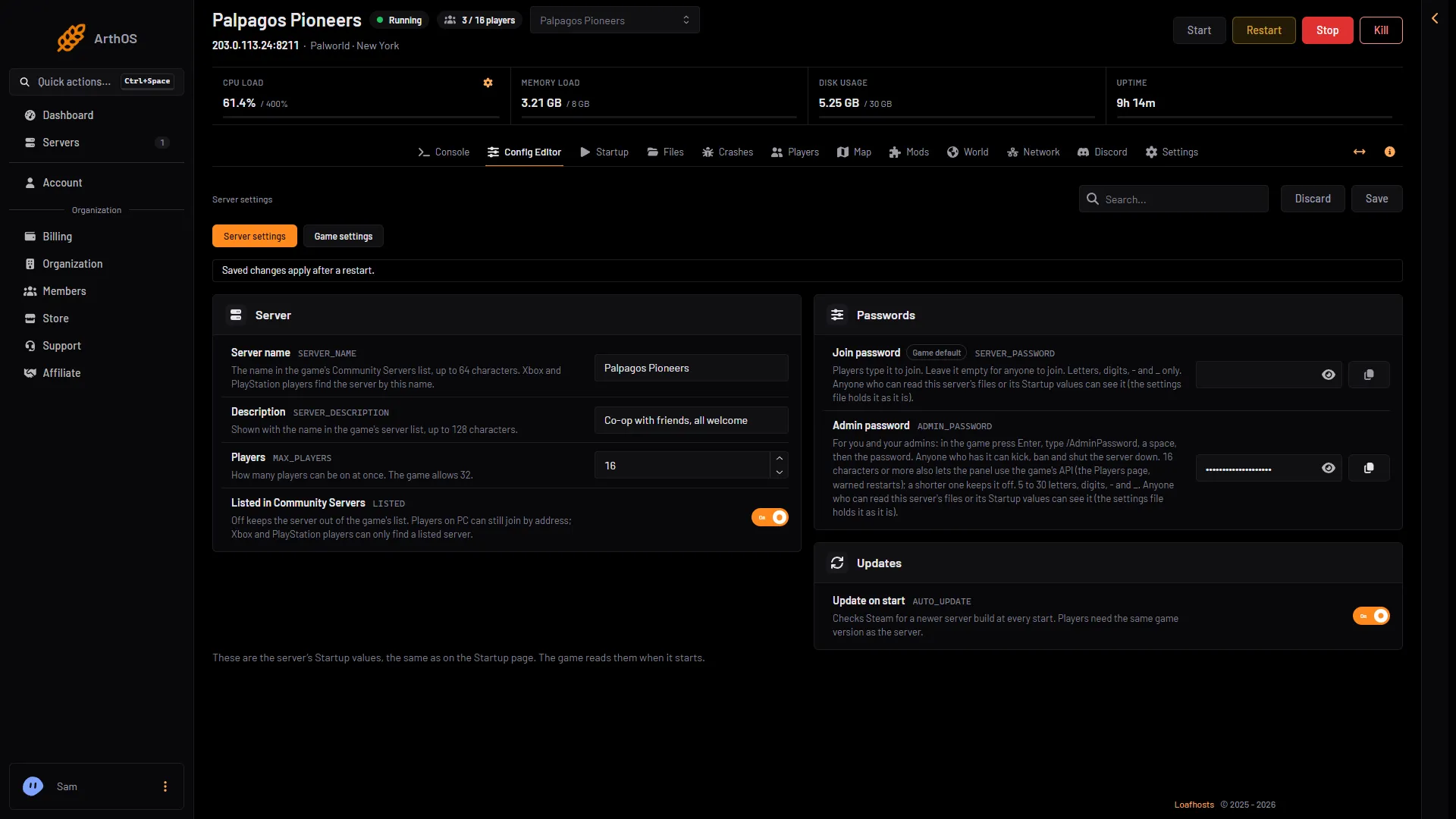
- Server settings
- Admin password
- Save
-
Choose Save (3 in the second picture).
-
Restart the server. The password applies at the next start. If the server is running, the page shows “Saved. Restart the server to apply the changes.” with Restart now. A restart disconnects everyone, so warn players first.
When the server is back, the Players page shows the Online list and the stats.
Anyone who may change the server’s startup settings, or read its files, can see both passwords: PalWorldSettings.ini holds them as they are. Give that access only to people you trust.
What stops working without the API
With the API off, the panel cannot reach the game. These stop working:
- Who is on, and the Online list.
- Kick, Ban and the Whitelist. The whitelist works by kicking, so it needs the API too. On the Map card, Kick and Ban show “Kick and ban need the game’s API on.”
- Message everyone, Save now and Restart with a warning.
- The console’s commands.
- The positions of players on the Map.
While the API is off, Lift on the ban list, Ban and Lift the ban on the rows of players who are not on, and Banned in Add by id are greyed out, each with a line saying they need the game’s API.
When you stop or restart the server from the panel, it cannot ask the game to save first. Anything since the last autosave, 30 seconds by default, is lost. Without the API, Save now does not work either: wait for the next autosave, then restart, or set the longer admin password first. See progress lost.
In the game, an admin can type /AdminPassword (your admin password) in chat and then use the admin commands.
Why the panel does this
Pocketpair says the API is “not designed to be exposed directly to the Internet”. It also says RCON, the older remote console, is going to stop working in an update. So the panel keeps the API inside the server. It talks to the game through its own gate on the server’s second port, which is the panel’s own port; players never type it. The panel turns RCON off. It switches the API on only when the password is long enough to be safe.
There is nothing to forward.
If it does not work
- The note stays after a restart. Check that the password was saved and has 16 or more characters. Open Server settings again and read it.
- Save is refused. The password may have a character that is not allowed. Use letters, digits,
-and_. - The page says the server is running but has not answered. The game may still be loading. The page shows players once the server answers.
More about the game: Palworld servers.
Sources: docs.palworldgame.com: Rest api, docs.palworldgame.com: Configuration