












Make a schedule in Settings, Schedules that runs once a day. It warns players with a message, waits, then restarts the server. When the schedule restarts the server, the server saves the world first while the game’s API is on, so nobody loses progress.
Why restart every day
A Palworld server uses more memory the longer it runs and the bigger the world gets. Bases, Pals and players all add to it. When the server runs out, it crashes. The panel’s Crashes page then says “The server ran out of memory” and suggests: “restart it daily to clear what builds up.”
Pocketpair says 8 GB is bootable but “increases the possibility of server crashes due to out of memory”. A daily restart frees the memory the game has used. It is a good habit on a big world, and costs a minute of downtime. See Palworld out of memory.
Before you start
The warning message needs the game’s API. The game’s API is how the panel talks to the game. The panel keeps it on while the Admin password is 16 characters or more (a new server gets a 20-character one). Without it, the Broadcast step fails. Set a longer password in the Config Editor, under Server settings, Passwords, then restart.
Make the schedule
-
Open Settings, then Schedules.
-
Choose Create Schedule (1).
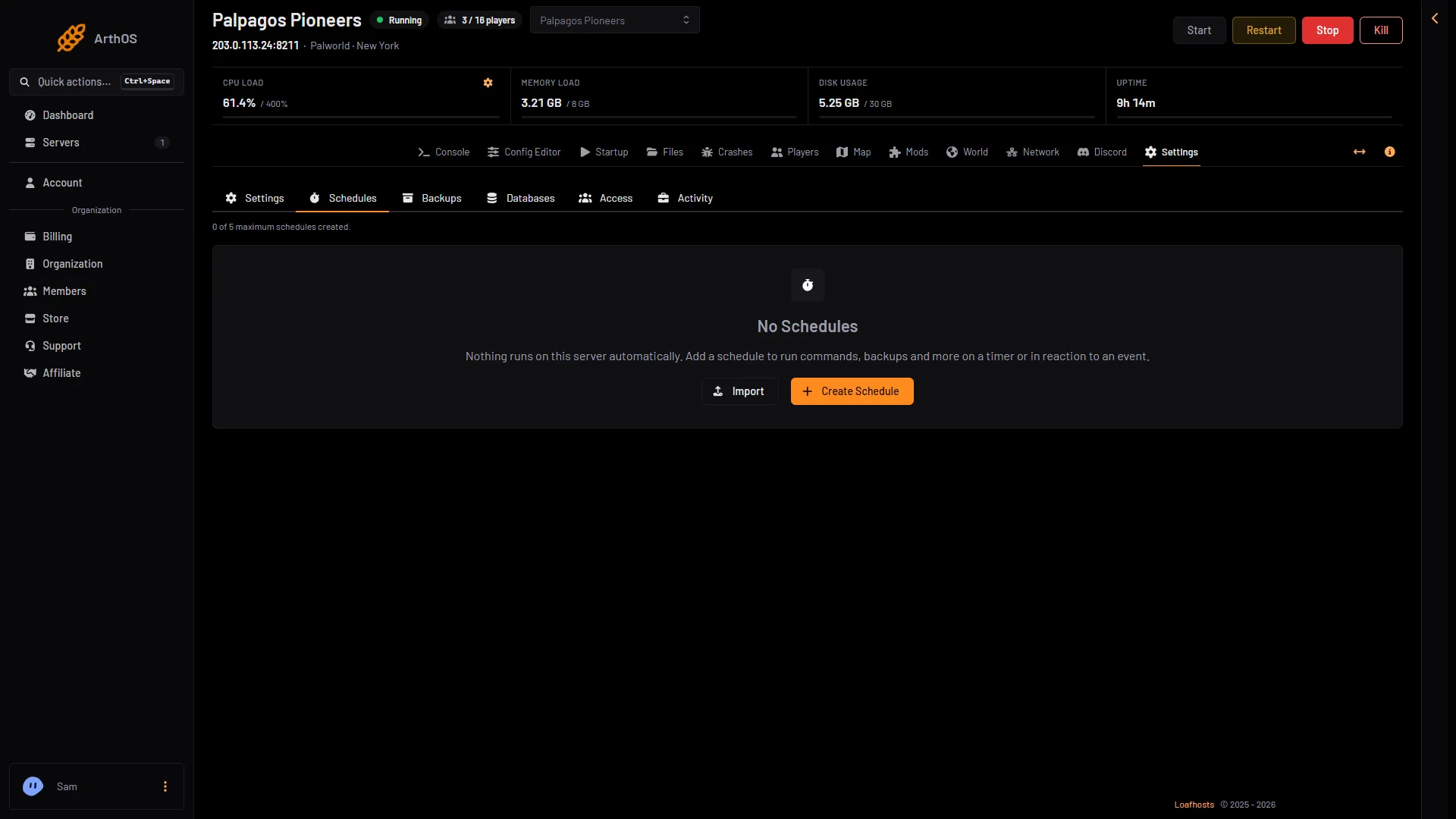
- Create Schedule
-
Type a Schedule Name, such as Daily restart. Leave Enabled on.
-
Under Triggers, choose Add Trigger. Keep Time Interval (Cron). Cron is a timer.
-
In Runs, choose Daily. In At, set the time. The form says “Times use the server timezone” and names it. Pick a time when few players are on.
-
Choose Create. The schedule opens.
Add the steps
On the schedule, choose Add Step for each step, in this order. In Action Type, pick:
- Send Command. In Command, type
Broadcast Restart in 5 minutes. - Sleep. In Duration (milliseconds), type
240000(4 minutes). - Send Command:
Broadcast Restart in 1 minute. - Sleep:
50000. - Send Command:
Broadcast Restart in 10 seconds. - Sleep:
10000. - Send Power Signal. In Power Action, choose Restart.
A Send Command step sends what you would type in the Console. You can try a message there first, with the command box at the foot of the page (1).
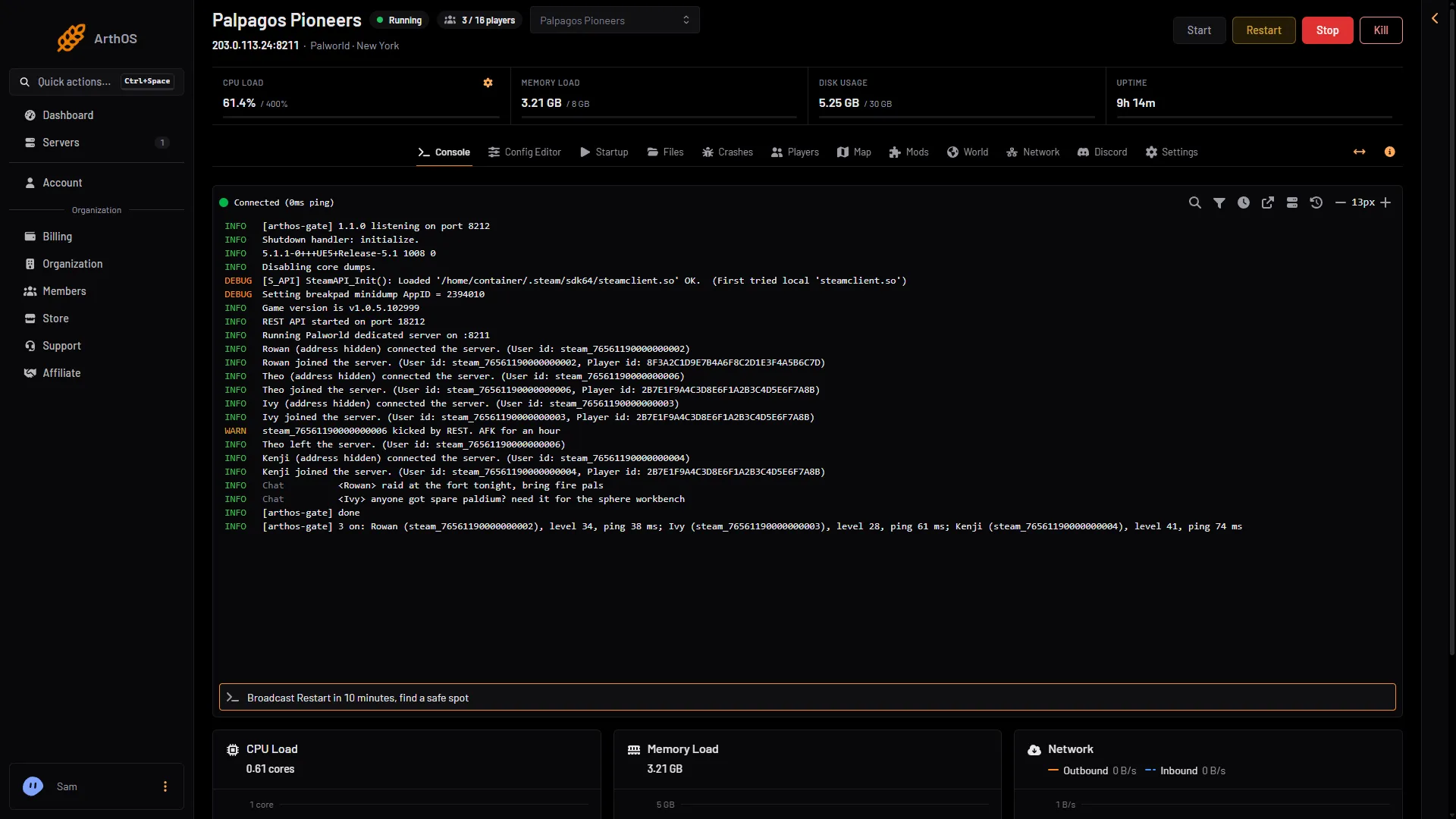
- The command box
Players see each message in game as the server’s own announcement. The restart step “Stops the game and starts it again”. With the API on, the world is written to disk before the game closes.
Switch Ignore Failure on for the Send Command steps. If a message fails, the restart still happens.
To test it, choose Run Now. Do it when nobody is on.
One restart, no schedule
For a single restart with the same warnings, use the Players page and choose Restart with a warning. Pick the wait in Restart in (1), add your own words in Message (2) if you like (up to 120 characters), then choose Start the countdown (3). Players see an announcement at 10, 5 and 1 minutes and 10 seconds. See restart a Palworld server.
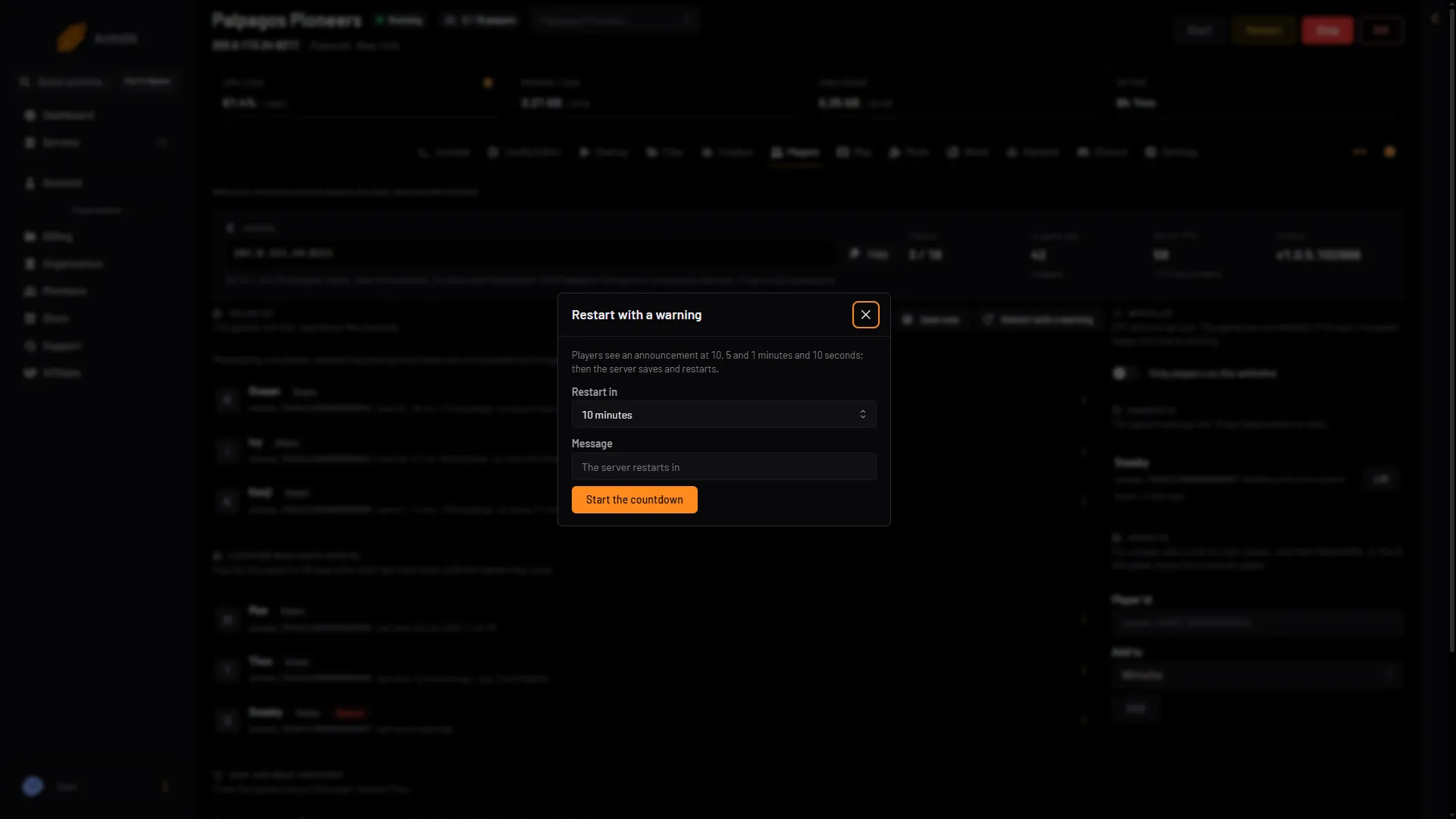
- Restart in
- Message
- Start the countdown
Do not restart a server that is off
A Send Power Signal restart step can start a stopped server. The restart permission’s own text says it “permits starting the server if it is offline”. A server that standby stopped is stopped too. To run the schedule only while the server is running, open the Conditions tab of the schedule and add a Server State condition. See standby and the wake link.
If it does not work
- The warning does not show. The game’s API is off (a short admin password), or a command is mistyped. Command words are
Broadcastfollowed by your message. - The restart ran at the wrong hour. The time is in the server’s time zone (Settings, Timezone), which is UTC while it is left at System. Change the zone or the time.
- The restart saved nothing new. With the API off, Save now does not work either, and a stop loses what happened since the game’s last autosave (every 30 seconds by default). Set an Admin password of 16 characters or more.
- A restart that fails. Check Last Failure on the schedule list.
More about the game: Palworld servers.
Sources: docs.palworldgame.com: Requirements