












Two settings control the clock: Day speed (DayTimeSpeedRate) and Night speed (NightTimeSpeedRate). Both default to 1. A higher number makes that part of the day pass faster. So a high Night speed gives you shorter nights, and a low Day speed gives you longer days. A change applies at the next start.
Pocketpair describes them as “daytime progression speed” and “nighttime progression speed”. The panel’s help text puts it simply: “1 is the game’s own; 2 makes days twice as fast.” Night works the same way.
Pick a value
1: the game’s own speed.2: twice as fast. A day or a night is half as long.- Under
1: slower. A day or a night lasts longer.
The two settings are separate. You can speed up the night and leave the day alone. For example, a server that wants short nights could use 3 for night and 1 for day.
Change them in the panel
- Open the Config Editor page.
- Choose the source Game settings.
- In the World group, set Day speed (1) and Night speed (2).
- Choose Save.
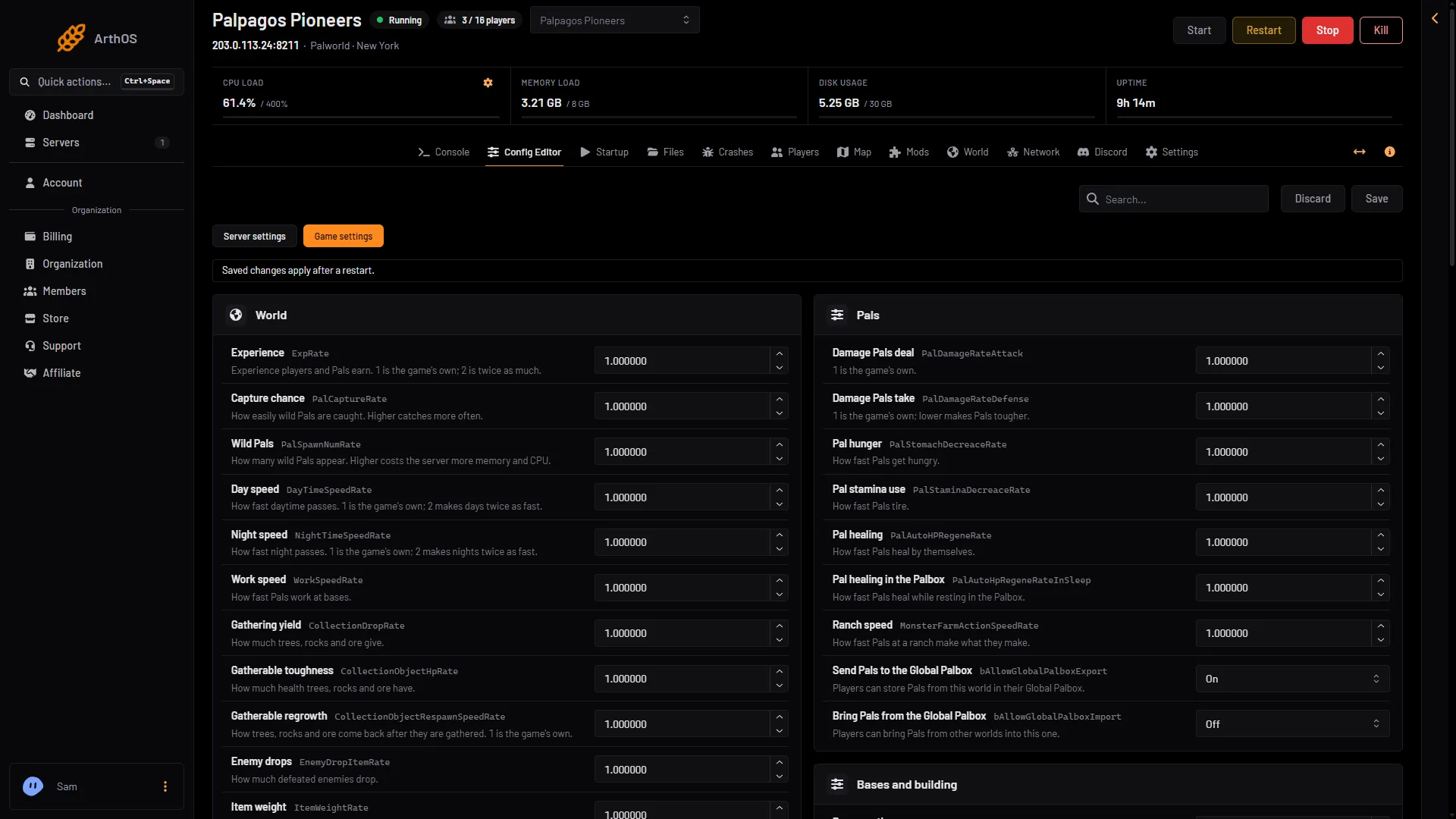
- Day speed
- Night speed
If the server is running, the panel says “Saved, waiting for the next restart: (names).” and the change waits. Choose Restart now to apply it at once. Warn players first, because they are disconnected for the restart. See restart your server.
If the server is stopped, the change is written at once and the game uses it from its next start.
See how many days have passed
The Players page shows the In-game day next to the player count and the server’s frame rate. It is the game’s own count of days on this world.
The game’s API is how the panel talks to the game. The panel keeps it on while the Admin password is 16 characters or more (a new server gets a 20-character one). With a shorter password the Players page cannot show the day.
By hand
The settings are in Pal/Saved/Config/LinuxServer/PalWorldSettings.ini. The file has one OptionSettings=(...) line. Inside that line, change these pairs and keep the commas between them:
DayTimeSpeedRate=1.000000,NightTimeSpeedRate=3.000000Stop the server first: the game writes the file again when it stops, so a hand edit made while it runs is lost. With server mods on, this file is in another folder under Pal/Saved/Config. Open Config in Files and use the folder that holds it. The Config Editor page finds it for you, and Edit the whole file as text there is safer than editing in Files.
If it does not work
- The clock has not changed. The server has not restarted since you saved.
- The world has its own settings. A world with a
WorldOption.savfile ignores these settings if that file holds them. See WorldOption.sav. - The value is refused. The panel accepts numbers from 0 to 100.
More about the game: Palworld servers.
Sources: docs.palworldgame.com: Configuration, docs.palworldgame.com: Metrics