












Six settings in the World group of the Config Editor decide how much players get from the world: gathering, enemy drops, item weight and supply drops. Five are multipliers. 1 is the game’s own value, so 2 is twice as much. Supply drops are a number of minutes. A change applies at the next start.
The settings
| Panel label | Game key | New server | What it does |
|---|---|---|---|
| Gathering yield | CollectionDropRate | 1 | How much trees, rocks and ore give |
| Gatherable toughness | CollectionObjectHpRate | 1 | How much health trees, rocks and ore have |
| Gatherable regrowth | CollectionObjectRespawnSpeedRate | 1 | How trees, rocks and ore come back after they are gathered |
| Enemy drops | EnemyDropItemRate | 1 | How much defeated enemies drop |
| Item weight | ItemWeightRate | 1 | How heavy items are |
| Supply drops every (minutes) | SupplyDropSpan | 180 | How often supply drops and meteorites fall |
The panel accepts 0 to 100 for each multiplier, and 0 to 100,000 for the supply drop minutes.
Easy settings to use
- More from the world. Raise Gathering yield and Enemy drops. Players fill their bags faster.
- Quicker gathering. Lower Gatherable toughness. Trees and rocks have less health, so they break faster.
- Less carrying. Lower Item weight. The panel’s help line says lower lets players carry more.
- More supply drops and meteorites. Lower Supply drops every (minutes). Pocketpair, the maker of Palworld, calls this the “Meteorite / supply drop interval”. The new-server value, 180, is three hours.
Gatherable regrowth
Pocketpair words this setting as the “Gatherable objects respawn interval”. The panel says 1 is the game’s own value. Not checked on 1.0.5 as of 4 November 2026: whether a higher number brings trees and rocks back sooner or later. Change it in small steps and watch a few gathered spots.
Change them in the panel
-
Open your server and choose Config Editor.
-
Choose Game settings at the top.
-
In the World group, change Gathering yield (1 in the first picture) and the other rows you want.
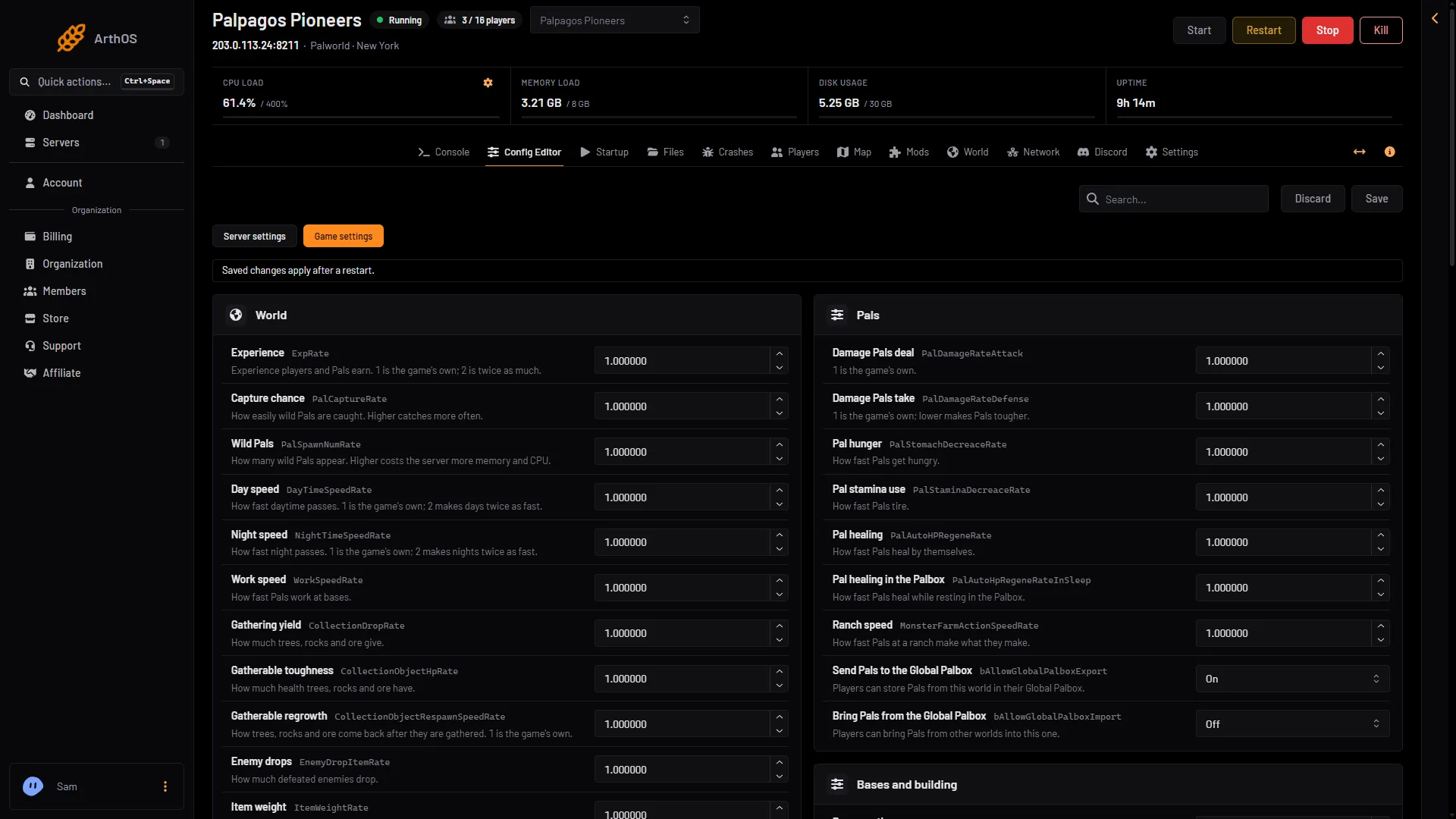
- Gathering yield
-
Scroll down for Item weight (1 in the second picture) and Supply drops every (minutes) (2 in the second picture).
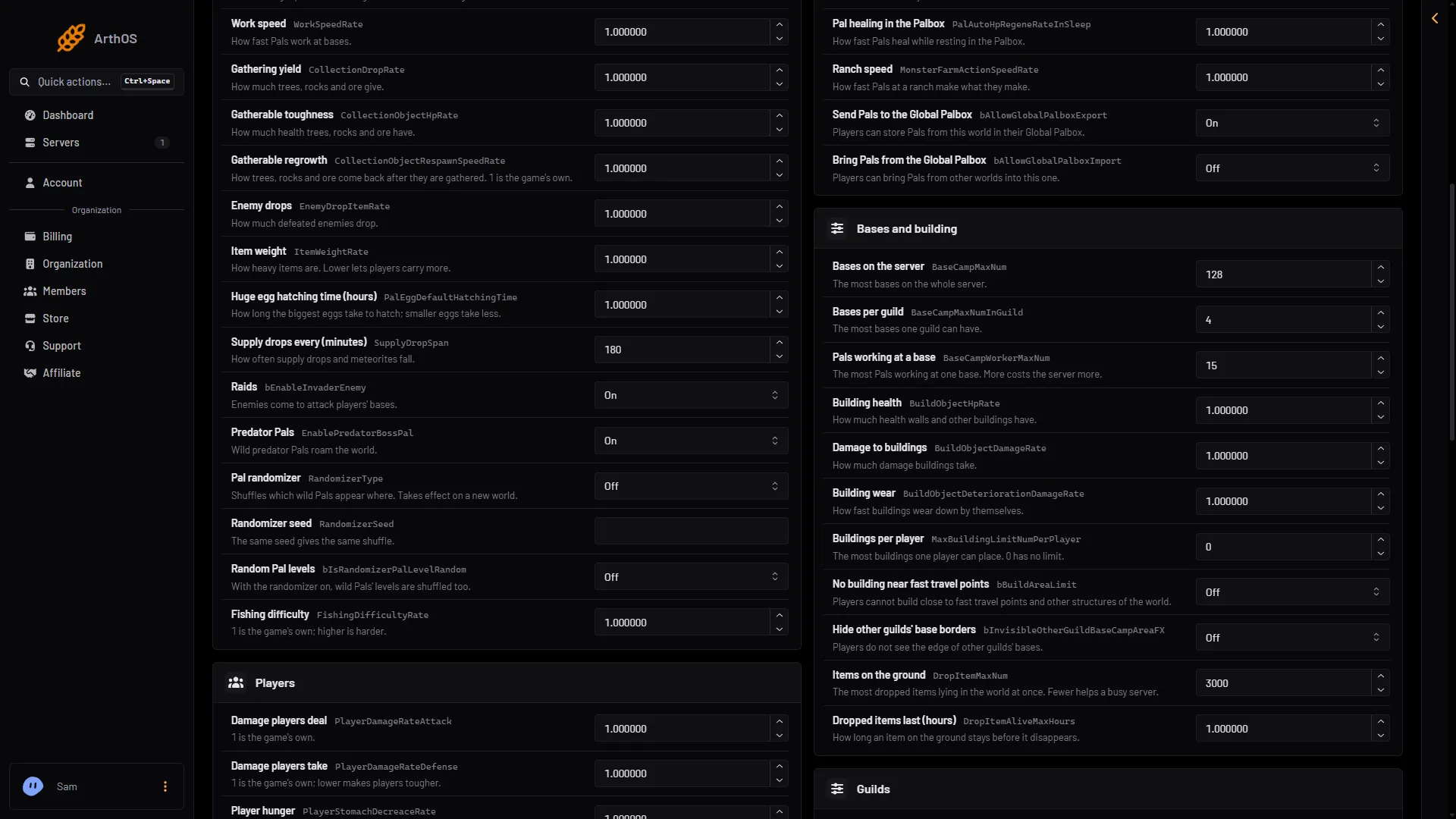
- Item weight
- Supply drops
-
Choose Save.
If the server is running, the panel says “Saved, waiting for the next restart: (names).” Choose Restart now to apply it.
By hand
The file is Pal/Saved/Config/LinuxServer/PalWorldSettings.ini on the server. It has one OptionSettings=(...) line. Inside that line, change these pairs and keep the commas between them:
CollectionDropRate=2.000000,EnemyDropItemRate=2.000000,SupplyDropSpan=120Stop the server first. The game writes the file again when it stops and drops what was changed while it ran. The Config Editor does this for you at any time. With server mods on, these two files are in another folder under Pal/Saved/Config. Open Config in Files and use the folder that holds them, or use the Config Editor, which always finds them.
If it does not work
- Nothing changed in the game. The server has not restarted since you saved.
- The value goes back. It is outside the range. The panel answers with the range.
- A world uses its own settings. A world with a
WorldOption.savfile ignores the Config Editor’s Game settings for the settings that file holds. See Palworld WorldOption.sav.
For experience, see Palworld experience rate. More about the game: Palworld servers.
Sources: docs.palworldgame.com: Configuration