












Palworld has no admin command to give a player items, Pals or experience. Pocketpair’s list of admin commands has nothing like it, and the panel cannot do it either. What you can do is change how much the whole server gives: experience, gathered items, enemy drops and the chance to catch a Pal.
What the admin commands cover
Pocketpair’s command list is short. Once you are an admin, the commands are /Shutdown, /DoExit, /Broadcast, /KickPlayer, /BanPlayer, /UnBanPlayer, /TeleportToPlayer, /TeleportToMe, /ShowPlayers, /Info, /Save and /ToggleSpectate. None of them gives anything to a player. See the Palworld server commands for what each one does.
The Players page in the panel has the same limit. It says so itself: messaging one player, teleporting and giving items are not something the game lets the panel do. Admins do the first two in the game after /AdminPassword. The game’s admin commands cannot do the third, and the panel cannot either.
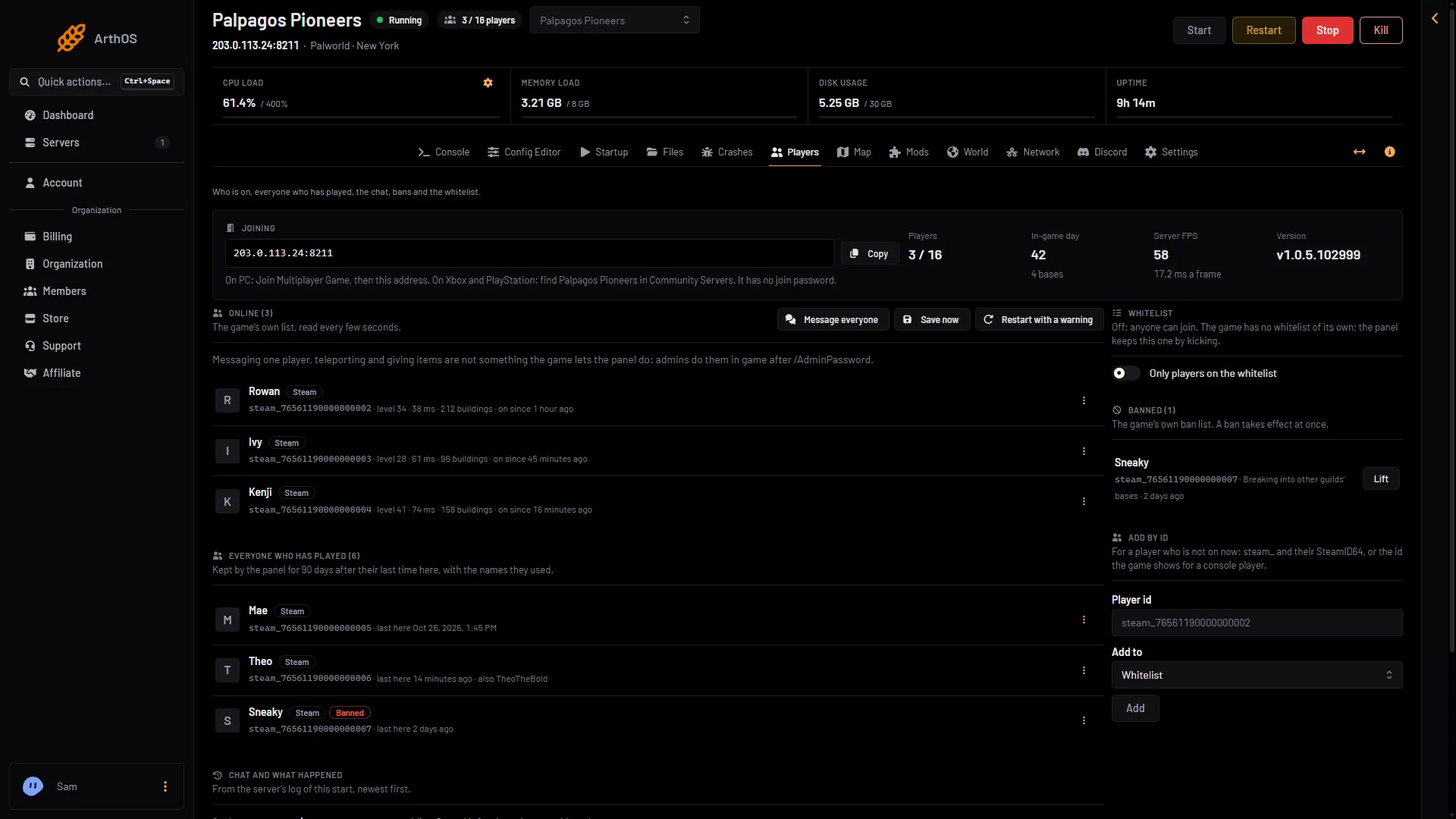
- Who is on
- Message everyone to all players
The message button sends one line to everyone. It cannot send an item.
What you can change instead
The settings below change the whole server, not one player. Open the Config Editor, pick Game settings, and look in the World group.
| Setting | What it does | Game default |
|---|---|---|
| Experience | Experience players and Pals earn. 2 is twice as much. | 1 |
| Gathering yield | How much trees, rocks and ore give. | 1 |
| Enemy drops | How much defeated enemies drop. | 1 |
| Capture chance | How easily wild Pals are caught. Higher catches more often. | 1 |
A new Loafhosts server starts with the game’s own defaults.
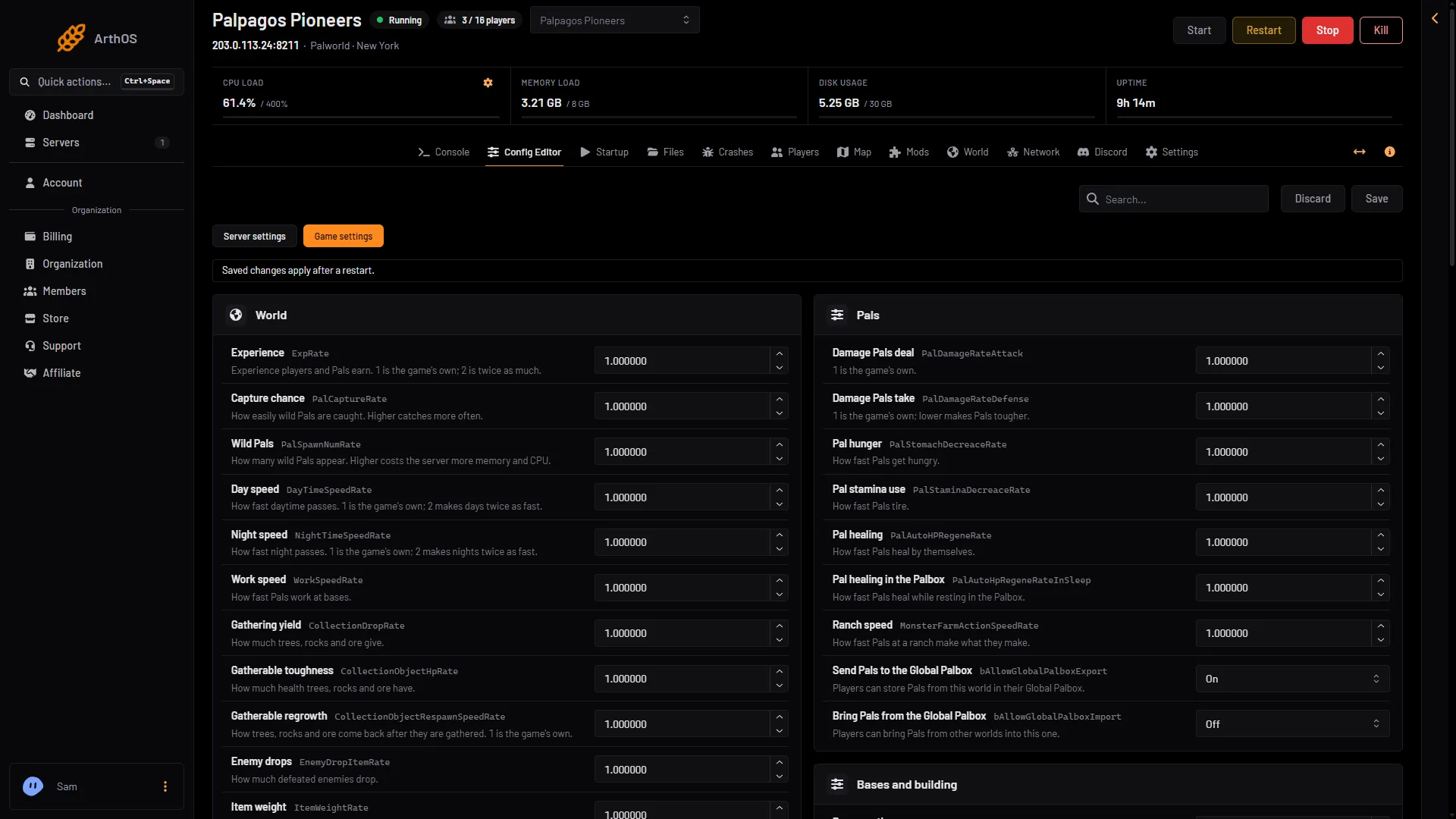
- Game settings
- Experience
- Capture chance
- Gathering yield
- Open the Config Editor page and choose Game settings (1).
- In World, change the value you want: Experience (2), Capture chance (3) or Gathering yield (4). Enemy drops is further down the same group.
- Choose Save.
If the server is running, the change waits. The page says “Saved, waiting for the next restart” and lists the settings. Choose Restart now and the change applies. A restart disconnects everyone. If the server is stopped, the change is written at once.
For each setting in more detail, see Palworld experience rate, drop and gathering rates and the capture rate.
By hand
The same settings are the keys ExpRate, CollectionDropRate, EnemyDropItemRate and PalCaptureRate in Pal/Saved/Config/LinuxServer/PalWorldSettings.ini. With server mods on, this file is in another folder under Pal/Saved/Config. Open Config in Files and use the folder that holds it, or use the Config Editor, which always finds it.
The file has one section line and one long OptionSettings=(...) line. Inside that one line, change these pairs and keep the commas between them:
ExpRate=2.000000,CollectionDropRate=1.000000,EnemyDropItemRate=1.000000,PalCaptureRate=1.000000Edit the file only while the server is stopped, because the game writes it again when it stops. A change still waiting in the Config Editor is written into the file at the next start, over the same setting in a hand edit. The Config Editor’s Edit the whole file as text is the safer way.
If it does not work
- The change did nothing. The server has not restarted since you saved. Restart it.
- The change still does nothing after a restart. The world in play may have its own settings file,
WorldOption.sav, which the game uses instead of the Config Editor. Open the World page and choose Use the Config Editor’s settings on that world. It applies from the next start. - You want to give one player something. The game has no way to do it. Raising a rate for everyone is the closest option.
More about the game: Palworld servers.
Sources: docs.palworldgame.com: Commands, docs.palworldgame.com: Configuration