












Whether players need a mod to join depends on the mod, so check its Workshop page. The Mods page marks each mod Server only, For players too or Not for servers. Xbox and PlayStation players cannot install mods at all.
The three chips
The panel reads what each mod declares in its own files and shows a chip on the mod’s row.
- Server only. The mod declares no part for players’ own games.
- For players too. The mod runs on the server and also has a part for players’ own games. The page says: “Mods marked For players too also have a part for players’ own games. Whether players need it to join depends on the mod, so check its Workshop page. Xbox and PlayStation players cannot install mods.”
- Not for servers. The mod is made for players’ own games only. Pocketpair says only mods built to run on servers work on a server. The panel leaves this mod off after Apply and keeps it on the list, waiting.
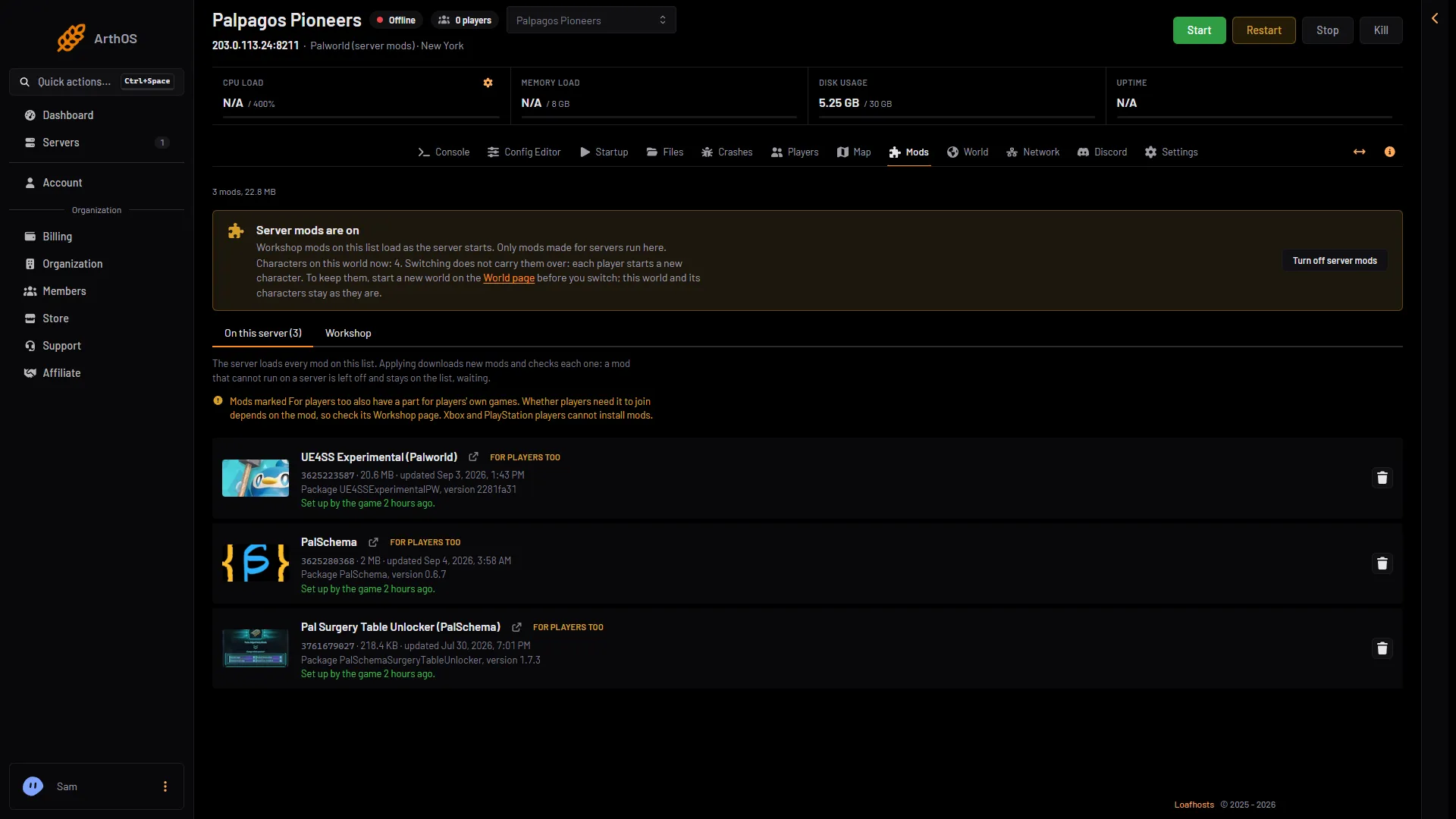
- A mod on the list
- The For players too chip
What the game says about players
Pocketpair’s guide says nothing about whether a player without a mod can join a server that has it. The panel does not claim it either. Some mods change only the server. Some add things players must have to see them. The mod’s Workshop page is the place to look. Ask the author if it does not say.
Console players
Palworld servers can have players on Steam, Xbox, PlayStation 5 and Mac together. Players on Xbox and PlayStation cannot install Workshop mods. So a mod that players need may keep them out. The Players page says so when server mods are on: “Server mods are on. Xbox and PlayStation players cannot install mods, so a mod with a part for players may keep them out.”
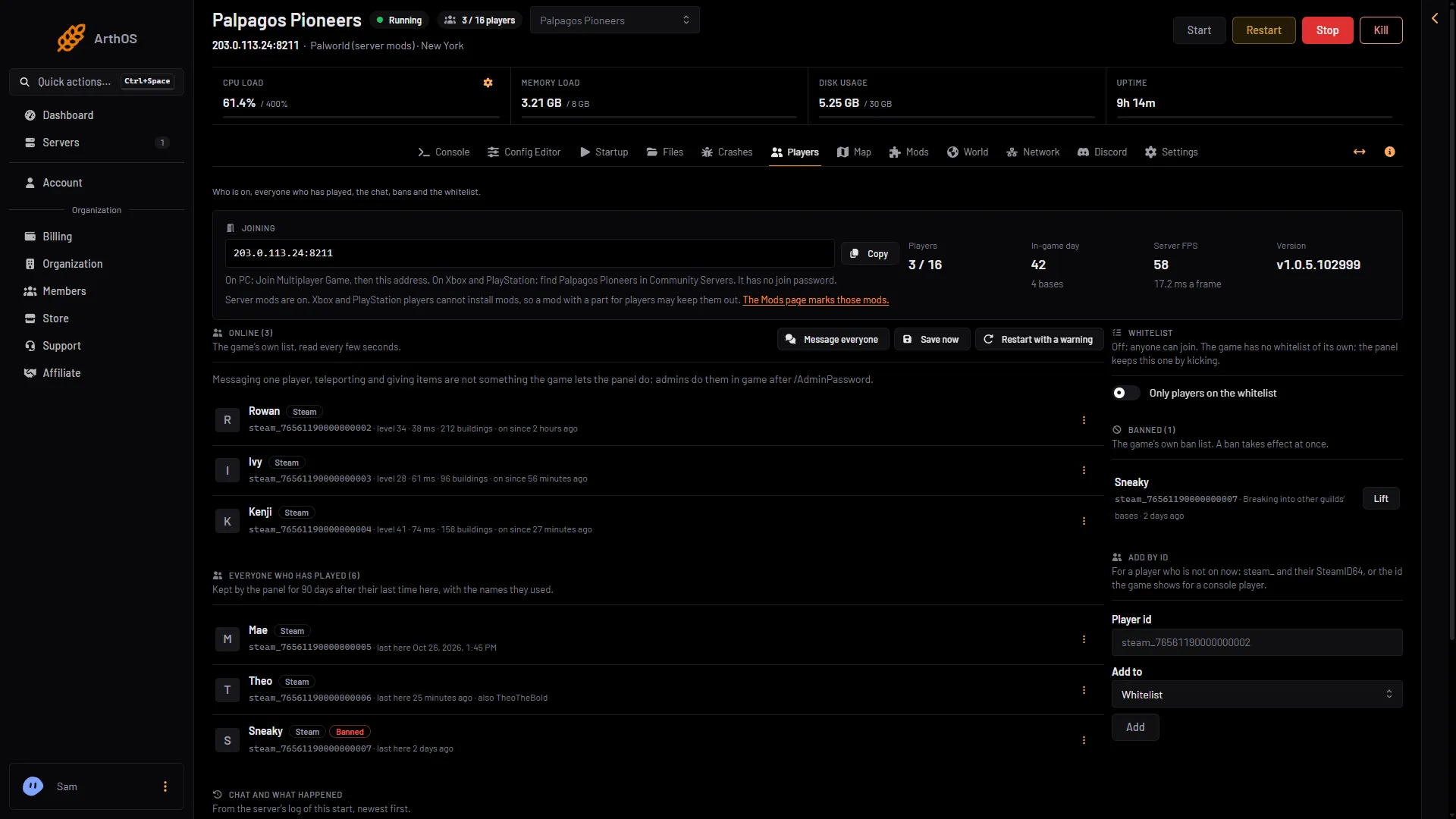
- Console players and mods
- The Mods page link
Not checked on 1.0.5 as of 4 November 2026: whether an Xbox or PlayStation 5 player can join a server that runs UE4SS Experimental (Palworld) or PalSchema. Most server mods need UE4SS, and its row is marked For players too. See crossplay on a Palworld server.
Refuse players who run mods
The setting Players may use mods is in the Config Editor, in the Joining group. The help text says: “Off refuses players whose game runs mods.” The game’s default is On.
- Open Config Editor.
- Find Players may use mods in the Joining group.
- Switch it Off to refuse players whose own game runs mods. Save it.
The Config Editor page saves any time. While the server is running, the change waits and the page says “Saved, waiting for the next restart: (names).” Choose Restart now to apply it. Players whose game runs mods are then refused. Test with one player before you announce it.
Adding a mod that players also need
- Add it on the Workshop tab and choose Apply. The server downloads it.
- Check the mod’s Workshop page for what players must do. Xbox and PlayStation players cannot install mods.
- Check that a player can join before you rely on it.
If it does not work
- A player cannot join since you added a mod. The mod may need a part on their game: check its Workshop page. Xbox and PlayStation players cannot install mods. Take the mod off if they must play: see remove Palworld mods.
- A mod is marked Not for servers. It cannot run on the server. See Palworld mods not loading.
More about the game: Palworld servers.
Sources: docs.palworldgame.com: Mod, docs.palworldgame.com: About server