












A busy Palworld server works harder as it holds more wild Pals, more bases, more working Pals and more items on the ground. Lowering those numbers lowers the load. The settings below are the ones Pocketpair and the Config Editor mark as costing the server. Each one applies at the next start.
See the load first
Open the Players page. The stats show Server FPS (1) and how many milliseconds a frame takes. A lower frame rate and a higher time per frame mean the server is under strain. Check them while players are on, before and after a change.
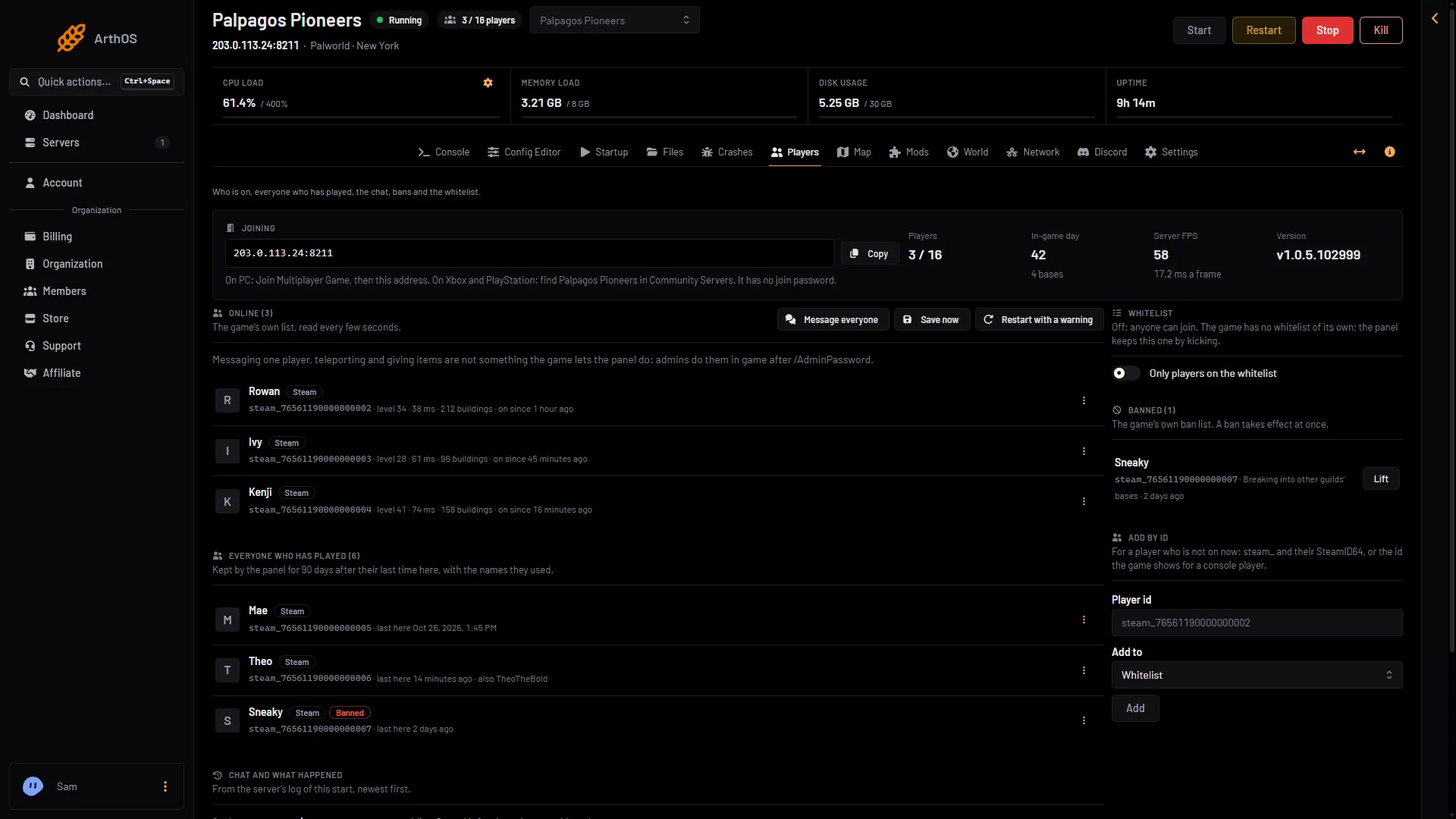
- Server FPS
The game’s API is how the panel talks to the game. The panel keeps it on while the Admin password is 16 characters or more (a new server gets a 20-character one). The page can only read these figures while the API is on.
The settings
Open the Config Editor page and pick Game settings. The named rows are in these groups.
| Row | Key | Default | What it does |
|---|---|---|---|
| Wild Pals | PalSpawnNumRate | 1 | How many wild Pals appear. Pocketpair says it impacts performance. The panel’s help says higher costs the server more memory and CPU. |
| Pals working at a base | BaseCampWorkerMaxNum | 15 | The most Pals working at one base. Up to 50. Pocketpair says raising it raises processing load. |
| Bases on the server | BaseCampMaxNum | 128 | The most bases on the whole server. |
| Bases per guild | BaseCampMaxNumInGuild | 4 | The most bases one guild can have. Up to 10. Pocketpair says raising it raises processing load. |
| Items on the ground | DropItemMaxNum | 3000 | The most dropped items lying in the world at once. Fewer helps a busy server. |
| How far players see others | ServerReplicatePawnCullDistance | 15000 | How far away, in centimetres, the server sends players other players and Pals. From 5000 to 15000. Lower helps a busy server. |
| Buildings per player | MaxBuildingLimitNum | 0 | Pocketpair: “Per-player building count cap (0 = unlimited).” It uses 1000 in its PvP example and says a cap lowers server strain. |
Wild Pals is in the World group. The bases, items and buildings rows are in Bases and building. The sync distance is in Joining.
Three more settings sit under Advanced. Choose Show them to see them. The panel names these rows from their keys:
MaxBuildingLimitNumPerPlayer: a second building key Pocketpair does not describe. Its default is0. Leave it as it is.PhysicsActiveDropItemMaxNum: Pocketpair says this is the most dropped items that can use physics behaviour. Its default is-1.MaxGuildsPerFrame: Pocketpair does not describe it. Its default is10. Leave it as it is.
Change them
- Pick one or two settings. Change a little at a time.
- Enter the new value and choose Save.
- Restart the server. If it is running, the editor says “Saved, waiting for the next restart”. Restart now applies it, and a restart disconnects everyone.
- Watch Server FPS on the Players page with players on.
The first picture shows the rows in Bases and building. The second shows How far players see others in Joining.
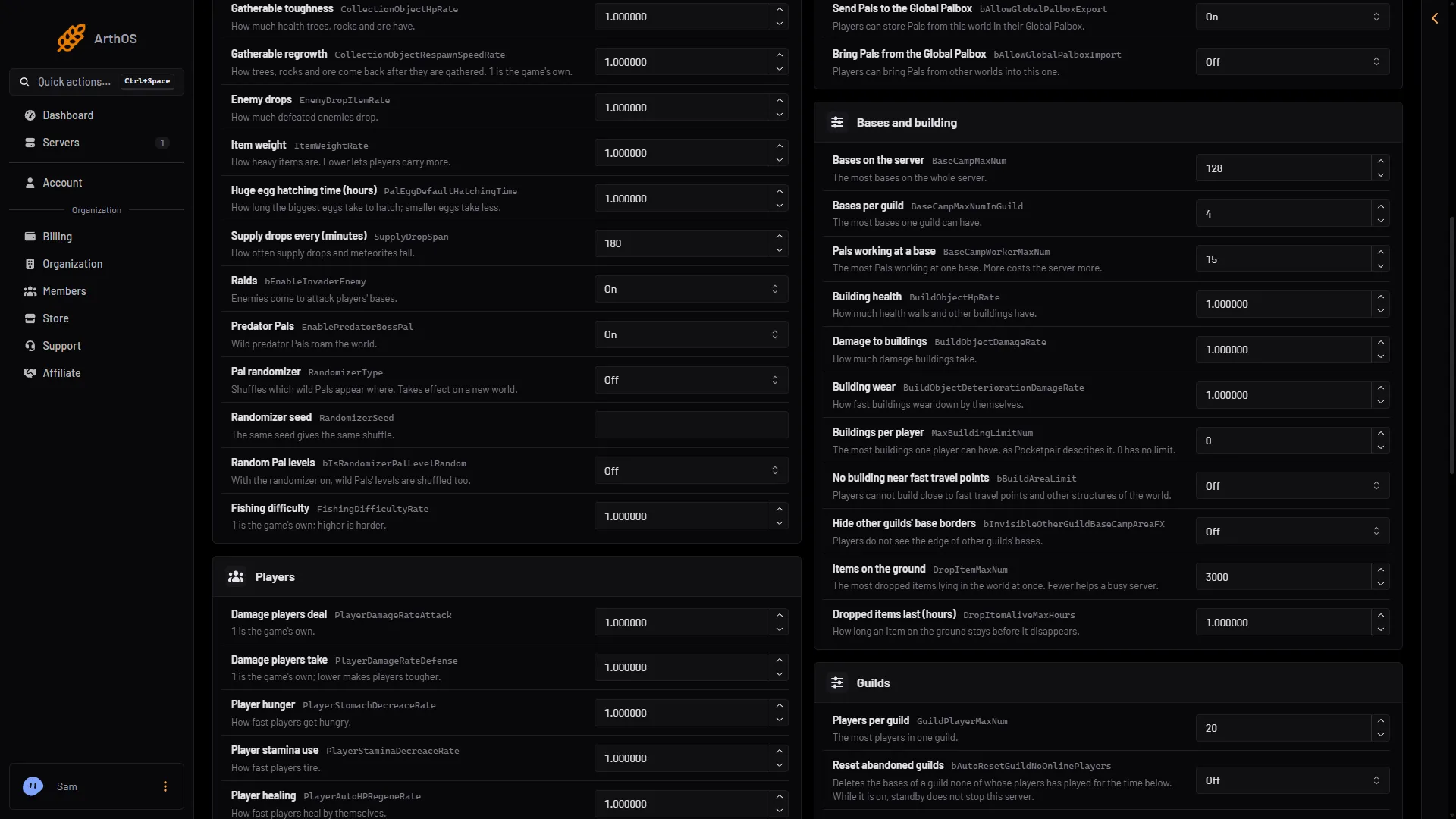
- Bases on the server
- Bases per guild
- Pals working at a base
- Items on the ground
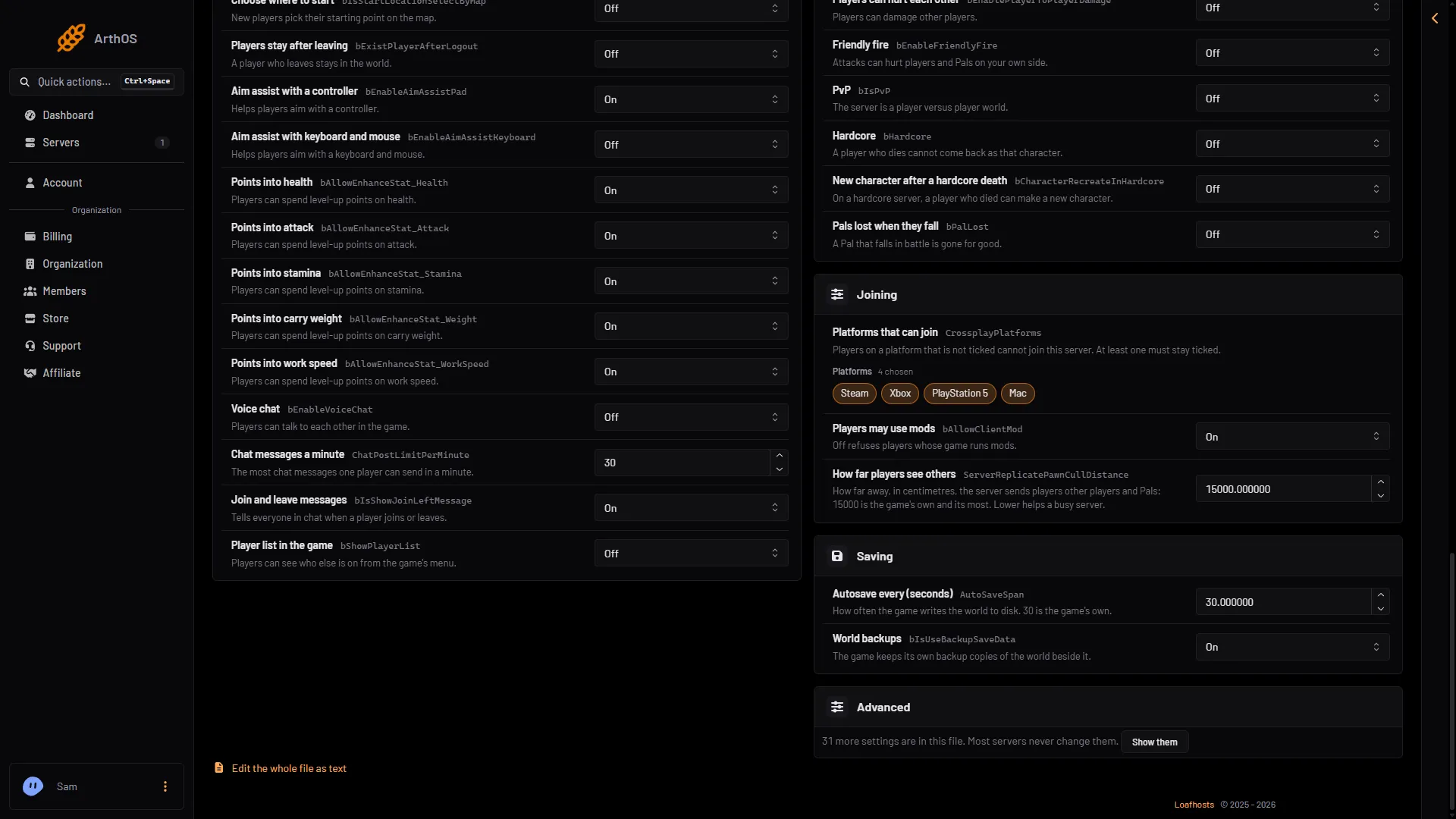
- How far players see others
Lowering Wild Pals below 1 means fewer Pals in the world. Lowering How far players see others means players see other players and Pals only when they are nearer. Keep each change small enough that players do not notice it.
Memory and size
Pocketpair asks for 4 cores or more and recommends 16 GB of memory. It says 8 GB “is also bootable, but increases the possibility of server crashes due to out of memory”. A new or quiet Loafhosts server uses about 1.2 to 2.2 GB (measured). Memory use grows with bases, Pals and players. The Small size has 2 cores, below Pocketpair’s 4. For a bigger size, open Billing, the service, Customize, then Choose a new size. If a renewal invoice is waiting, a bigger size needs it paid first. For crashes, see the out of memory guide. For lag, see the lag guide.
If it does not work
- Nothing changed. The server has not restarted since you saved.
- A setting is missing.
MaxBuildingLimitNum,PhysicsActiveDropItemMaxNumandMaxGuildsPerFrameare only under Advanced. - Server FPS shows nothing. The server is stopped, or the admin password is shorter than 16 characters. Set a longer one in the Config Editor page and restart.
- A world with its own settings ignores some of these. A world with its own
WorldOption.savignores the Game settings for the settings that file holds. The World page shows Own settings for it.
More about the game: Palworld servers.
Sources: docs.palworldgame.com: Configuration, docs.palworldgame.com: Pvp, docs.palworldgame.com: Requirements