












On a Loafhosts Palworld server, RCON is off and the game’s REST API cannot be reached from outside. Tools that connect to the server from the internet through RCON or the REST API will not work. The panel itself uses the REST API, from the inside, to give you Players, Map, console commands and warned restarts.
The game’s API is how the panel talks to the game. The panel keeps it on while the Admin password is 16 characters or more (a new server gets a 20-character one).
RCON
RCON is an old way to send admin commands to a server from a remote tool. Pocketpair has marked it as deprecated: “RCON is scheduled to stop functioning in an upcoming update.” They point to the REST API instead.
On Loafhosts the panel turns RCON off. The game ships with RCON off and port 25575, but that is not what a Loafhosts server runs. The panel writes RCONEnabled=False into PalWorldSettings.ini itself before every start, so a hand edit to it is replaced. It leaves RCONPort as it is, unused.
The REST API
The REST API is Pocketpair’s newer way to read and manage a server. Pocketpair warns that it is “not designed to be exposed directly to the Internet”, because that “may result in unauthorized manipulation of the server”.
So on Loafhosts the API is kept inside the server. The panel sets RESTAPIEnabled to True only when the admin password is 16 characters or more, and sets RESTAPIPort to 18212, which is reachable only from inside the server. The game’s own default is 8212, which is not what runs here.
The panel reaches the API through its own gate, on the second port of your server. Outside tools cannot connect, and you do not need to open or forward any port. The game port (1) is the one players type. The gate port (2) is the panel’s and players never use it. Nothing on the Network page needs changing.
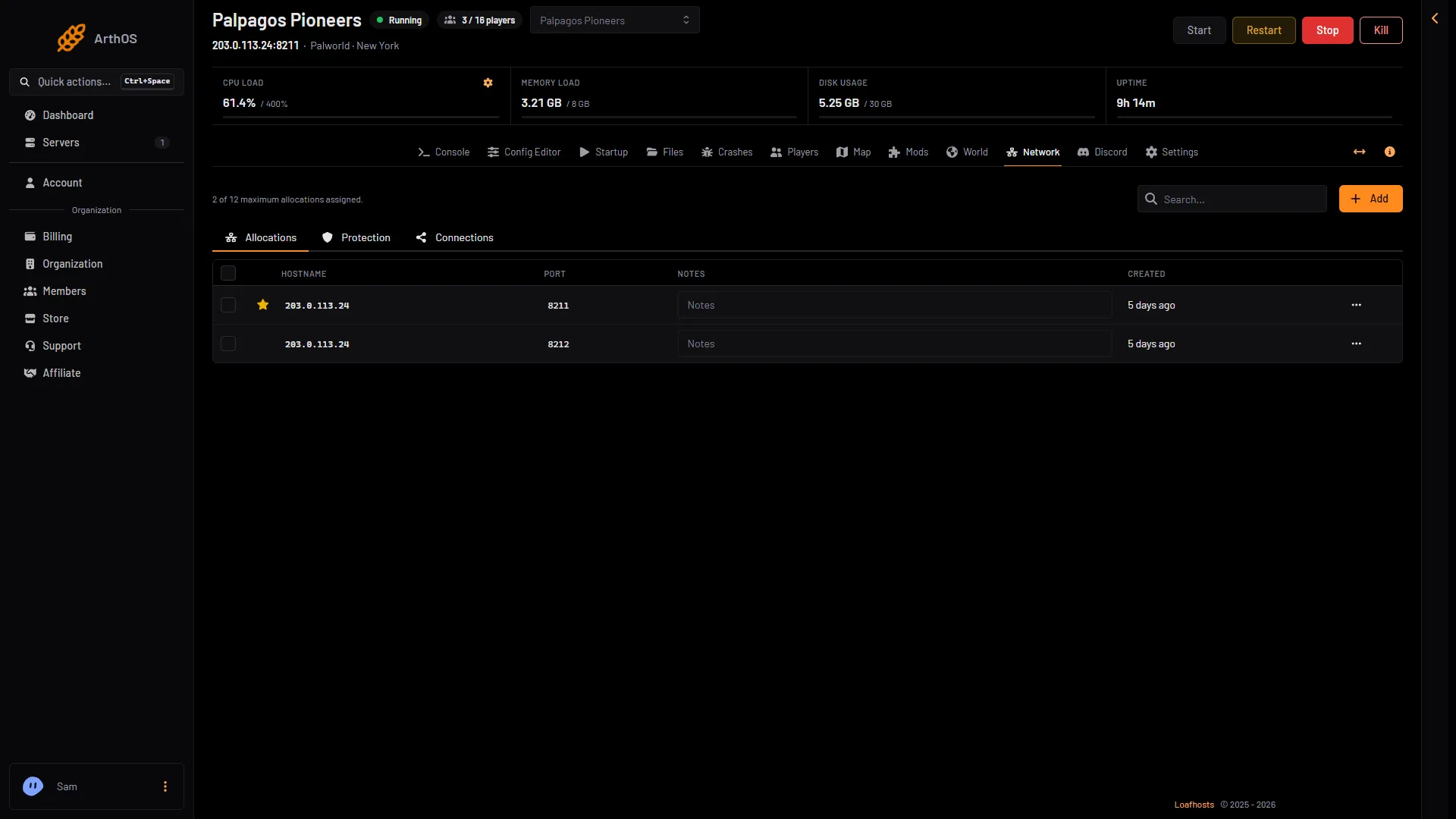
- The game port
- The panel's gate port
What the panel does with it
The panel uses the API for these:
- Players: who is online, and their level and ping.
- Message everyone, Save now, kick, ban and the whitelist.
- Restart with a warning: a countdown with announcements, then a save and a restart.
- Map: where players are, read from the game every 5 seconds.
- Console: typing
Broadcast,KickPlayer,BanPlayer,UnBanPlayer,Save,ShowPlayers,InfoorShutdownruns that command. See Palworld server console. - Schedules: a Send Command step sends the same words.
- Every stop and restart from the panel, which saves the world first.
Some things the API does not do. DoExit is refused in the console because it stops the server without saving. AdminPassword, TeleportToPlayer, TeleportToMe and ToggleSpectate work only in the game itself. See Palworld server commands.
The admin password must be 16 characters or more
The panel keeps the game’s API on only when the Admin password is 16 characters or longer. A new server gets a random 20-character one. With a shorter password, the API stays off, and the Players page tells you: the panel keeps the game’s API off, and who is on, kicks, bans and messages need it.
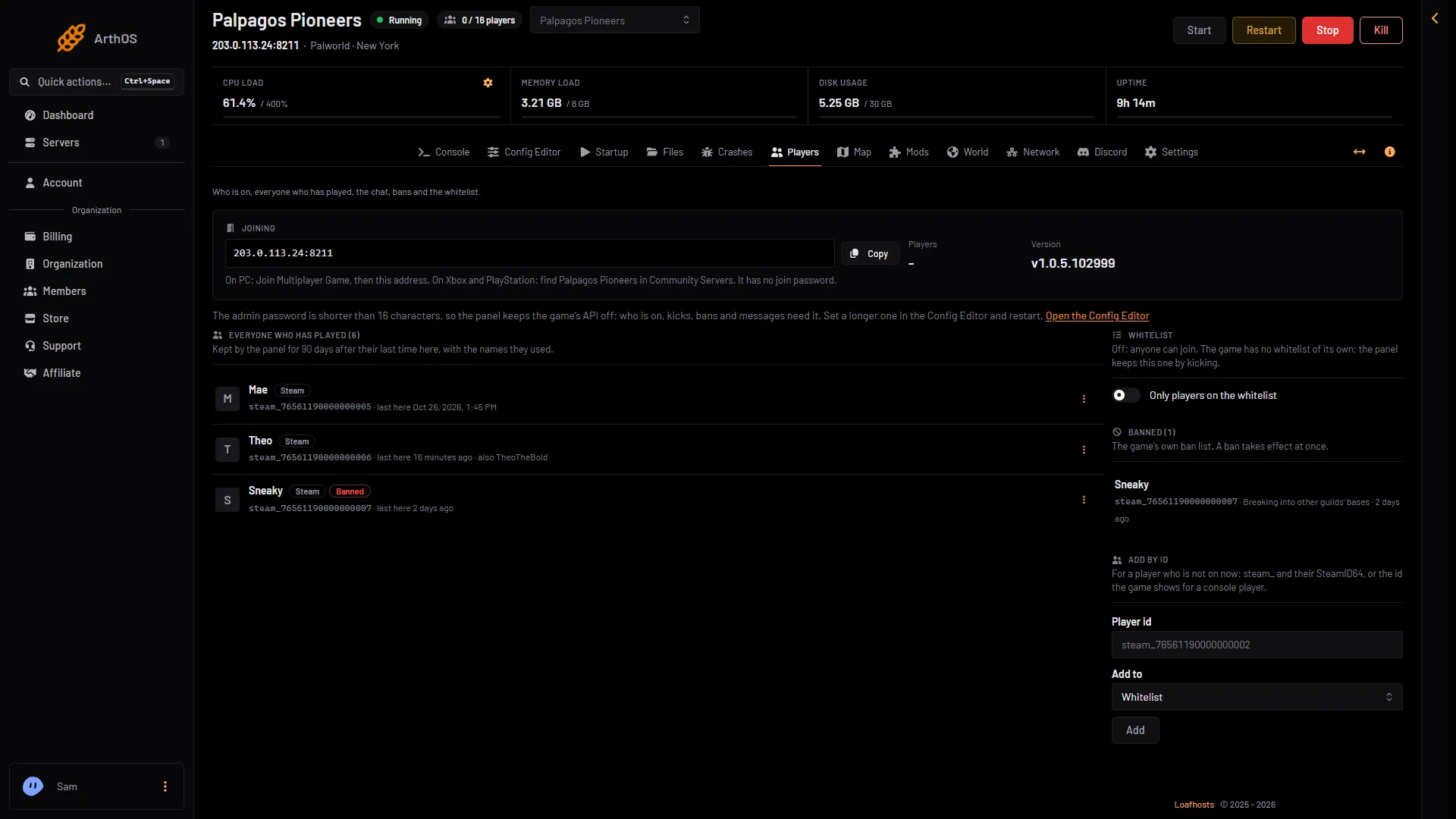
- Why the API is off
- Open the Config Editor
The line (1) says why. Its link (2) opens the Config Editor.
To fix it:
- Open Config Editor.
- Choose Server settings.
- In the card Passwords, set Admin password to 16 to 30 characters: letters, digits,
-and_. The panel refuses any other character when you save. - Choose Save. While the server runs, the page shows “Saved. Restart the server to apply the changes.” with Restart now. A restart disconnects everyone. The password applies at the next start.
The same password is what you type in the game: /AdminPassword (your admin password). See Palworld admin password.
If you run your own server
Pocketpair’s defaults are RCON off on port 25575 and the REST API off on port 8212. The REST API uses HTTP Basic Auth and is meant for a home network, not the internet. Stop the server, then open Pal/Saved/Config/LinuxServer/PalWorldSettings.ini. Inside the one OptionSettings=(...) line, change these pairs and keep the commas between them:
RESTAPIEnabled=True,RESTAPIPort=8212,RCONEnabled=FalsePocketpair’s requirements list one port to forward on your router: UDP port 8211. Do not forward the API port. On Loafhosts there is nothing to forward. With server mods on, these two files are in another folder under Pal/Saved/Config. Open Config in Files and use the folder that holds them, or use the Config Editor, which always finds them.
If it does not work
- The Players page says the API is off. Your admin password is too short. Set a longer one and restart.
- A remote tool cannot connect. This is on purpose. Use the panel instead.
- A command in the console does nothing. The API is off, or the server is stopped.
More about the game: Palworld servers.
Sources: docs.palworldgame.com: Rcon, docs.palworldgame.com: Palwold rest api