












Two settings decide whether enemies attack your players. Raids sends enemies to attack players’ bases. Predator Pals lets very strong wild Pals roam the world. Both are On on a new server. Turn either one Off in the Config Editor, and the change applies at the next start.
What each one does
Raids is the game’s bEnableInvaderEnemy setting. Pocketpair, the maker of Palworld, calls it “Enable Invader”. When it is On, groups of enemies come to attack a player’s base. The Palworld wiki describes raids as random events where hostile Pals or human groups invade a base. Turn it Off if you want bases that are never attacked.
Predator Pals is the game’s EnablePredatorBossPal setting. Predator Pals are far stronger than normal wild Pals. The wiki says they attack on sight, cannot be caught, and give a lot of experience when beaten. Since game version 1.0.0 they appear at a low rate across the whole map. Turn it Off if you do not want them.
Pocketpair’s own guide does not describe EnablePredatorBossPal. The Config Editor’s help line for it reads “Wild predator Pals roam the world.”
Change them in the panel
- Open your server and choose Config Editor.
- At the top, choose Game settings.
- In the World group, find Raids and Predator Pals.
- Set Raids (1) and Predator Pals (2) to Off.
- Choose Save.
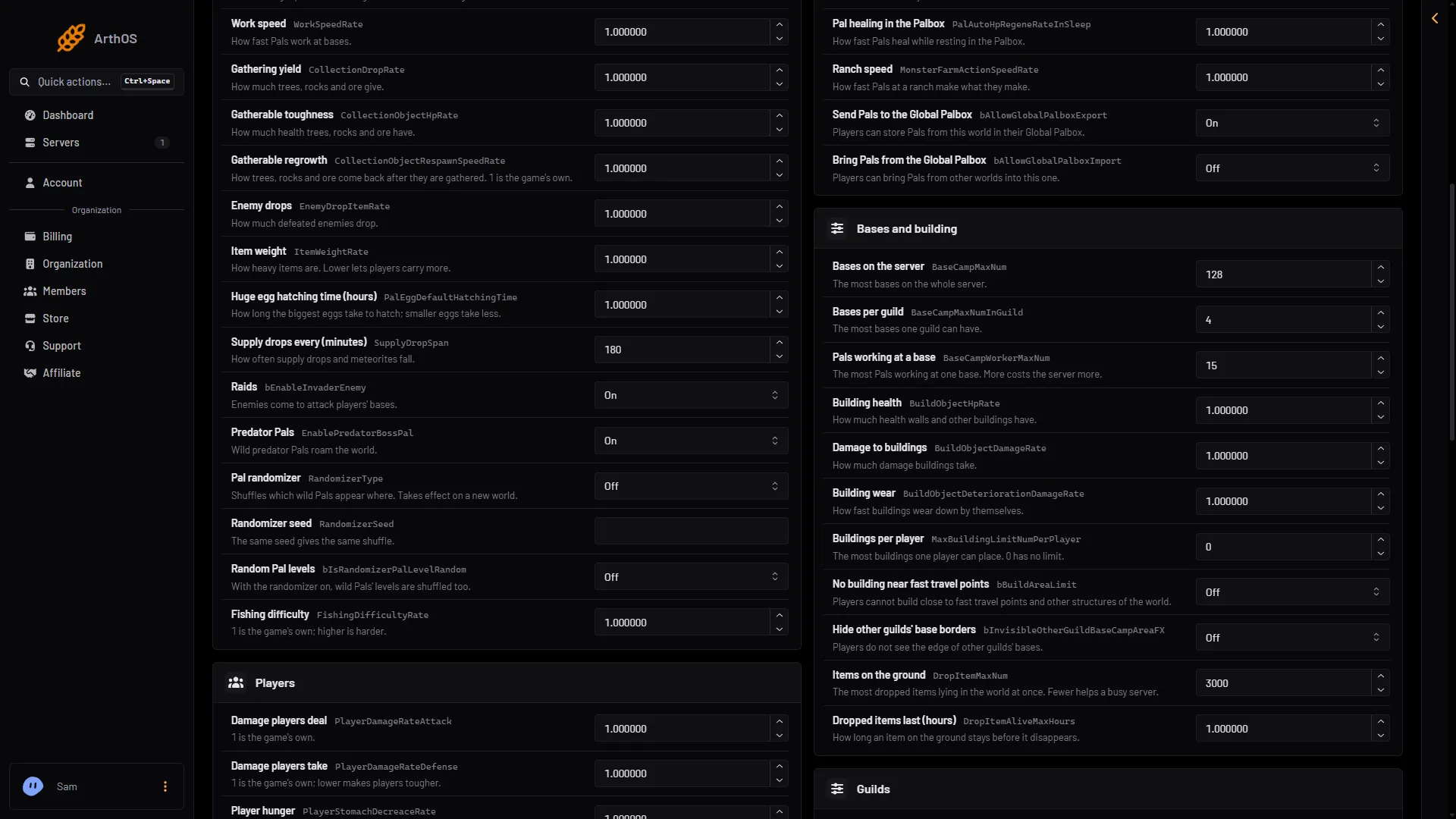
- Raids
- Predator Pals
If the server is running, the panel keeps your change and shows “Saved, waiting for the next restart: (names).” The game reads the file only when it starts. Choose Restart now to apply it, or wait for the next restart. A server that is stopped writes the change at once.
Enemy camps near bases
Under Advanced in Game settings, choose Show them. One of the settings there is bAllowEnemyCampSpawnNearBaseCamp. Pocketpair describes it as “Whether to allow enemy bases to spawn near player bases.” It is Off on a new server. These Advanced rows are named by their game key, not by a plain label.
Leave it Off unless you want enemy camps to appear close to where players build.
By hand
The file is Pal/Saved/Config/LinuxServer/PalWorldSettings.ini on the server. It has one OptionSettings=(...) line. Inside that line, change these pairs and keep the commas between them:
bEnableInvaderEnemy=False,EnablePredatorBossPal=FalseStop the server first. The game writes this file again when it stops, so a change made while it runs is lost. The Config Editor avoids this for you. With server mods on, these two files are in another folder under Pal/Saved/Config. Open Config in Files and use the folder that holds them, or use the Config Editor, which always finds them.
If it does not work
- Raids still happen. The server has not restarted since you saved. Use Restart now.
- The change is gone. The file was edited by hand while the server ran. Use the Config Editor.
- A world uses its own settings. A world that has a
WorldOption.savfile ignores the Config Editor’s Game settings for the settings that file holds. See Palworld WorldOption.sav.
More about the game: Palworld servers.
Sources: docs.palworldgame.com: Configuration, palworld.wiki.gg: Base Raids, palworld.wiki.gg: Predator Pals