












To roll a Palworld world back, stop the server, open the World page, choose Put back next to an earlier time, and start the server again. Put back is greyed out while the server runs. The world returns to that moment. Everything done since then is lost, for every player.
Use this after griefing, a bad settings change, or a crash that damaged the world.
What a rollback takes away
A rollback is not selective. The world, the bases, the Pals and the characters all go back together. That means:
- Buildings made after that time are gone.
- Pals caught or hatched after that time are gone.
- Levels and items gained after that time are gone, for every player.
So pick the latest moment that is still good. Write down the time you chose.
Roll back with the game’s backups
The game’s own backups are close together for the last few minutes, then hourly, then daily. See Palworld world backups.
- Tell players. Use Message everyone on the Players page, or the console command
Broadcast (message). Both need the game’s API. The game’s API is how the panel talks to the game. The panel keeps it on while the Admin password is 16 characters or more (a new server gets a 20-character one). - Stop the server. When you stop the server from the panel, it saves the world first, while the game’s API is on.
- Open the World page. Under The game’s backups, find a time before the problem.
- Choose Put back.
- In the box “Put back the backup from (time)?”, read the text in the picture below and choose Put back (3). The world loads at the next start.
- Start the server.
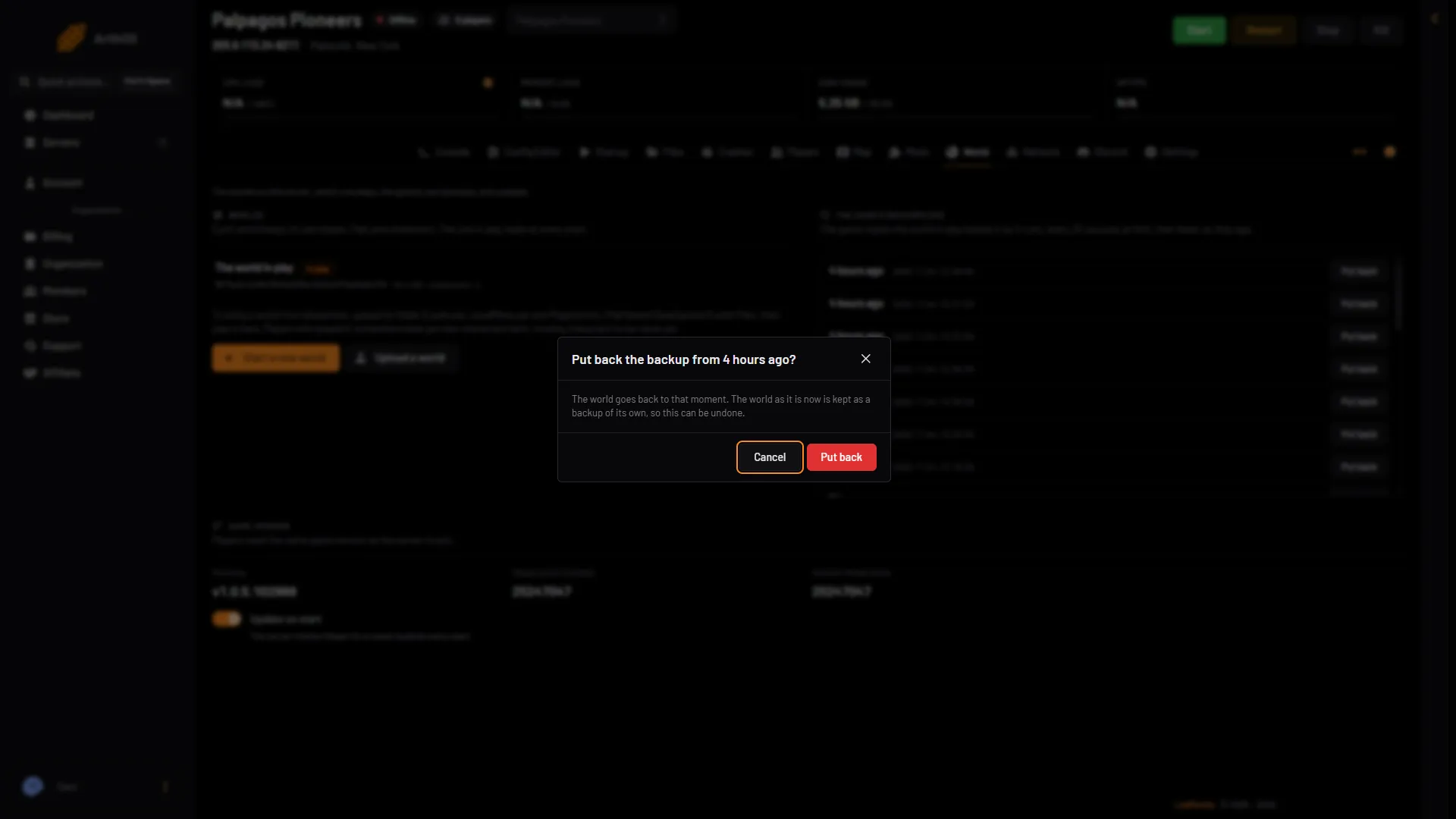
- Which backup
- Can be undone
- Put back
How to undo it
The box says it: “The world as it is now is kept as a backup of its own, so this can be undone.”
After the rollback, the list under The game’s backups has a new row with the time you pressed Put back. That row is the world as it was. If you chose wrongly, stop the server and put that row back.
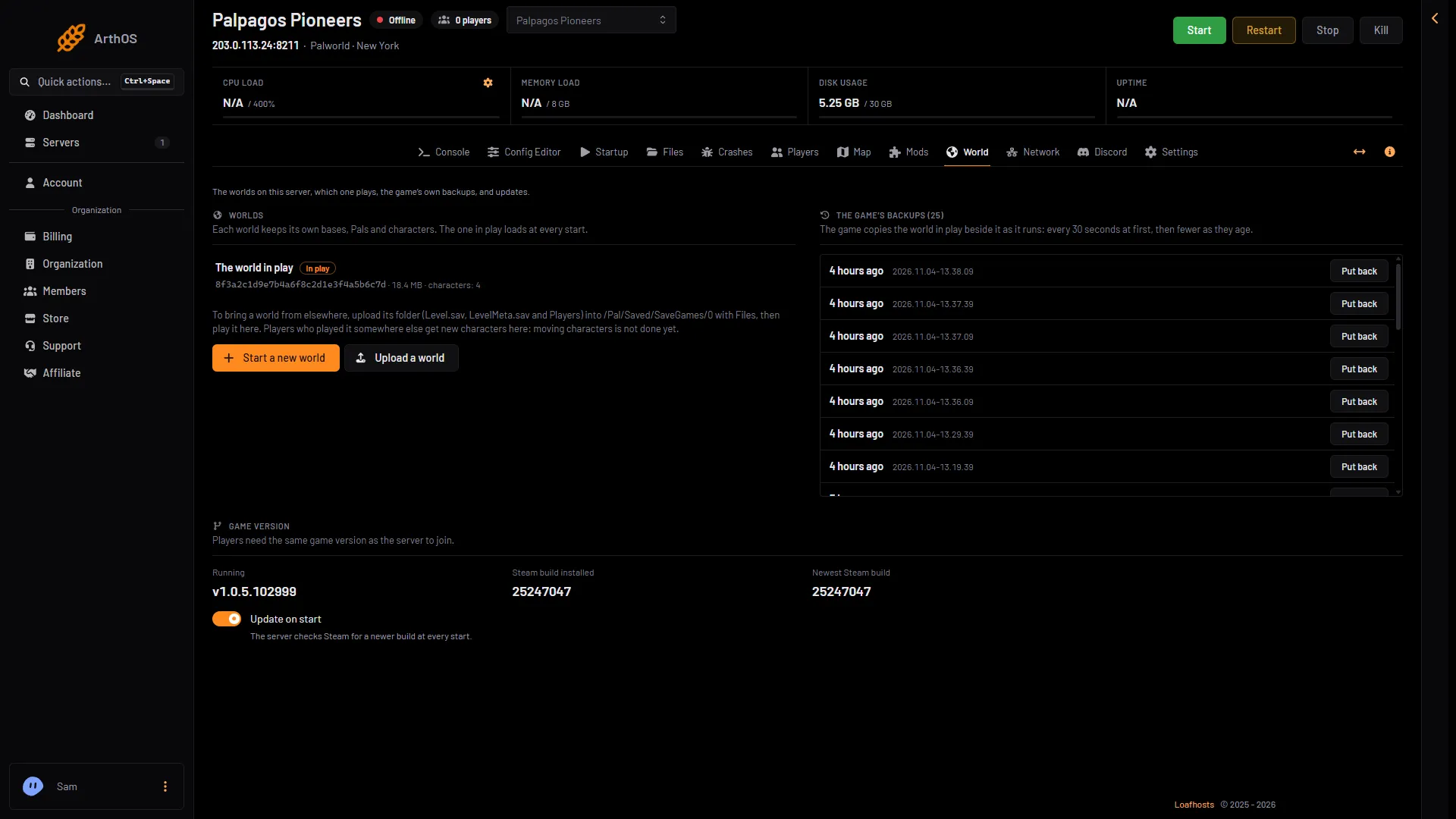
- The game's backups
- Put back
Older than the game’s backups
The game keeps about a week. For anything older, use a panel backup, if you made one. The page shows how many your plan allows, for example “0 of 2 maximum backups created.”
- Open Settings, then Backups.
- Open the menu on the backup row and choose Restore. Restoring stops the server itself.
- Leave both switches off unless you know you need them. The first one deletes all files of the server before the restore. It cannot be undone.
- Choose Restore, then start the server when the restore ends.
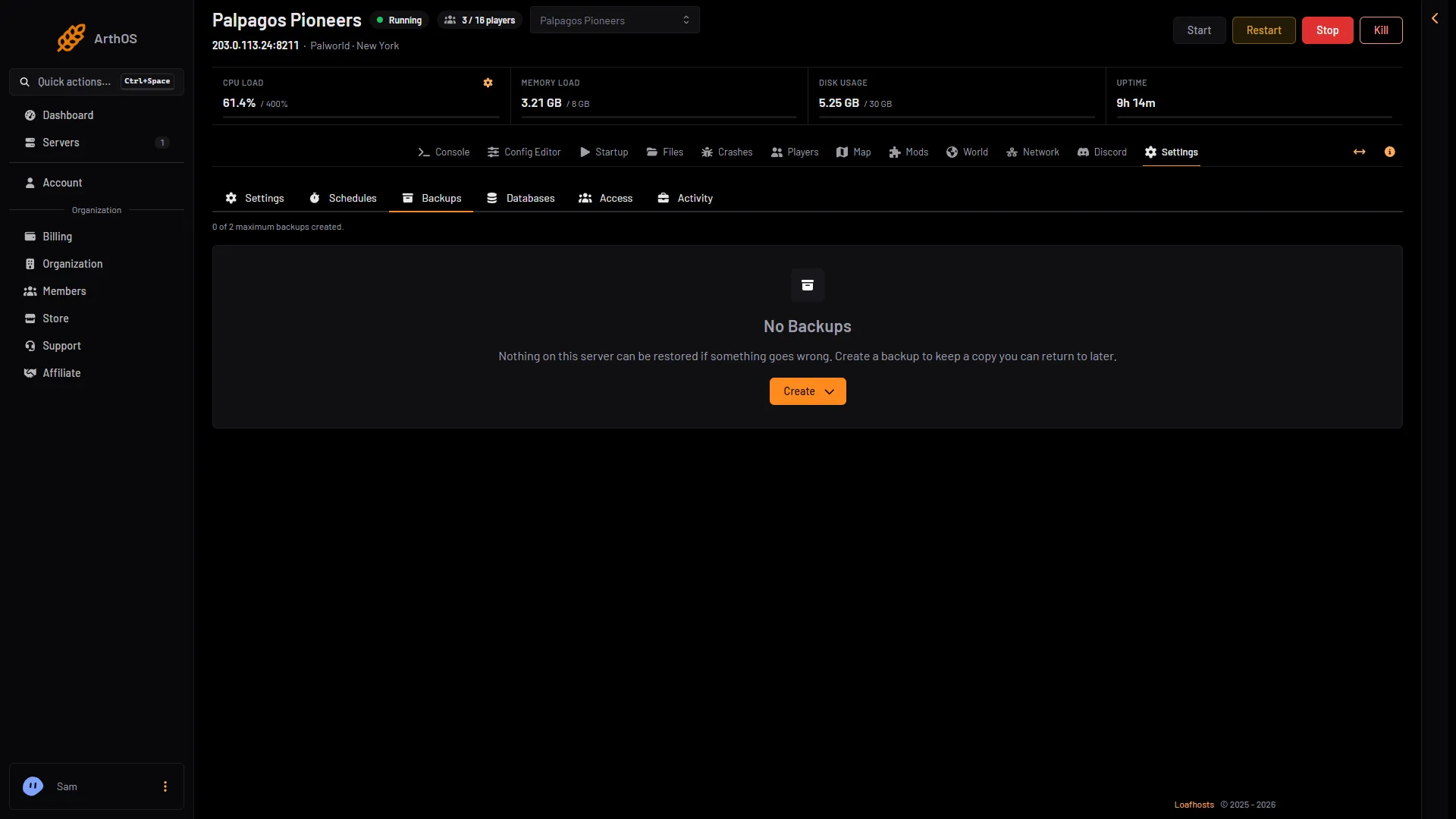
- The backup limit
- Create
Rolling back after griefing
If someone griefed, a rollback removes their damage and everyone’s good work from the same time. If that is too much, consider a rollback to just before the damage, then rebuild what was lost. Ban the player from the Players page so it does not repeat. See kick and ban players.
If it does not work
- Put back is greyed out. The server is running. Stop it first.
- The world did not change. It loads at the next start. Start the server.
- No backups are listed. World backups is off in the Config Editor, or the world has not run long. Use a panel backup.
- The players lost something they wanted. Put back the new row at the top of the list, the world as it was.
More about the game: Palworld servers.
Sources: docs.palworldgame.com: Configuration