

















Open Inventories, choose the ship or station, find the block’s item line and press Remove on it. Tick All of it or type an amount, then confirm. The items are destroyed: they do not go anywhere, and nothing brings them back.
This needs the panel tools (the panel’s own add-on for the server), a running server, and a role with players.game and live-map.private under Game server access. The owner has every permission. Roles are changed on the organization page: Settings, Access, Manage roles. To take items from a player instead, see remove items from a player.
Find the block and its item
- Open the Inventories page of your Space Engineers server.
- Press the ship or station in Ships and stations.
- Scroll down to the block. Each block that holds things has its own section, named as in the game’s terminal. Blocks with the same name are told apart as “(2 of 6)”.
- A refinery or assembler has two parts. Going in (2) is what it will work on. Made (3) is what it produced. Look in the part you want.
- Blocks that hold nothing are hidden. Press Show 2 empty blocks (4), or the count it shows, to see them.
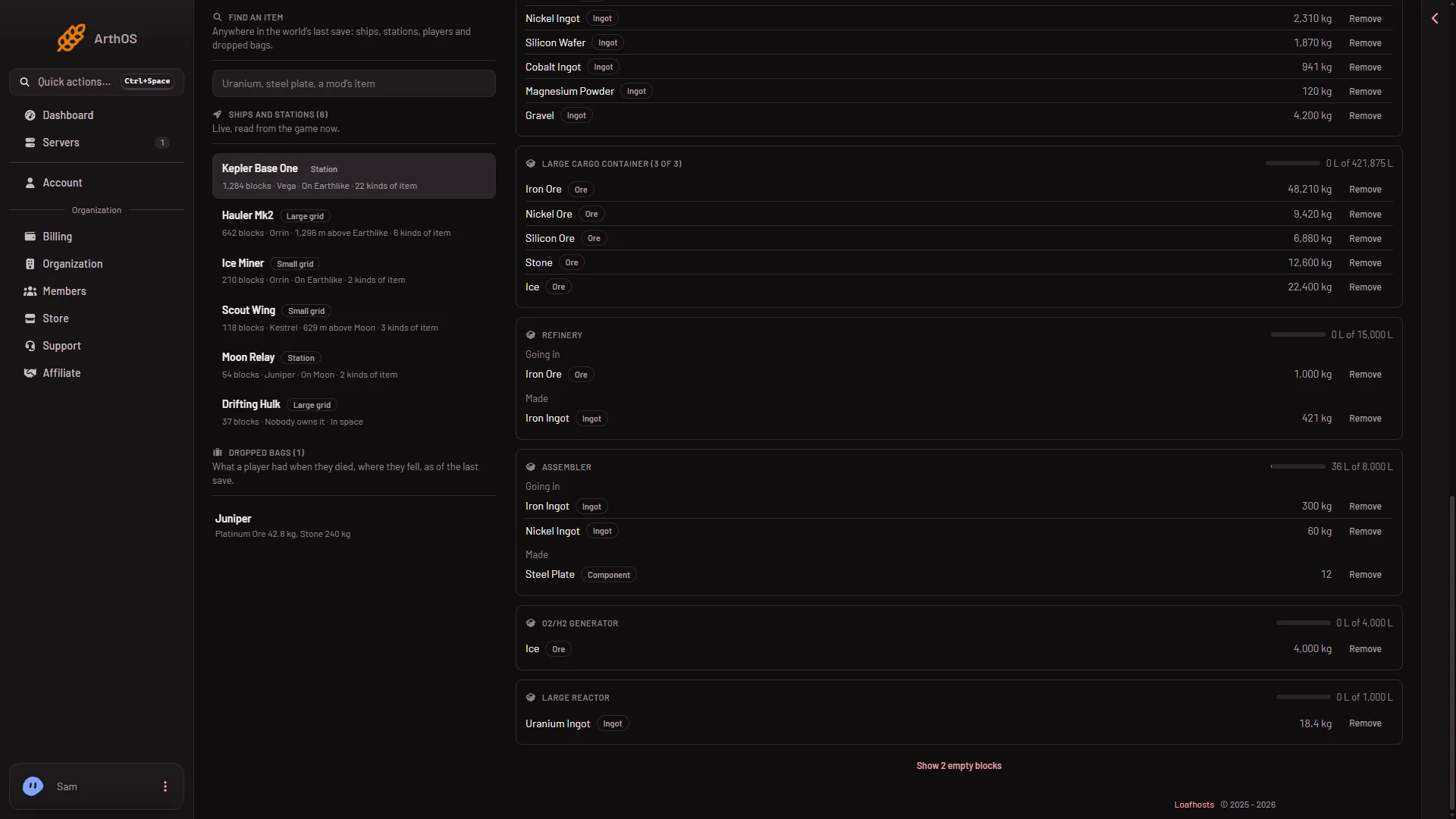
- Refinery
- Going in
- Made
- Show empty blocks
The Remove buttons show only while the page is live, and only if your role may act in the game. The summary at the top, In all, adds up every block. Use the block’s own line so you take from the right place.
Remove the items
- Press Remove on the item line.
- Read the warning (1): “Removed items are gone from the world for good: the game keeps no copy to bring them back.” Under it, the panel says how much the block has.
- Tick All of it (2) to remove everything on that line. Or leave it off and type an amount in How many (3). Ore and ingots read How much (kg). The panel only lets you ask for what the line shows.
- Press the red button. It names your choice, for example “Remove 5 Steel Plate”.
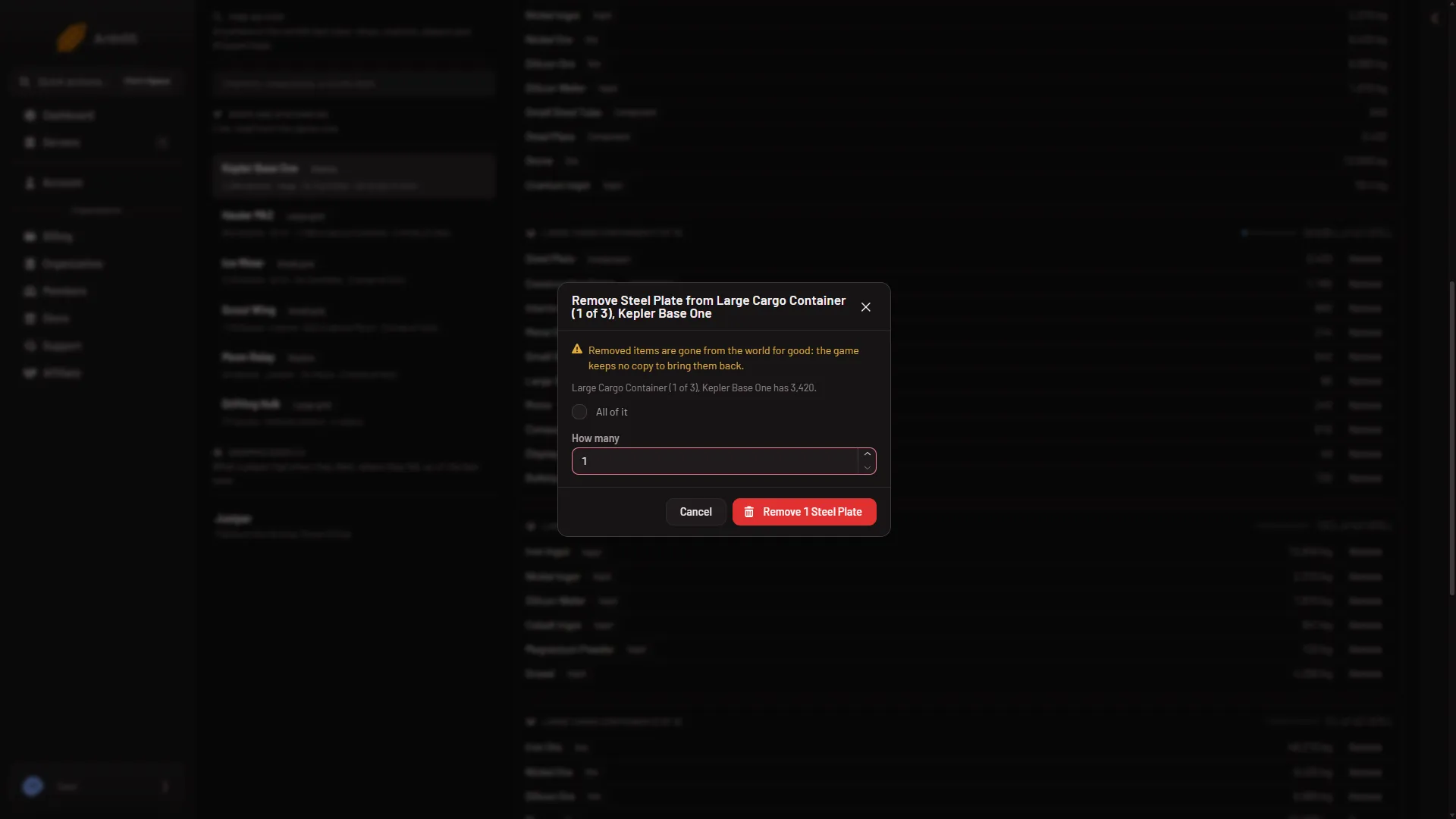
- Gone for good
- All of it
- How many
The panel answers “Removed (amount) from (block).” The change is at once, and the block’s line updates at the next read.
Refineries and assemblers
When you remove from a refinery or assembler, the game takes from the Made side if the item is there. If it is not, it takes from Going in. So a refinery’s output goes first, even when the line you pressed was on the input side.
If it does not work
- There is no Remove button. The server is stopped, the panel tools are off or not loaded, or your role cannot act in the game. The page then reads the last save and says so. If the tools line says newer panel tools are in place for the next start, restart the server once: the older tools only read the save.
- “(block) has no (item).” It is already gone. Reload the page.
- “that block is not in the world any more.” The block was deleted. Reload the page.
- “the game did not answer; it may be busy saving, so try again in a moment.” Wait a few seconds and try again.