

















In a player’s list, press Remove on the item’s line. A dialog asks how much: tick All of it, or type an amount. Press the red button, for example “Remove 100 kg of Iron Ore”. The items are destroyed. There is no undo.
Before you start
- The list must be live. Remove only shows while the panel tools are running and the player is on the server. A list “as of the world’s last save” has no Remove. See see what a player carries.
- Your role must have the permission
players.game, which lets it act in the game. The owner has every permission. Roles are changed on the organization page: Settings, Access, Manage roles.
Remove an item
- On the Players page, press the box button on the player’s row.
- On the item’s line, under In all, press Remove.
- The dialog Remove (item) from (name) opens. It says “(name) has (amount).” Read the warning: removed items are gone from the world for good, and the game keeps no copy to bring them back.
- Choose how much:
- Tick All of it (2) to take everything of that item.
- Or leave it unticked and type an amount (3). The box reads How many for most items and How much (kg) for ore and ingots. It starts at 1, or at 100 kg for ore, or at all of it if they have less. You cannot ask for more than the line shows.
- Press the red button. It names the amount, such as “Remove 5 Steel Plate”.
A green message confirms it, and the line “Removed from (name): (amount and item).” shows under What happened.
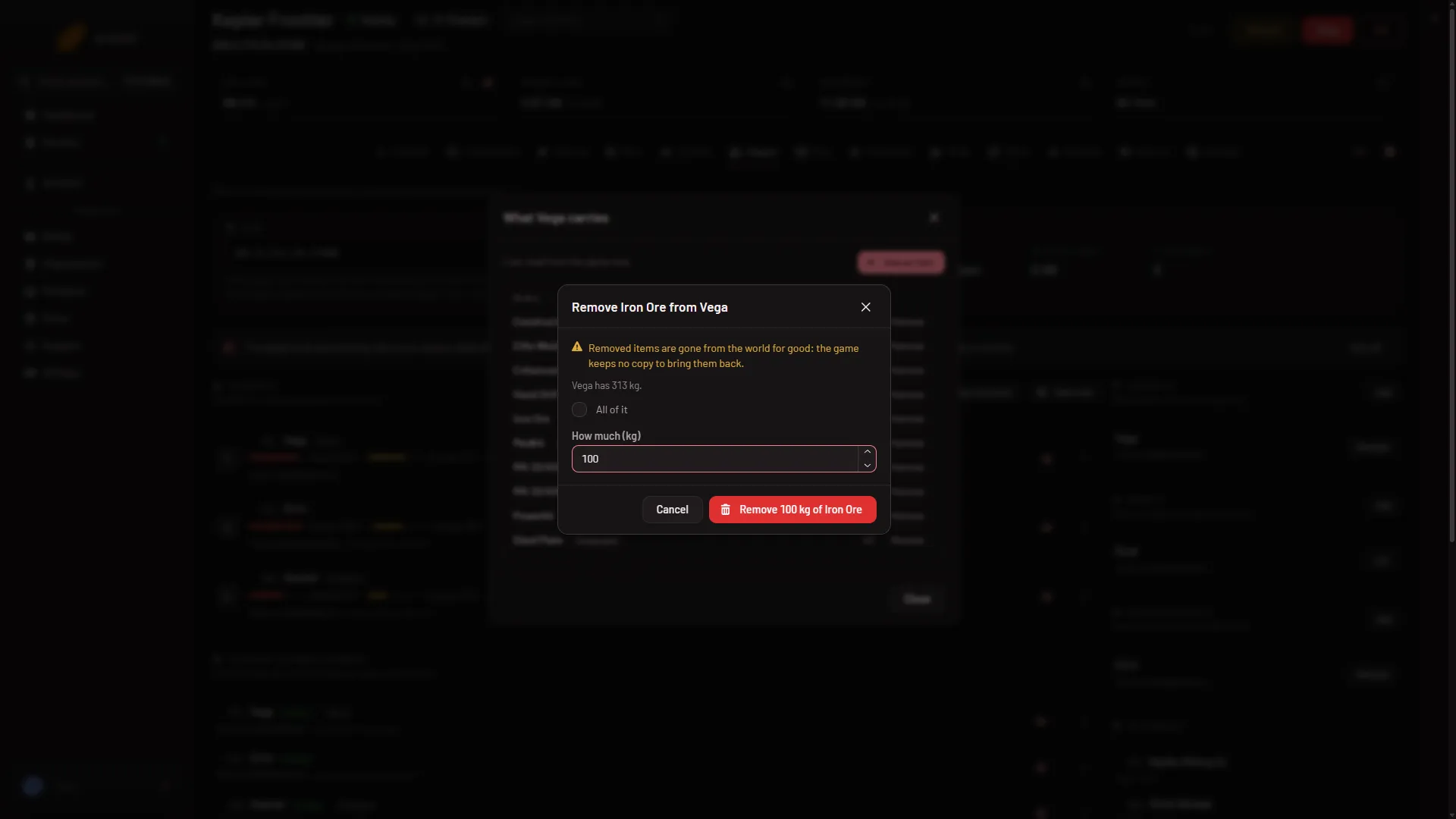
- Gone for good warning
- All of it
- How much
On the picture, the warning is (1), All of it is (2) and the amount box is (3).
If it does not work
- There is no Remove button. The list is from the save, the tools are not running, or your role lacks
players.game. Turn on Panel tools on Startup, restart once and open the list while the player is on. - The panel tools line says newer tools are in place for the next start. The older tools still run, but the page reads the save and offers no Remove. Restart the server once.
- “(name) has no (item).” They no longer have it. Open the list again.
- “that player is not on the server.” They left. Remove needs them on the server.
- “the game did not answer; it may be busy saving, so try again in a moment.” Wait a few seconds and press the red button again.
To put an item in, see give items to a player. More about the game: Space Engineers servers.