

















Press the box button on a player’s row on the Players page. A window named What (name) carries opens with every item they hold. While they are on the server and the panel tools are running, the list is live. In every other case it is what the world’s last save knew.
Open it
- Open the Players page.
- Find the player under On now or under Everyone the world knows. Both rows have a box button.
- Press it. The window opens. Press Close when you are done.
The button is there for anyone who can see the Players page.
Read the list
The first line of the window says where the list comes from:
- Live, read from the game now. The panel asks the game. This needs the panel tools on, running with the panel’s key, and the player on the server. The list refreshes about every 10 seconds while the window is open.
- As of the world’s last save. The panel reads the player’s character in the last save. This is what you get with the panel tools off, with the server stopped, or for a player who is not on. Items they picked up since that save are not in it. With the panel tools on, press Save now on the Players page to make the save catch up. Save now asks the game to save and does not wait, so wait a few seconds before you look again.
Under In all, each item has its name, a kind tag and an amount. Kind tags are Ore, Ingot, Component, Tool, Ammo, Bottle, Food and medicine and Other. Ore and ingots show in kilograms. Everything else is counted in whole items. A player with nothing shows “It holds nothing.”
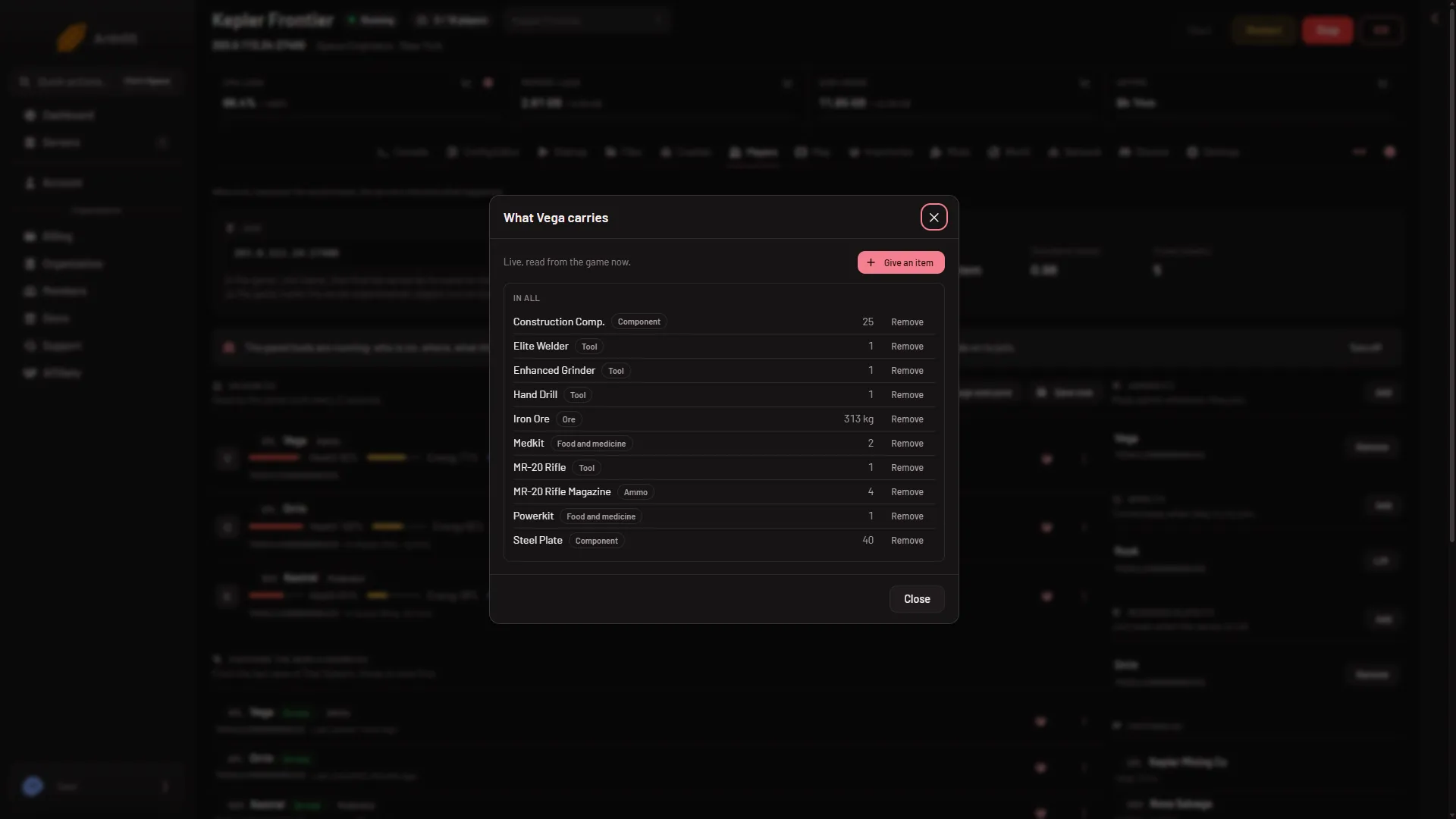
- The window
- Live line
- Give an item
- Remove
On the picture, the window is (1) and the line that says where the list comes from is (2). The two buttons are numbered below.
Give or remove from here
When the list is live, two more things appear, for people whose role has the permission players.game (the owner has every permission):
- Give an item (3) puts something in the player’s inventory. See give items to a player.
- Remove (4) on a line takes that item out for good. See remove items from a player.
Neither is offered on a saved list.
If it does not work
- “their character is not in the world’s last save (they may be at the respawn screen)”. The player may be at the respawn screen, or has never been saved. Wait for the next autosave, or use Save now (panel tools on).
- “the world has not been saved yet”. Start the world and let it save once.
- There is no Give an item or Remove. The list is from the save, or your role lacks
players.game. If the list is from the save, turn on Panel tools on Startup and restart the server once, then open the window while the player is on. A new server already needs Experimental mode in every player’s game, so the tools add nothing players must change. See the panel tools. - The panel tools line says newer tools are in place for the next start. The older tools still run, but the page reads the save and offers no Give an item or Remove. Restart the server once.
- A seated player’s items look old. A player in a seat is read from inside the seat in a save. Use the live list.
More about the game: Space Engineers servers.