

















On the World page, the Planets card has a Put the ground back button for each planet. It undoes every hole dug in that planet and puts the ground back as the game made it. Grids (ships and stations) on the planet stay where they are. You must stop the server first.
This only works for the game’s own planets. A planet that comes from a mod cannot be put back this way.
Put a planet’s ground back
- Stop the server with Stop at the top of the page. Wait until it says Offline.
- Open the World page.
- Find the Planets card. It lists each planet in the world that loads.
- Press Put the ground back (1) on the planet you want to repair.
- Read the box. It says every hole dug and every bit of ground changed on that planet is undone, and that grids on it stay.
- Press Put the ground back in the box. The panel says the ground is put back.
- Start the server. The game reads the planet at the next start.
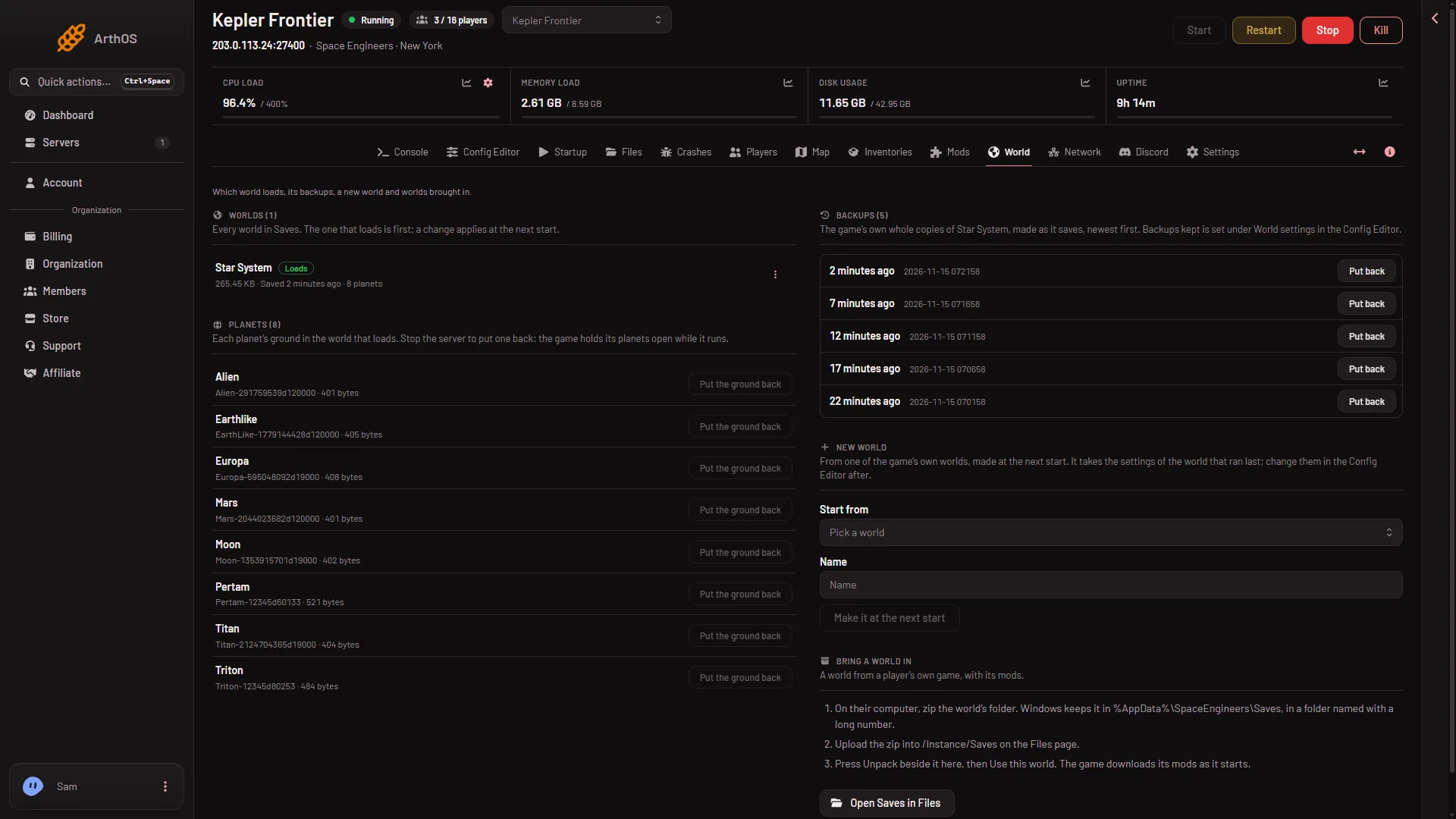
- Put the ground back
The picture shows the server running, so the buttons are greyed. They only work when the server is offline. The card’s own text says why: the game holds its planets open while it runs and writes them again when it saves.
What the panel does
The panel does not delete anything. It moves the planet’s current file into its own folder, .arthos/se/aside, and copies in the game’s original file for that planet. The box tells you where the old ground is kept. If the copy fails, the panel puts the old file back and the world is as it was.
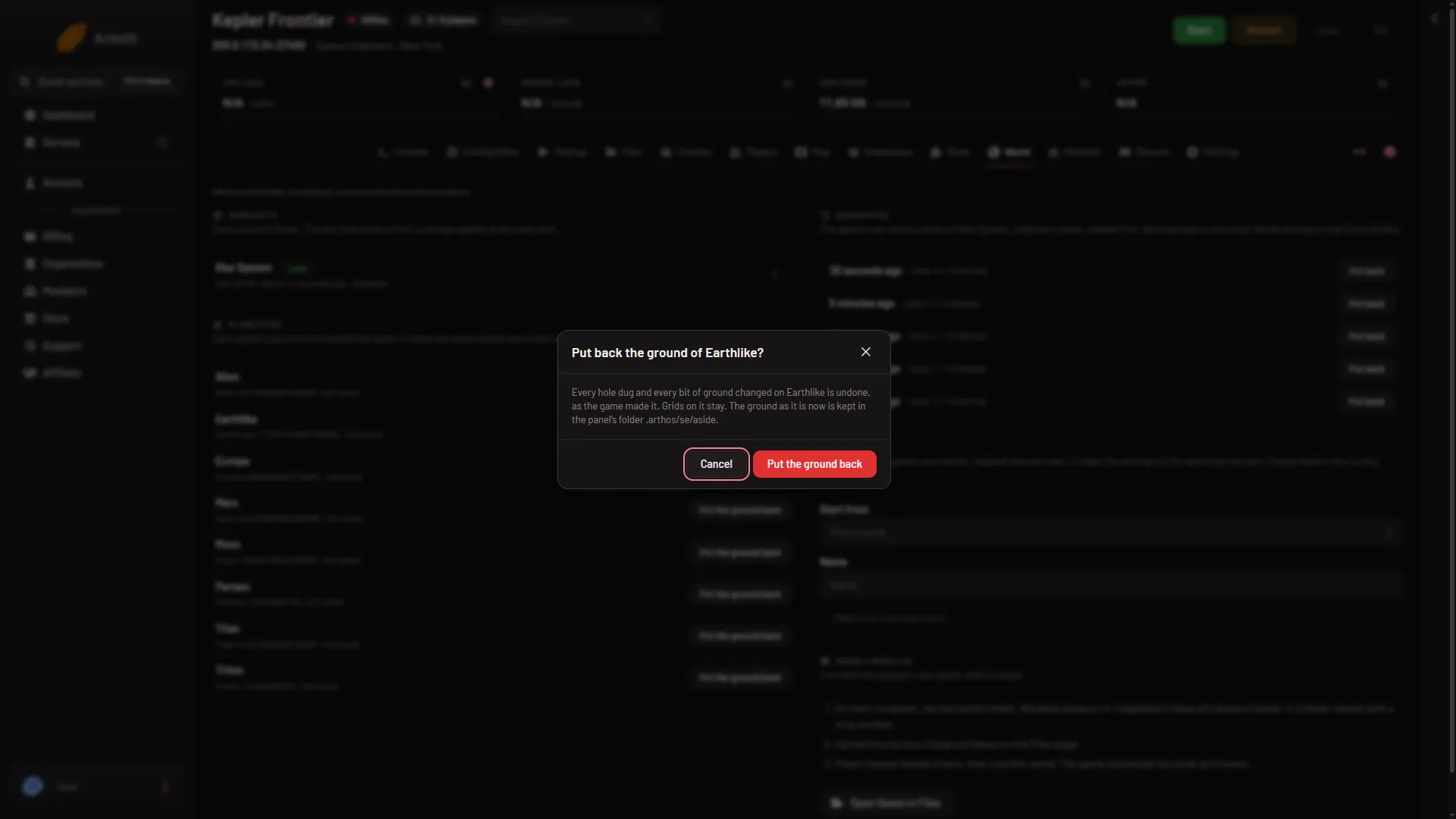
- Put back the ground
- Where the old ground is kept
- Put the ground back
Which planets can be reset
Each row shows the planet’s name and its file name. A row that reads “Not one of the game’s own, so it cannot be put back here” has no button. The panel has no original to copy in for it.
Let the game do it slowly
World settings has its own switch, Put dug ground back (VoxelTrashRemovalEnabled). Its help says ground dug far from players and grids slowly goes back to how it was made. Open the Config Editor, then World settings, and look in Saving and clean-up. The key lives in the world’s Sandbox_config.sbc, under <Settings>. World settings can only be saved while the server is stopped.
A new server shows only Passwords and Server settings until it has started twice: the first start makes the world, the next start names it as the world that loads. Start it again (or restart it), then stop it to change world settings. The same happens after Make it at the next start on the World page.
If it does not work
- The button is greyed. The server is not offline. Press Stop, wait for Offline, then try again.
- There is no button on a planet. It is not one of the game’s own planets, or the world that loads has no planet files yet.
- The panel refuses. The message says why. Check that your role may change files on the server.
- The planet looks the same after the start. Check you reset the planet in the world that loads. The card only lists that world’s planets.
More about the game on Loafhosts: Space Engineers servers.