











Your Satisfactory server will not appear on its own. The game has no list of public servers to browse. Every server is added by hand in the Server Manager, the game’s own list of servers, with its address and port. Add it once and the game remembers it.
Add the server
- Open the Players page on the panel.
- On the Joining card, choose Copy (1) to copy the address.
- In the game, open the Server Manager and choose Add Server. Type the address (the part before the colon, for example
203.0.113.24) and the port (the number after it, for example7400). - Choose the server in the list, then Join Game.
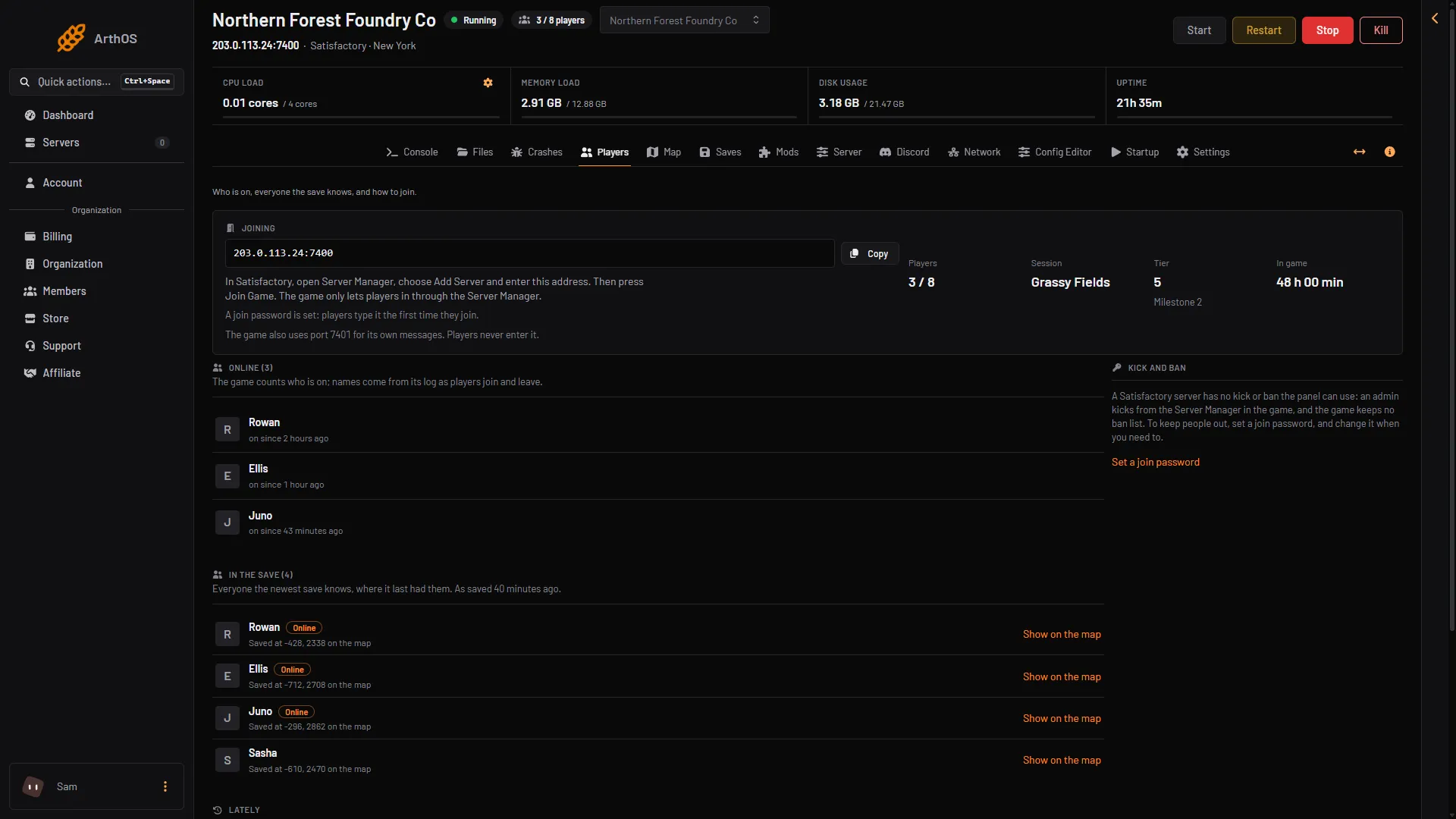
- Copy the address
- How players join
Not checked on 1.2 as of 27 October 2026: the names of the boxes in Add Server.
Players must join this way. A join from anywhere else is refused. See Encryption token missing.
It is added but shows as offline
The Server Manager shows a server as offline when the server is stopped or still starting. Check the Players page. It says:
- “The server is stopped. Start it to see who is on.”
- “The server is running, but the game is not answering yet: it may still be starting.”
Choose Start at the top right of the server page, or wait a moment. A Satisfactory server is ready a few seconds after it starts.
The server stopped by itself
Standby is on by default on every server. A server nobody plays on for 10 days stops by itself. You can change the time in Settings, under Standby. A stopped server shows offline in the Server Manager. Choose Start at the top right of the server page, or use its wake link (Make link in the Standby card).
It is online but nobody can play
A new server has no game loaded. The Players page says “No game is loaded. Load a save or start a new game on the Saves page.” On the Saves page choose New game, or Load a save you have. After New game, check that the session shows Loads at start. If it does not, open the session’s menu and choose Load at start. The server is claimed already, so you do not need to claim it.
The name is not what you expect
The Server Manager shows the name from the Server page, under Name. The server must be running: the game keeps its name itself, so the page shows it only while the server runs. Type a new name (1 to 64 characters, no quotes and no backslash) and choose Rename. It applies at once. Keep the name to 60 characters, or a later save on Startup is refused. The name is shown in the list only. It does not change the address.
A friend cannot find it
Give your friend the address from the Joining card, and the join password if you set one. The password is on the Server page under Join password. Players on Steam and on the Epic Games Store can both use the same server. Players type the password the first time they join from the Server Manager. Console players cannot join a dedicated server at all.
If it does not work
- The address is wrong or missing the port. Copy it again from the Joining card.
- The game version is different. See version mismatch.
- Still stuck. See cannot connect.
More about the game: Satisfactory servers.