

















The Admin Screen is the game’s own window for running a world. Press Alt+F10 while you are in a game to open it. Moderator and above can. It lets an admin move things, clear junk, set safe zones and change the weather. Here is what is in it.
The panel does not have this window. It is part of the game. To get a rank first, see make yourself admin. Not checked with a player on 1.210 as of 15 November 2026.
Who can open it
You need a rank of Moderator or above. The game’s own message for a player without one says: “Admin menu is available only when you’re admin or when admin promotes you to Observer and beyond.” In its own messages the game calls the Moderator rank Observer.
The ranks, lowest to highest, are Scripter, Moderator, Space Master, Admin and Owner. Moderator can kick and ban. Space Master adds entity cycling and clean-up. Admin adds the admin tools and the Entity List. The Scripter rank exists only when the world has the Scripter role turned on.
In the panel you set a rank on the Players page with Change rank, which needs the panel tools:
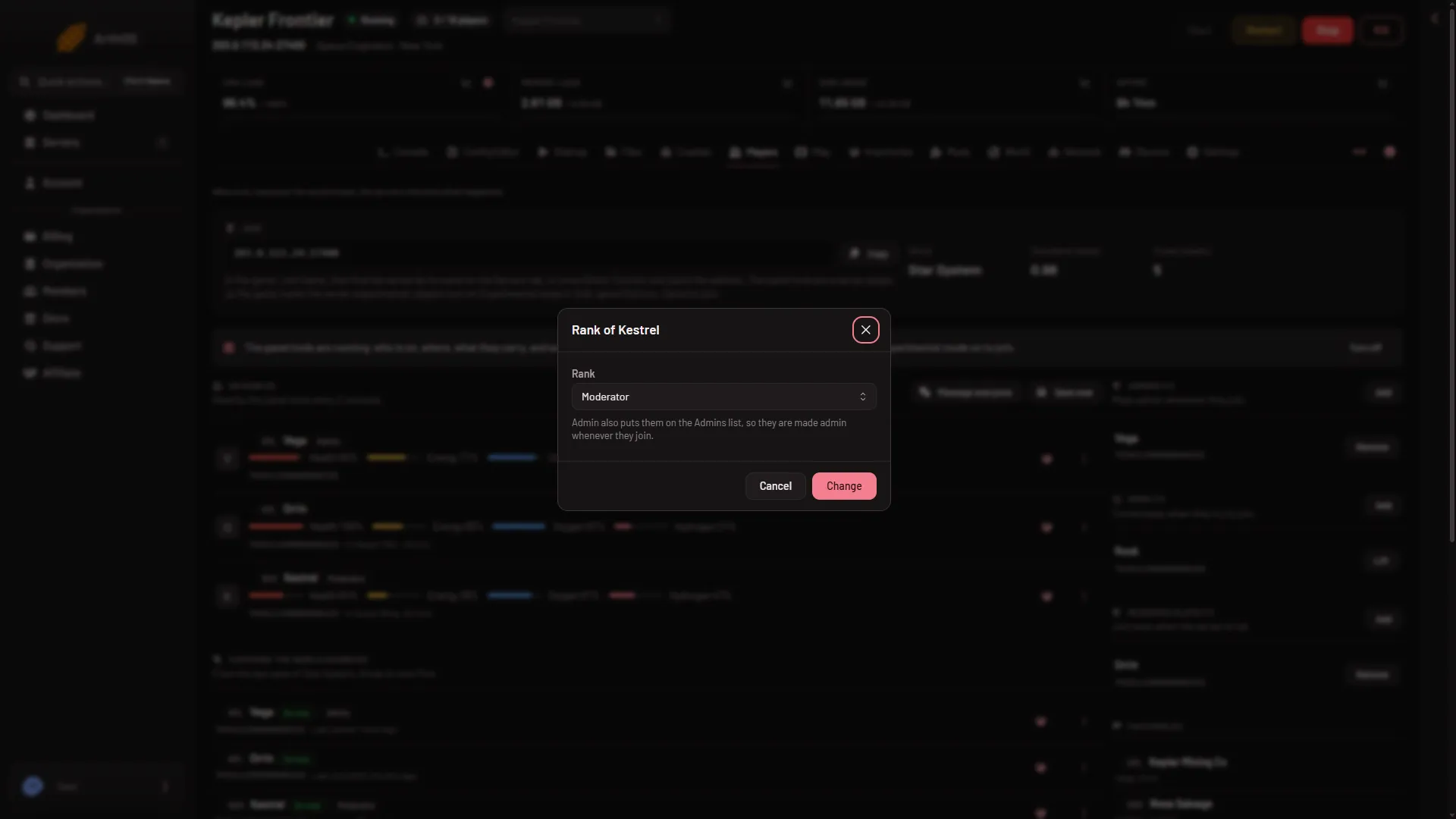
- Rank
- Change
The window used to be called Space Master. That word is now also a rank.
What is in it
The screen has sections. Some only show on a server.
- Admin Tools: switches for you alone, such as creative mode tools, being invulnerable, showing all players on the HUD, using all terminals, ignoring safe zones, ignoring PCU limits and a time of day offset. PCU is the game’s Performance Cost Unit, the number the game uses to count what you have built.
- Cycle objects: finds the extremes: the biggest grid, the fastest, and the one with the most drills, reactors, production blocks, sensors or thrusters. A grid is a ship or a station.
- Trash removal: the in-game version of the clean-up settings.
- Entity List: pick a type (grids, characters, floating objects, planets and more), sort it, and act on an entry: take control, teleport to it, stop it, depower it, remove it, or remove an inactive owner and their grids.
- Safe Zones: zones an admin makes without a block, power or chips. You pick a cube or a sphere and a size. You can let in or keep out players, factions and grids. Remember to switch the zone on.
- Global Permissions: switch off damage and shooting, drilling, welding and grinding, building, landing gear, or converting to a station for everyone.
- Weather: needs Weather turned on in the world settings. It can force weather and create lightning.
- Economy: change a player’s credits, and their reputation with a faction. It only works if Economy is on in the world settings.
- Replay Tool, Spectator Tool, Match and Cheaters: the screen has these as well. Cheaters shows only on a server.
If it does not work
- Nothing opens with
Alt+F10. You have no rank, and the game shows the message above. Add yourself on the Players page. - The Weather or Economy section does nothing. Turn on Weather or Economy in the world settings first, with the server stopped. A new server shows only Passwords and Server settings in the Config Editor until it has started twice: the first start makes the world, the next start names it as the world that loads. Start it again (or restart it), then stop it to change world settings. The same happens after Make it at the next start on the World page.
- Wrecks and half-built ships keep disappearing. The trash settings may be too aggressive. See trash removal.
Sources: spaceengineers.wiki.gg: Admin Screen, spaceengineers.wiki.gg: Multiplayer Screen