

















Put your SteamID64 on the Admins list on the Players page, then restart the server. With the panel tools on, Change rank does it at once, with no restart. In the game, press Alt+F10 to open the Admin Screen.
A SteamID64 is your Steam account number: 17 digits starting 7656119. Find your SteamID64 first. The game keeps the list as Administrators in SpaceEngineers-Dedicated.cfg.
Way 1: the Admins list (works with the panel tools off)
- Open the Players page of your server.
- Find the Admins list on the right and press Add above it. A box opens.
- In SteamID64 (1), type your number. The panel accepts 17 digits starting 7656119, for example
76561190000000150. Add (2) stays greyed out until the number is valid. - In the box, press Add. The panel says “Added. It applies at the next start.”
- Restart the server from the panel. The list is read as the server starts. A restart disconnects every player.
- Join the server. The list is meant to make you admin when you join. Not checked with a player on 1.210 as of 15 November 2026.
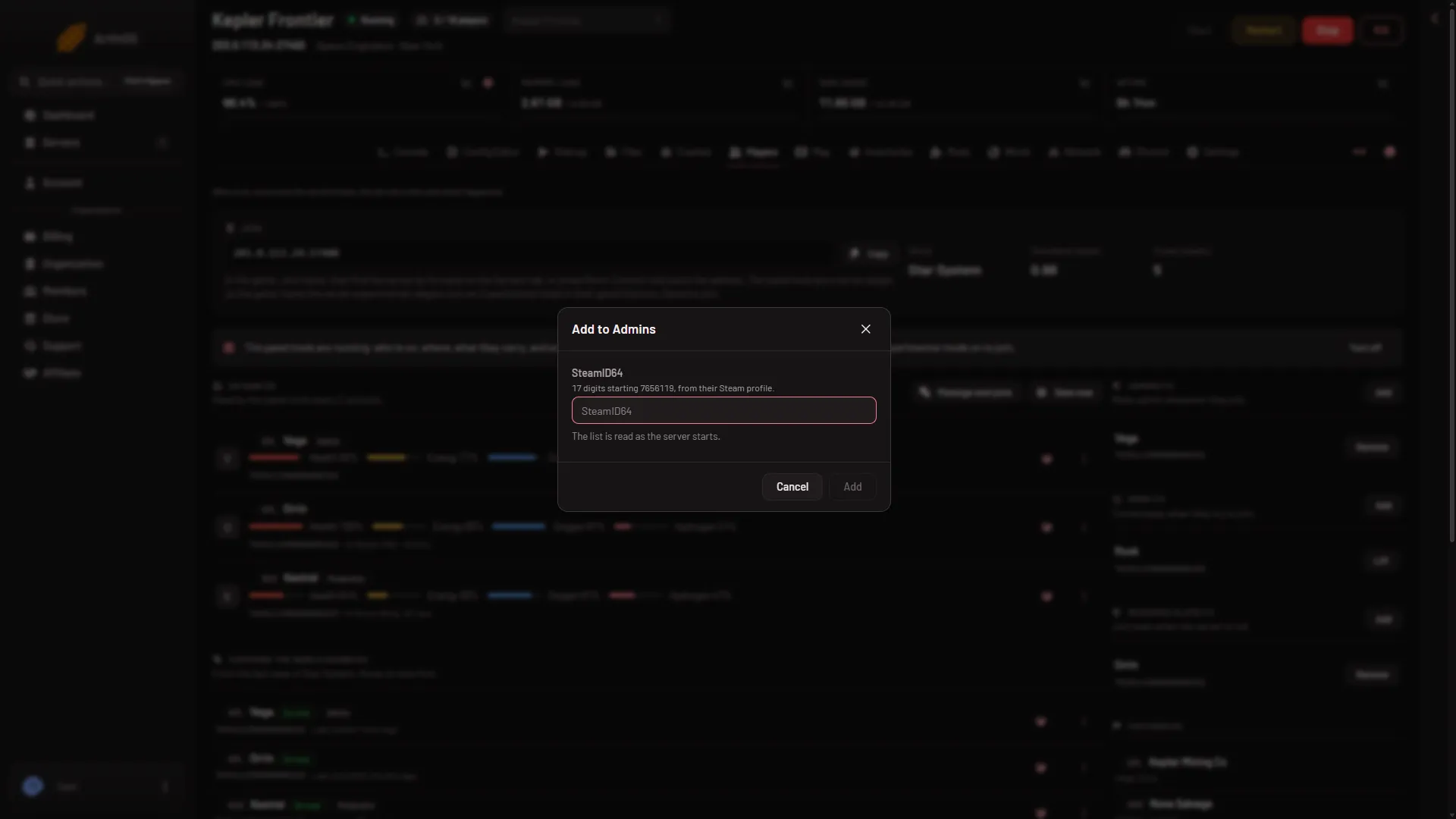
- SteamID64
- Add
The server needs a config file first. If the panel says the server has no config yet, start it once, then add yourself. Adding the same number twice changes nothing.
With the tools off, you can also use Make admin in the menu of your row under Everyone the world knows. It edits the same list, for the next start. You appear there only after you have played in the world.
Way 2: Change rank (needs the panel tools on)
With the panel tools running and you on the server, the change is at once.
- On Players, find your row under On now, or under Everyone the world knows.
- Open the three-dots menu on the row and choose Change rank.
- In Rank (1), choose Admin. The note says Admin also puts you on the Admins list, so you are made admin whenever you join.
- Press Change (2).
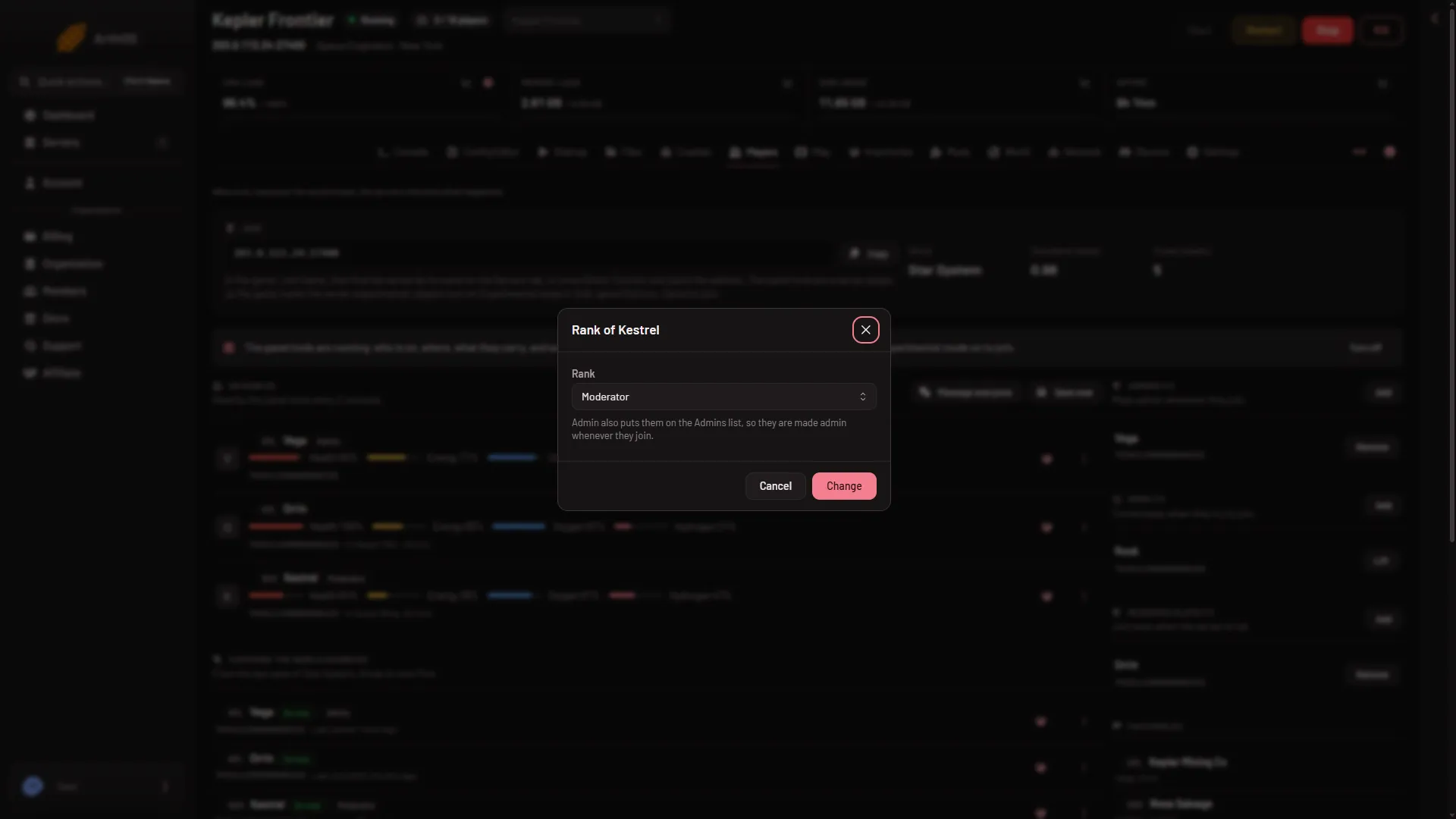
- Rank
- Change
The ranks you can choose are No rank, Scripter, Moderator, Space Master and Admin. Owner is the game’s own and cannot be set from the panel. Not checked with a player on 1.210 as of 15 November 2026.
As owner of the server you can do this. A friend with a role needs players.moderate. See letting a friend run the server.
Open the Admin Screen
In the game, while you are on the server, press Alt+F10. The Admin Screen opens. The Admin Screen guide lists what is in it.
Moderator and above can open it. If you have no rank, the game says the admin menu is available only when you are admin, or when an admin promotes you to Observer and beyond. In its own messages the game calls the Moderator rank Observer.
If it does not work
Alt+F10does nothing. You are not admin yet, or the server was not restarted after you used the Admins list. Check that your number is on the list, then restart.- The panel says the number is not valid. It must be 17 digits starting 7656119. Copy it from your profile again.
- The panel says the server has no config yet. Start the server once, then add yourself.
Sources: spaceengineersgame.com: Assign admin steam xbox, spaceengineers.wiki.gg: Admin Screen