

















A blueprint is not a mod. You do not add it on the Mods page, and it is not loaded by the server. Players use blueprints in the game itself: they project one with a projector, or an admin pastes one in.
Why the Mods page says no
The Mods page only takes Steam Workshop items that are tagged as mods. If you paste the link of a world, a blueprint or an in-game script, the Add these mods? dialog refuses it with a line like “it is a world, blueprint or in-game script, not a mod: it does not load on a server”.
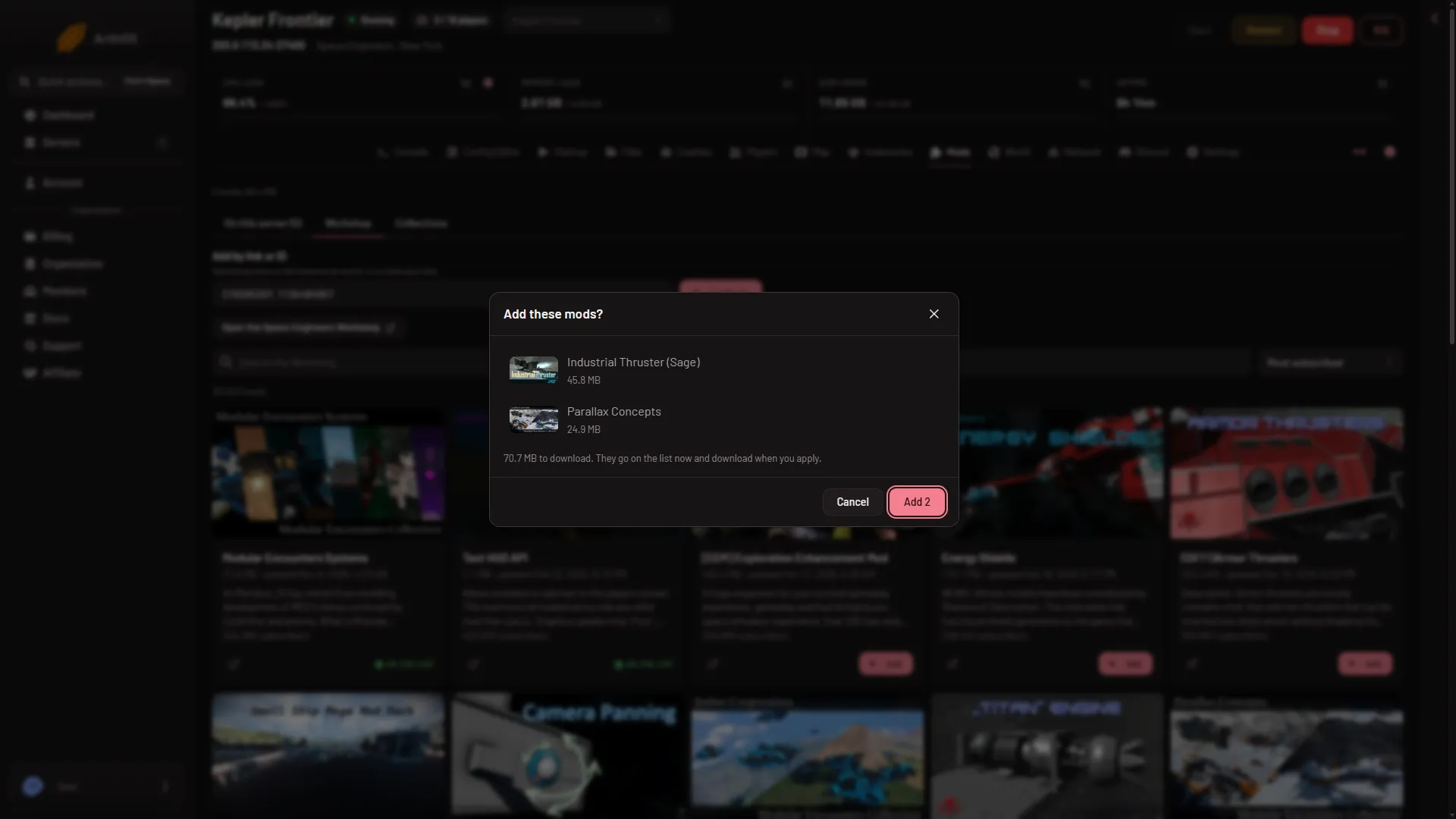
- Add these mods?
The box also says “download when you apply”. That line is shared across games: a Space Engineers server downloads its mods as it starts. See add mods.
The Workshop tab search shows only items tagged Mod for the same reason. The Workshop is mostly blueprints and worlds, so the search will look short next to the game’s own Workshop page.
How a blueprint gets into a world
Players do this in the game. On the server you set the rules.
- Survival: a projector. A player builds a Projector block and projects the blueprint. Then they weld it up. The Workshop and the player’s own blueprints both work this way.
- Creative, with Copy and paste on. In a creative world, players can paste a blueprint. In the Config Editor, World settings, Players group, the Copy and paste switch “Lets players paste blueprints in creative tools. Admins have it whatever this says.”
- An admin with creative tools. An admin who turns on the creative mode tools in the game’s Admin Screen (
Alt+F10) can copy and paste blueprints into a survival world too.
On a Windows computer, a player’s own blueprints are in %APPDATA%\SpaceEngineers\Blueprints\Local\.
Spawning needs an admin
The game says: “In multiplayer you need special permissions from an admin to be able to spawn blueprints, edit scripts or teleport.” So a player without admin rights cannot spawn a blueprint. To make someone an admin, see make yourself admin. For the Admin Screen, see the admin screen guide.
A blueprint that holds programmable block scripts loses them for a player without Scripter permission. The game then tells them “Some scripts were removed from this blueprint because you do not have Scripter permissions”.
Not checked with a player on 1.210 as of 15 November 2026: pasting or projecting a blueprint on a Loafhosts server.
A blueprint that needs mods or DLC
- Mods. The blueprint’s mods must be on the world’s list. Without them the blueprint cannot be fully projected or pasted. Add the mods on the Mods page, then press Apply and restart. See add mods.
- DLC. Only players who own the DLC can place, build or repair its blocks, and that includes blueprints. Everyone can use the blocks once they are built and shared.
If it does not work
- The Mods page refuses a link. The item is a world, blueprint or script. Use it in the game, or for a world see the World page’s Bring a world in card.
- A blueprint will not paste. Check the player is an admin, and that Copy and paste is on if the world is creative.
- A pasted ship is missing blocks. A mod or DLC block is missing. Add the mod to the world’s list.
More about the game: Space Engineers servers on Loafhosts.
Sources: spaceengineers.wiki.gg: Blueprint