

















There are two places to read who joined and what they said. The Players page has What happened, newest first. The Console shows the game’s own lines, and tags the ones about joins, leaves, chat and kicks. Both need the panel tools on. With them off, neither has any join or chat history.
What happened on the Players page
Open the Players page and scroll to What happened. Its hint reads “Joins, leaves, chat and what the panel did, newest first, from the panel tools.” It shows the newest 40 events, each with a time.
The lines read like this:
- “(name) joined.” and “(name) left.”
- Chat, with the name in bold followed by the text.
- “The panel sent: (text)” for a message you sent with Message everyone.
- “(name) was kicked.” and “(name) was banned.” with the reason you typed.
- “The ban on (name) was lifted.”
- “(name) is now (rank).” for a rank change.
- “(name) was sent to the respawn screen.” and “(name) was moved to (place).”
- “(name) was deleted.” for a ship or station you deleted.
- “Given to (name): (amount and item).” and “Removed from (name): (amount and item).”
Chat that was not sent to everyone shows the channel first, for example “(Faction) text”. A player whose name the game did not give shows as a SteamID64 number.
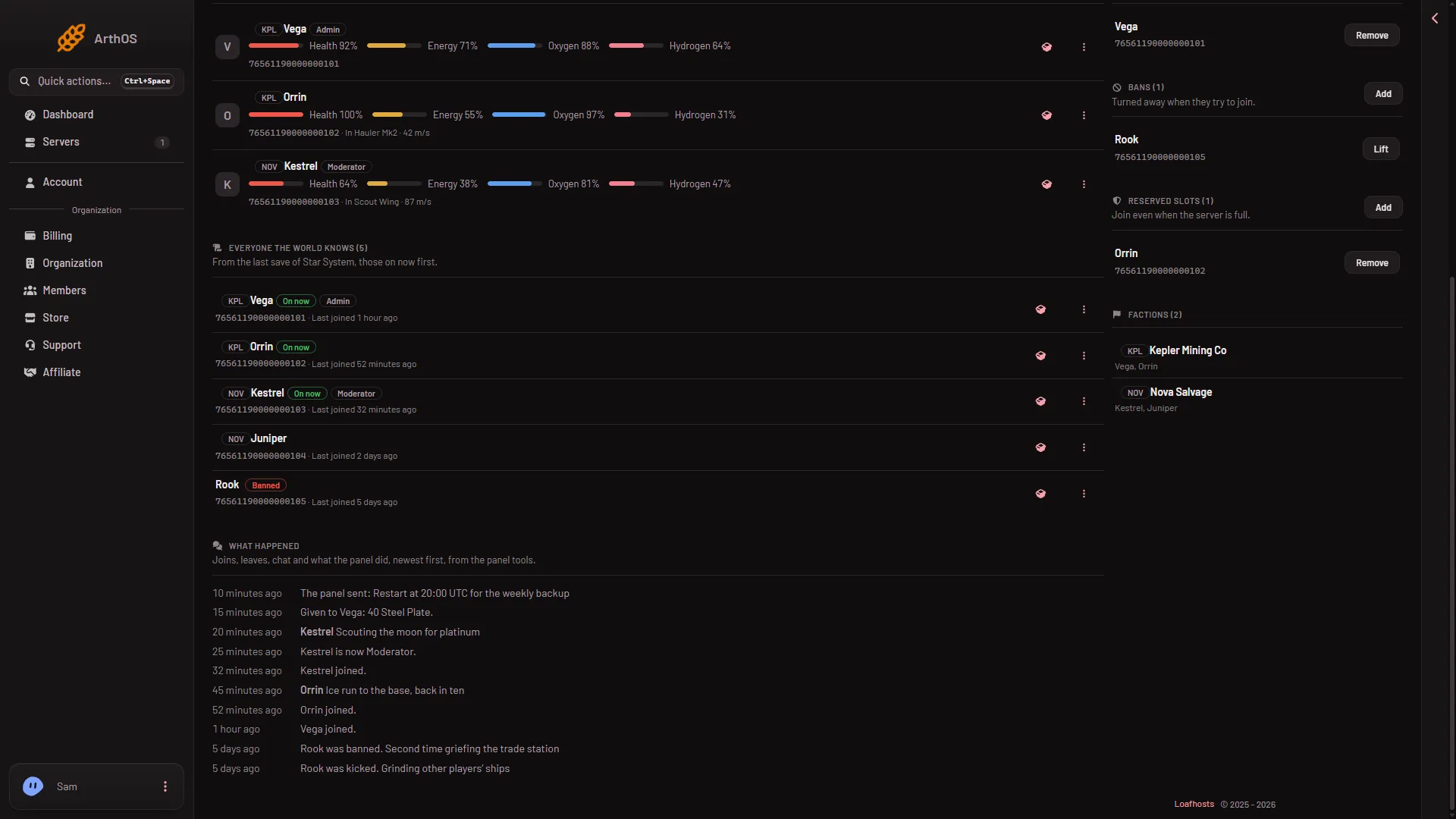
- What happened
- A message from the panel
- A rank change
- A ban
On the picture, the heading is (1), a message from the panel is (2), a rank change is (3) and a ban with its reason is (4).
What is not in the list
The list only holds what the panel tools saw while they ran. It does not record Save now, Stop it on a ship, a message to one person, changes to the Admins, Bans or Reserved slots lists, or a ban or rank change made while the tools were not ready. Chat before the tools hooked into the game, about a second after the world is ready, is not recorded either.
The Console
Open the Console. The game writes its own lines there. The panel tools add lines that begin with the tools’ name, and the Console gives them a tag in the second column:
- Join: “(name) joined”.
- Leave: “(name) left”.
- Chat: the player’s name in angle brackets, then the text.
- Kick: “(name) was kicked” or “(name) was banned”. Both show as warnings.
Only joins, leaves, chat, kicks and bans reach the Console. Unbans, rank changes, respawns, moves and items given or removed do not. Names and chat are cleaned of control characters so nobody can colour the Console, and are cut at 300 characters.
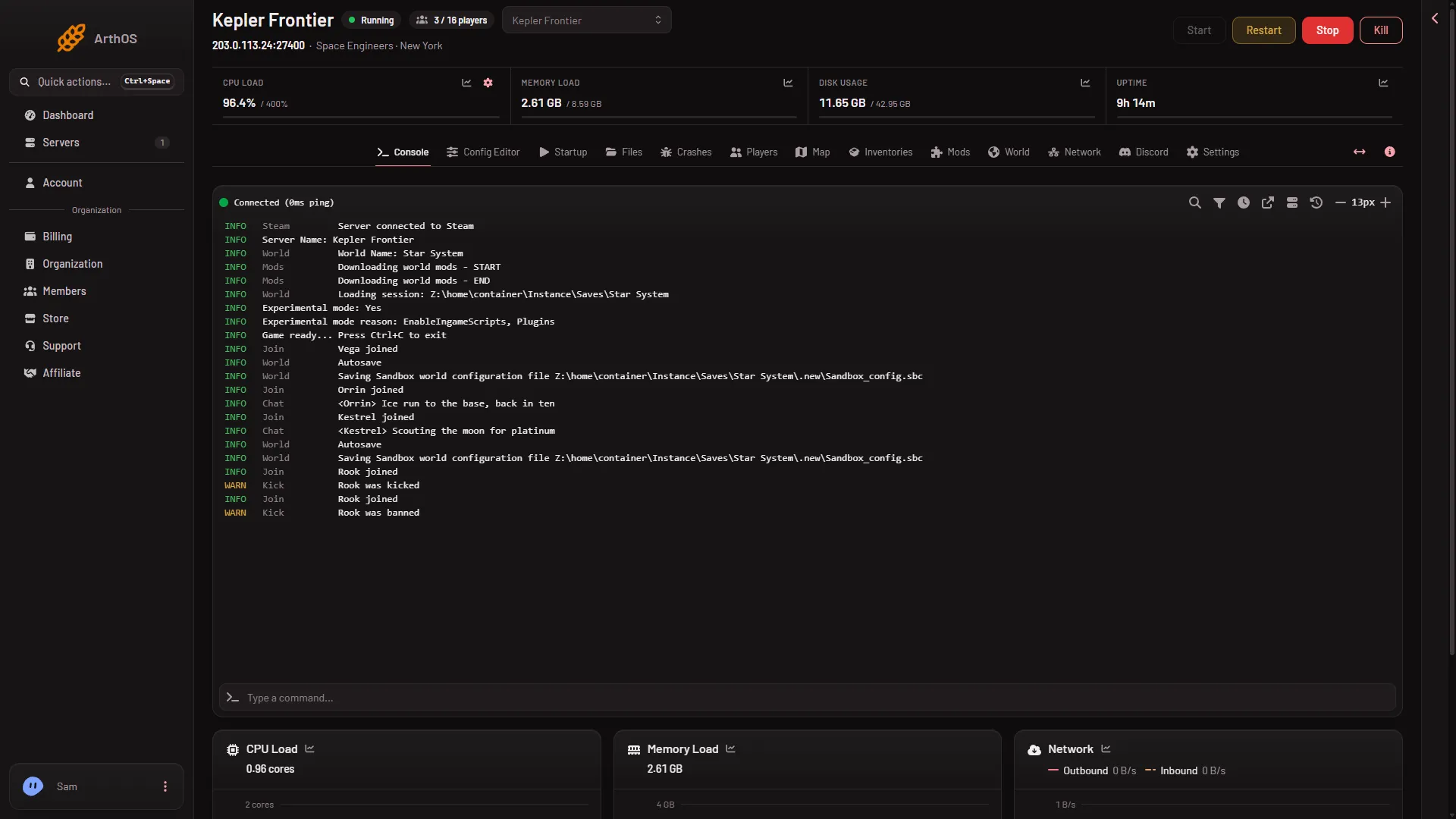
The Console’s clock is hidden by default and can be shown from its toolbar.
Keep chat in the log
Under Server settings in the Config Editor, the Chat group has a switch named Keep chat in the log. It is the game’s own setting, SaveChatToLog, kept in SpaceEngineers-Dedicated.cfg. A change to the server settings applies at the next start. It has no help line in the panel, and what it adds to the game’s own log files has not been checked. It does not decide what What happened shows: that list comes from the panel tools.
If it does not work
- What happened is not on the page. It only shows once there is at least one event. With the tools off, or before they have run, there is nothing to show. See the panel tools.
- A join is missing. The tools notice a join within about 2 seconds of the person being in the game. A join from before the tools loaded was not seen.
- There is no Join, Leave or Chat tag in the Console. The line is not from the tools. Check the panel tools are on and running.
- The list is shorter than you expected. It shows the newest 40 of the events the page words. Older ones are not listed.
More about the game: Space Engineers servers.