

















A floating object is a loose item drifting in the world: ore from a drill, a dropped tool, scrap from a wreck. Each one costs the server. Most floating objects (MaxFloatingObjects) caps how many can exist at once. Past the cap, the oldest are removed to make room.
The game’s own text says: “The maximum number of concurrent loose items. Older floating objects are removed when newer ones need to spawn.” The wiki warns that a very large number of loose objects can slow the game down a lot. Both settings are in World settings, in the Saving and clean-up group. In the world’s Sandbox_config.sbc they sit under <Settings>.
The two rows
- Most floating objects (
MaxFloatingObjects). A whole number from 0 to 1024. The panel’s help line says: “Loose items in the world. More costs the server.” The game’s own default is 100, from its wiki. The wiki also says the game’s own server tool allows 2 to 100, so a value outside that range is not documented. - Most cargo bags (
MaxCargoBags). A whole number from 0 to 1000. Keen Software House, the game’s makers, describe it as the most Temporary Containers that can exist at once (default 100, since version 1.204). When a block is destroyed or ground down, its cargo is packed into one of these instead of dropping as loose items.
A lower number protects the server and loses loose items sooner. A higher number keeps more items and costs more.
Change them
World settings can be saved only while the server is stopped, because the game writes that file itself when it stops.
- Stop the server from the panel. A normal stop saves the world first.
- Open the Config Editor tab and choose World settings, the one that names your world.
- Scroll to Saving and clean-up, then to Most floating objects (1) and Most cargo bags (2).
- Change them.
- Press Save, then start the server. The new numbers are read at the start.
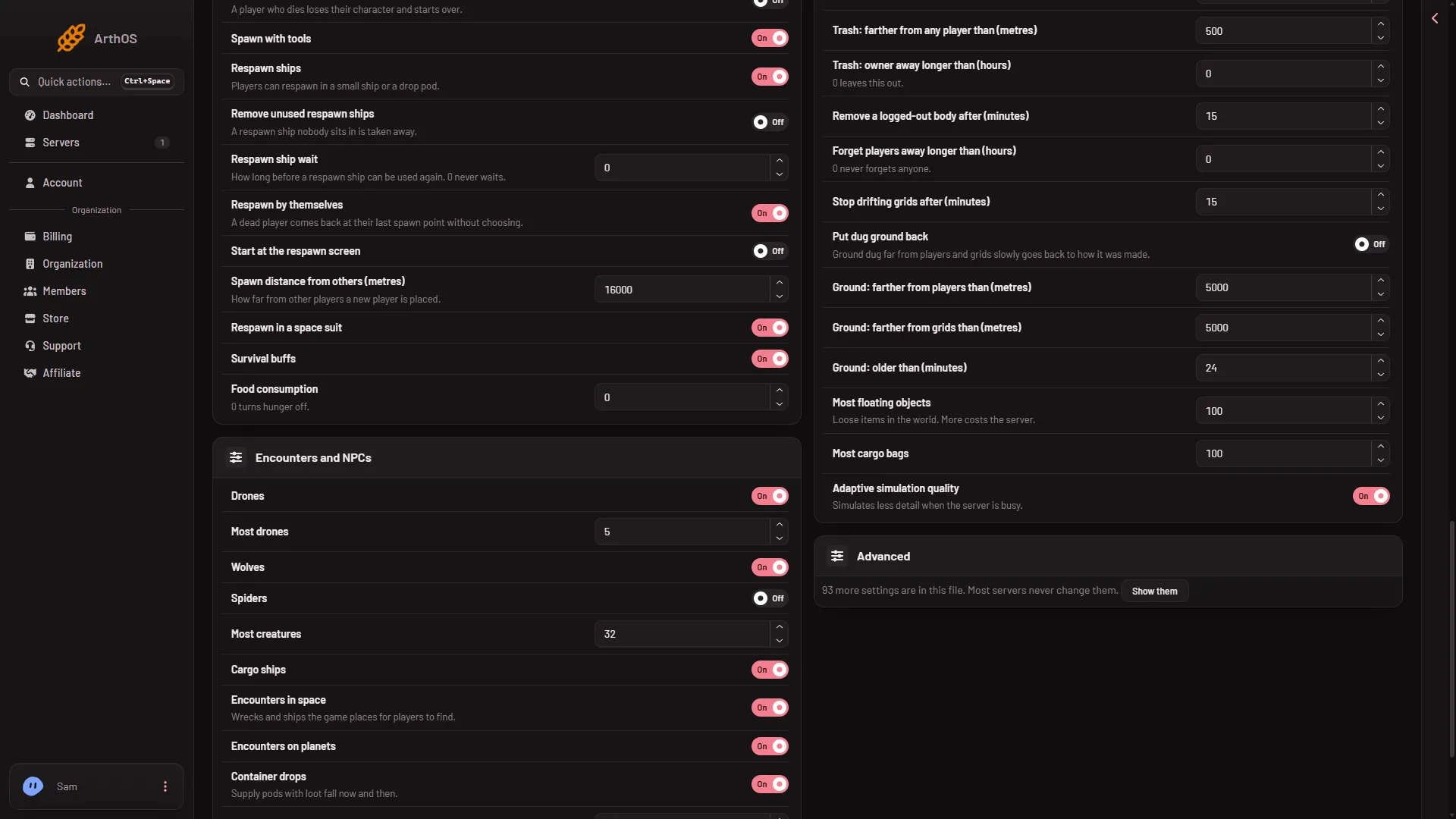
- Most floating objects
- Most cargo bags
While the server runs, the page lets you type but disables Save. Stop the server first.
When to lower it
- The server lags after a battle or a long mining session.
- Players leave piles of loose items in a base.
- You see many drifting items on the map.
To find what else is slow, see Space Engineers server lag.
If it does not work
- Save is greyed out. The server is not stopped. Stop it first.
- World settings is missing. A new server shows only Passwords and Server settings until it has started twice: the first start makes the world, the next start names it as the world that loads. Start it again (or restart it), then stop it to change world settings. The same happens after Make it at the next start on the World page.
- Items still vanish. That is the limit working. Raise Most floating objects, or check Trash removal.
More about the game: Space Engineers servers.
Sources: spaceengineers.wiki.gg: World Settings, spaceengineers.wiki.gg: SessionSettings