

















Your base is usually still on the server, in its own folder. The server loaded a different world, so the one you played in is not the one that loads. The World page tells you which case you are in, and one button puts it right.
Nothing here deletes a world. A world that stops loading stays in its folder until someone removes it.
Read the notice on the World page
Open the World page and read the notice at the top. There are three.
- “The world that loads, (name), is not on the server.” The rest says: “At the next start the game makes a new world of that name. Choose another world, or put its folder back first.” This is the reset. The server was told to load a world whose folder is not there, and the game makes a new one with the same name. Go to the next part.
- “The next start makes a new world, (name), from (world).” This is not a fault. Someone used New world, and the new world waits for its first start. It works before a first start too. The old world loses its Loads tag at once, but nothing is deleted. Press Use this world on the old one to cancel the new world before the start. Once the start has made the new world, the panel keeps loading it.
- “No world is chosen yet.” Choose one below, or make one.
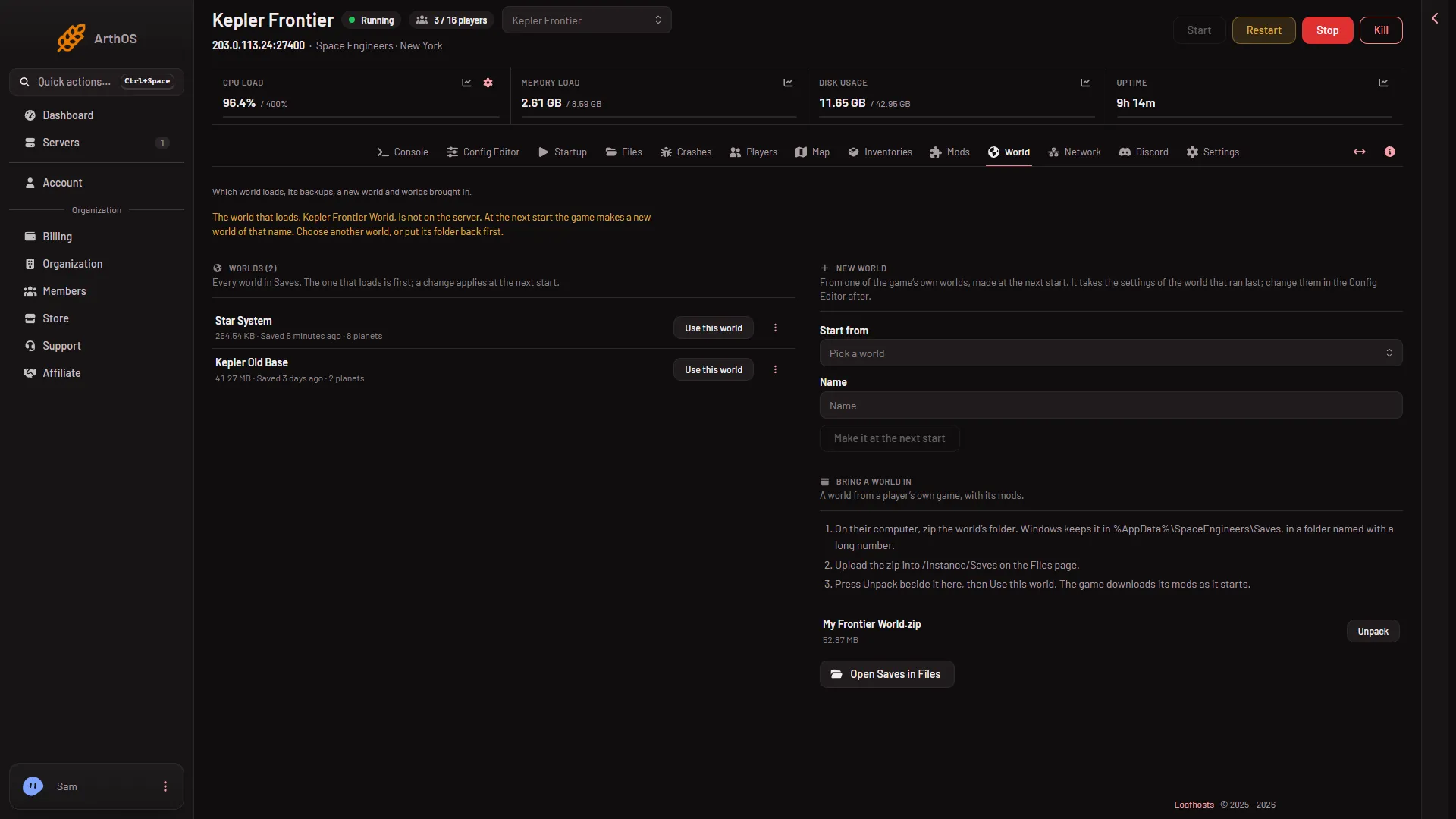
- The world is missing
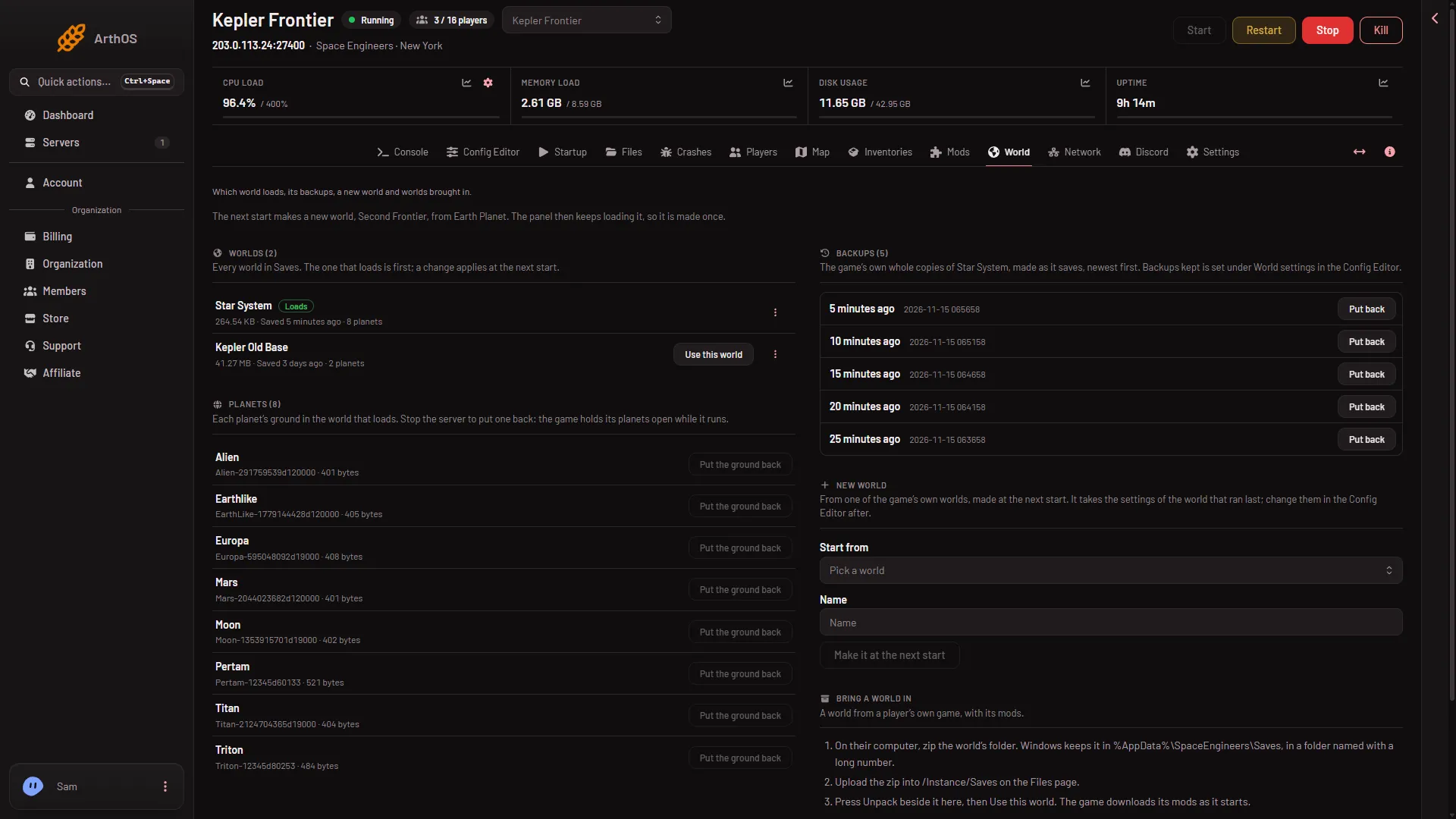
- A new world at the next start
The Crashes page says the same. The finding is called The world chosen to load was not on the server, so the game made a new one, with the category World. The pictures are made up.
To see who changed the world, open Settings, Activity. It records each use, new world, put back, copy, delete and unpack.
Get your world back
The Worlds list shows every world on the server. The one that loads has the Loads tag.
- Look in the Worlds list first. If your world was renamed or moved, it is listed under the name it has now.
- Press Use this world on its row. A message says the world loads from the next start. Nothing stops or restarts now.
- Restart the server when nobody is on it. The game loads the world you chose.
If your world is not in the list at all:
- It went to the trash. A world deleted from the World page, and its backups, is kept in the server’s trash for 3 days. Restore it from the trash on the Files page.
- You have a copy. Use Bring a world in on the same page: zip the world’s folder on your computer, upload the zip to the Saves folder, press Unpack, then Use this world. A zip that holds one world folder is listed as the zip’s name, a slash and the world’s folder, for example
My Frontier World/Frontier. That is normal. - The game’s own backups. The Backups list on the World page holds recent whole copies of the world that loads. Put back copies one into a new world of its own and loads it from the next start. See the guide on restoring a backup.
The new world the game made stays on the list after you switch. You can leave it, or delete it from the three-dots menu on its row once it no longer loads. The world that loads cannot be deleted.
If it does not work
- A new world appears at the start again. Only the first start after a change makes the world. After that the panel keeps loading it. If you still see a new one, choose your world with Use this world, then open Crashes and read the finding for the next start.
- The notice says a new world is waiting, but nobody asked for one. Press Use this world on your own world before the next start.
- The Config Editor shows “World that loads” greyed out. That is right. It cannot be changed there, only on the World page.
A world you switch to keeps its own mods and its own settings. The game reads them when the server starts. The Space Engineers server page lists the rest of what the panel does.
Sources: spaceengineers.wiki.gg: Setting up a Space Engineers Dedicated Server