

















Permanent death is a switch in the Survival group of the World settings tab in the Config Editor. When it is on, players lose everything if their character dies and there are no available respawn points (the game’s own tooltip). Change it with the server stopped. It applies at the next start.
What it does
The key is PermanentDeath, in the world’s Sandbox_config.sbc under <Settings>. With respawn points available, the game’s tooltip says nothing is lost. Keen Software House, the game’s makers, words it more strictly on its wiki: the engineer “cannot respawn in this game save anymore after they die”. Which of the two holds on a Loafhosts server was not checked. Treat it as final, and tell your players before you turn it on. The respawn rows are in the respawn settings.
Keen’s wiki lists permanent death among the experimental settings and says it is off by default. Experimental mode is a game setting for features that can cost performance. A new server already makes players turn on Experimental mode in their own game (Options, Game), because of its other settings, so turning this on adds nothing they must change. See Experimental mode.
Not checked with a player on 1.210 as of 15 November 2026: what a dead player sees, and whether turning the switch off lets them play again.
Turn it on or off
- On the server page, choose Stop and wait until the server shows Offline. Players are disconnected, so tell them first. A normal stop saves the world.
- Open the Config Editor and choose the World settings tab. Its name ends with the world’s folder name.
- Scroll to the Survival group (1) and switch Permanent death.
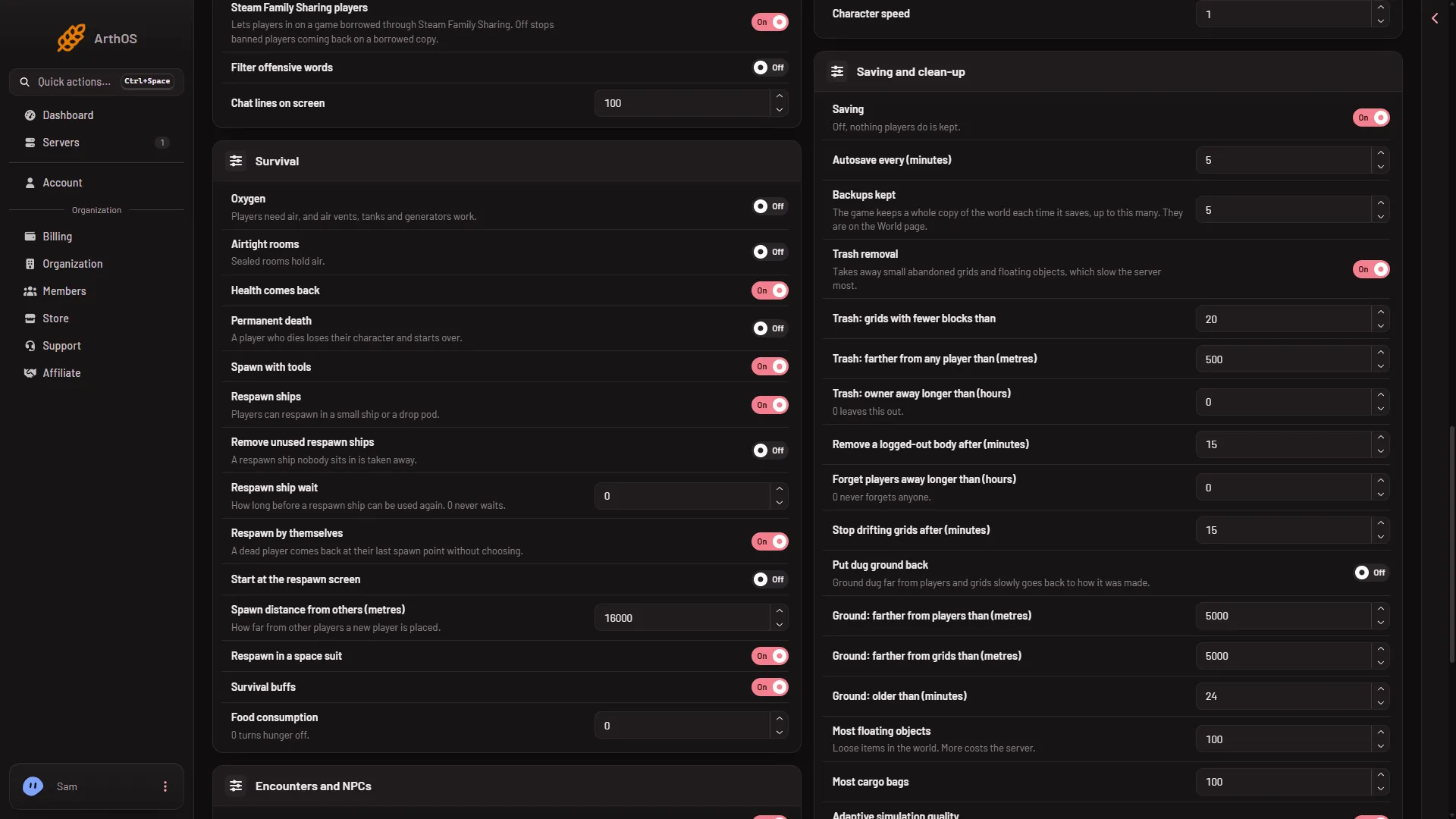
- Survival group
- Press Save in the bar at the bottom. The panel says “Saved. The changes apply when the server starts.”
- Start the server.
The picture shows demo values. Open your own page to read what your world has now.
Turning off experimental mode afterwards
Switching Permanent death off removes one reason for experimental mode. The game turns experimental mode off only when every reason is gone: the panel tools off, Programmable block scripts off, Block limits not on None, PCU limit and the other limits inside the game’s safe range, and the world’s Experimental mode row off. To check, open the Console and read the line Experimental mode: after Loading session, and the reason line under it. See turn off Experimental mode.
A gentler way
If you only want dying to cost something, look at the respawn settings first. Keen says that turning Respawn ships off makes the game “practically a permadeath game” as well.
If it does not work
- Save is greyed out. The server is not stopped. The page says “The game writes this file itself when it stops, over anything changed while it runs. Stop the server to change these settings.”
- Friends cannot join. They need Experimental mode on in Options, Game. A new server needs it already.
- The world is still experimental after you turn it off. Another reason remains. See the guide above.
- There is no World settings tab. A new server shows only Passwords and Server settings until it has started twice: the first start makes the world, the next start names it as the world that loads. Start it again (or restart it), then stop it to change world settings. The same happens after Make it at the next start on the World page. Use this world shows the tab at once.
More about the game: Space Engineers servers on Loafhosts.
Sources: spaceengineers.wiki.gg: World Settings, spaceengineers.wiki.gg: Experimental mode, spaceengineers.wiki.gg: SessionSettings