

















Eight rows in the Survival group of the World settings tab set how players come back into the world: Respawn ships, Remove unused respawn ships, Respawn ship wait, Respawn by themselves, Start at the respawn screen, Respawn in a space suit, Spawn distance from others (metres) and Spawn with tools. Change them in the Config Editor with the server stopped. They apply at the next start.
What each setting does
- Respawn ships (
EnableRespawnShips): players can respawn in a small ship or a drop pod. Keen Software House, the game’s makers, warns that with it off, the game “becomes practically a permadeath game”. See permanent death. - Remove unused respawn ships (
RespawnShipDelete): A player’s respawn ship is deleted when they leave the server or spawn a new respawn ship (the game’s own tooltip). Keen’s name for it is “Remove Respawn Ships on Logoff”. Keen says this stops players calling in many drop pods to scrap them for cheap materials. - Respawn ship wait (
SpawnShipTimeMultiplier): how long before a player can use a respawn ship again. The number multiplies the game’s own cooldown. 0 never waits. Keen says the cooldown is off by default, because the old drop pod now destroys itself when a new one is called. - Respawn by themselves (
EnableAutorespawn): the game respawns a dead player automatically at the nearest available respawn point (the game’s own tooltip). Keen’s wiki names a Medical Room or a Survival Kit that you or your faction own. With it off, the player picks a respawn point from a list. Keen says this works like fast travel without an inventory. - Start at the respawn screen (
StartInRespawnScreen): the panel gives it no help line and Keen’s pages do not describe it. Not checked what it does beyond its name. - Respawn in a space suit (
EnableSpaceSuitRespawn): adds the choice of respawning floating in space, in the suit only. Keen has it off by default. - Spawn distance from others (metres) (
OptimalSpawnDistance): how far from other players a new player is placed. The game’s own number is 16000. Keen suggests 1000 to 25000. Close suits co-operative play. Far suits player-versus-player play. - Spawn with tools (
SpawnWithTools): players respawn with a basic hand grinder, welder and drill. Off makes the start harder.
The keys live in the world’s Sandbox_config.sbc under <Settings>.
Change them
- On the server page, choose Stop and wait until the server shows Offline. Players are disconnected, so tell them first. A normal stop saves the world.
- Open the Config Editor and choose the World settings tab. Its name ends with the world’s folder name.
- Scroll to the Survival group (1) and change the rows you want.
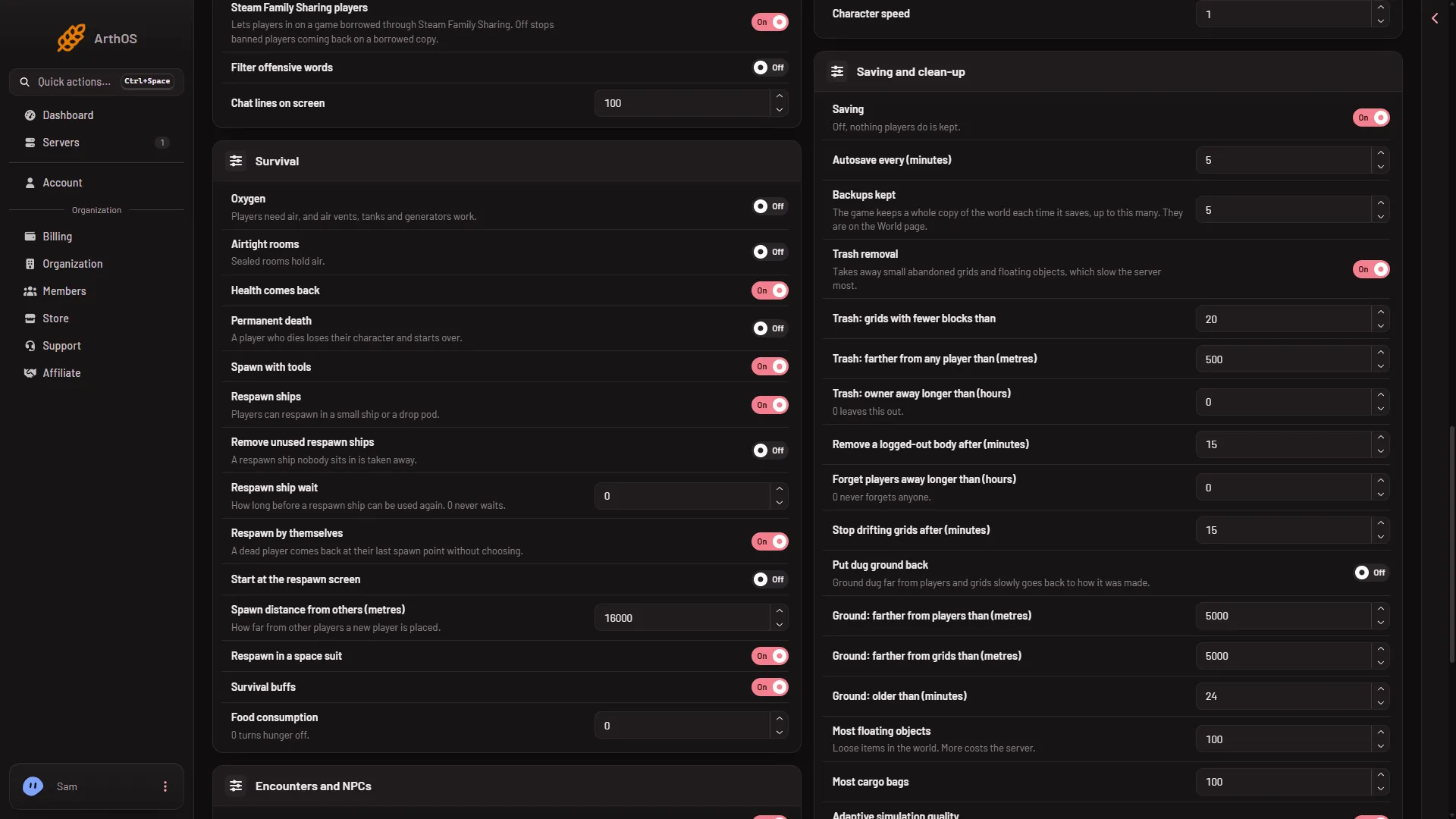
- Survival group
- Press Save in the bar at the bottom. The panel says “Saved. The changes apply when the server starts.”
- Start the server.
The picture shows demo values. Open your own page to read what your world has now.
If a player is stuck
With the panel tools on, the Players page has Send to the respawn screen for a player. See a player who is stuck.
If it does not work
- Save is greyed out. The server is not stopped. The page says “The game writes this file itself when it stops, over anything changed while it runs. Stop the server to change these settings.”
- Players still wait to respawn. Set Respawn ship wait to 0.
- Players spawn far away. Lower Spawn distance from others (metres).
- There is no World settings tab. A new server shows only Passwords and Server settings until it has started twice: the first start makes the world, the next start names it as the world that loads. Start it again (or restart it), then stop it to change world settings. The same happens after Make it at the next start on the World page. Use this world shows the tab at once.
More about the game: Space Engineers servers on Loafhosts.
Sources: spaceengineers.wiki.gg: World Settings, spaceengineers.wiki.gg: SessionSettings