

















Turn on Only Scripters may run scripts to keep scripting to players you trust. Then promote those players to Scripter from the Players page. The panel’s help line says: “Scripts run only for players promoted to Scripter or above.” Turning the setting on needs no panel tools. Giving the rank does.
The game’s own setting is EnableScripterRole, kept in the world’s Sandbox_config.sbc under <Settings>. Keen Software House, the game’s makers, says it adds a Scripter role, and only this role or higher can use the Edit button in a Programmable Block. A Programmable Block is the in-game block that runs a player’s script.
Turn the setting on
- On the Space Engineers panel, choose Stop at the top of the page.
- Open the Config Editor page and choose the tab that starts with World settings.
- In the Players group (1), turn on Only Scripters may run scripts.
- Check Programmable block scripts is on in the same group. If scripts are off, nobody runs any.
- Choose Save, then Start.
The server must be stopped to save world settings, and the game reads them at the next start.
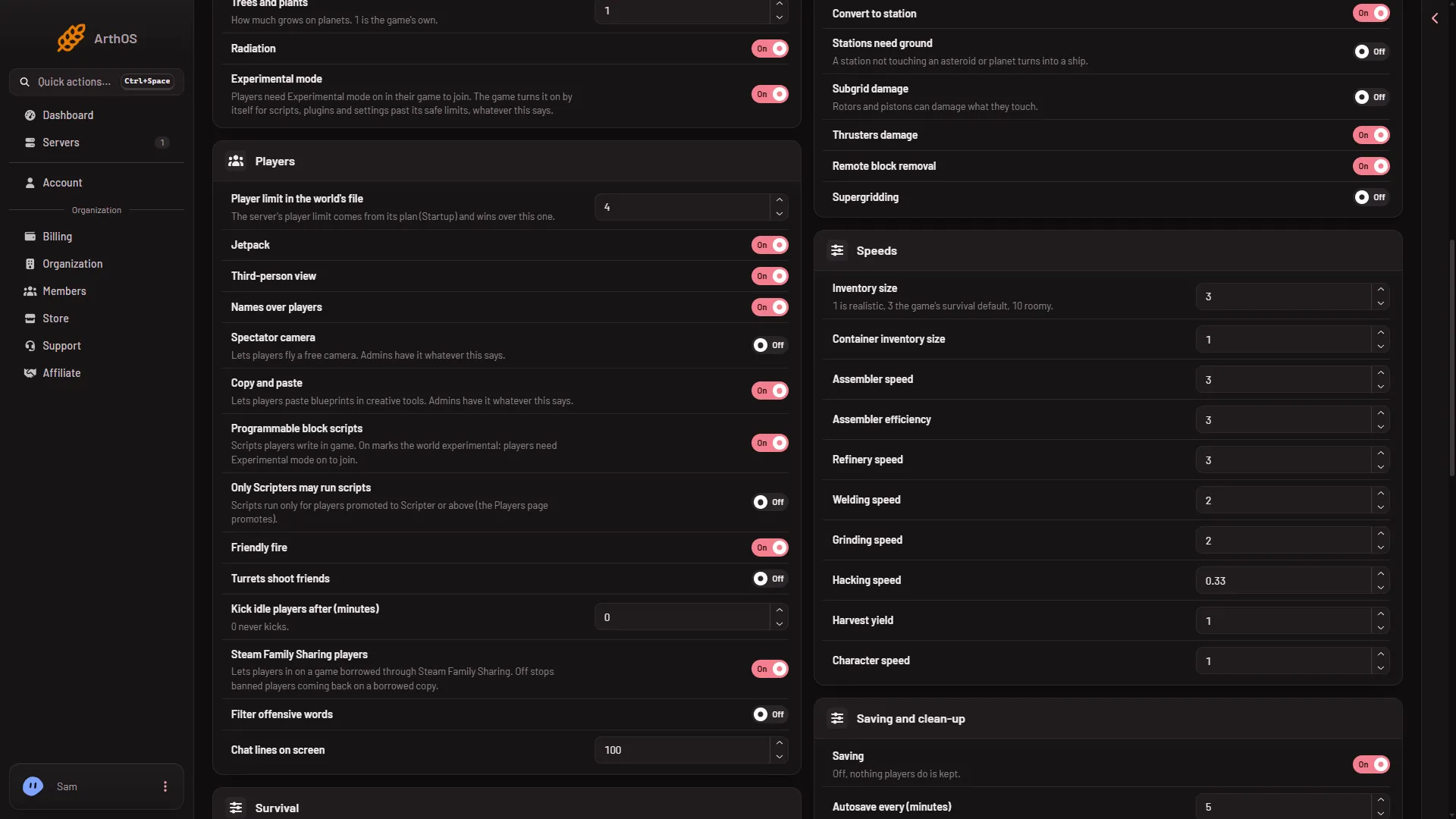
- Players
A new server already has Programmable block scripts on, and the game counts that as experimental on its own. So players of a new server already need Experimental mode in their game (Options, Game), whatever you set here. See Experimental mode.
Give a player the Scripter rank
Setting the rank from the panel needs the panel tools, an add-on the server loads, to be running. Without them, the Players page can only edit the Admins list.
- Open the Players page. The player must be on the server now, or listed under Everyone the world knows.
- Open the three-dots menu on their row and choose Change rank.
- In Rank, choose Scripter (1).
- Choose Change.
The rank applies at once. The panel says “Now Scripter”.
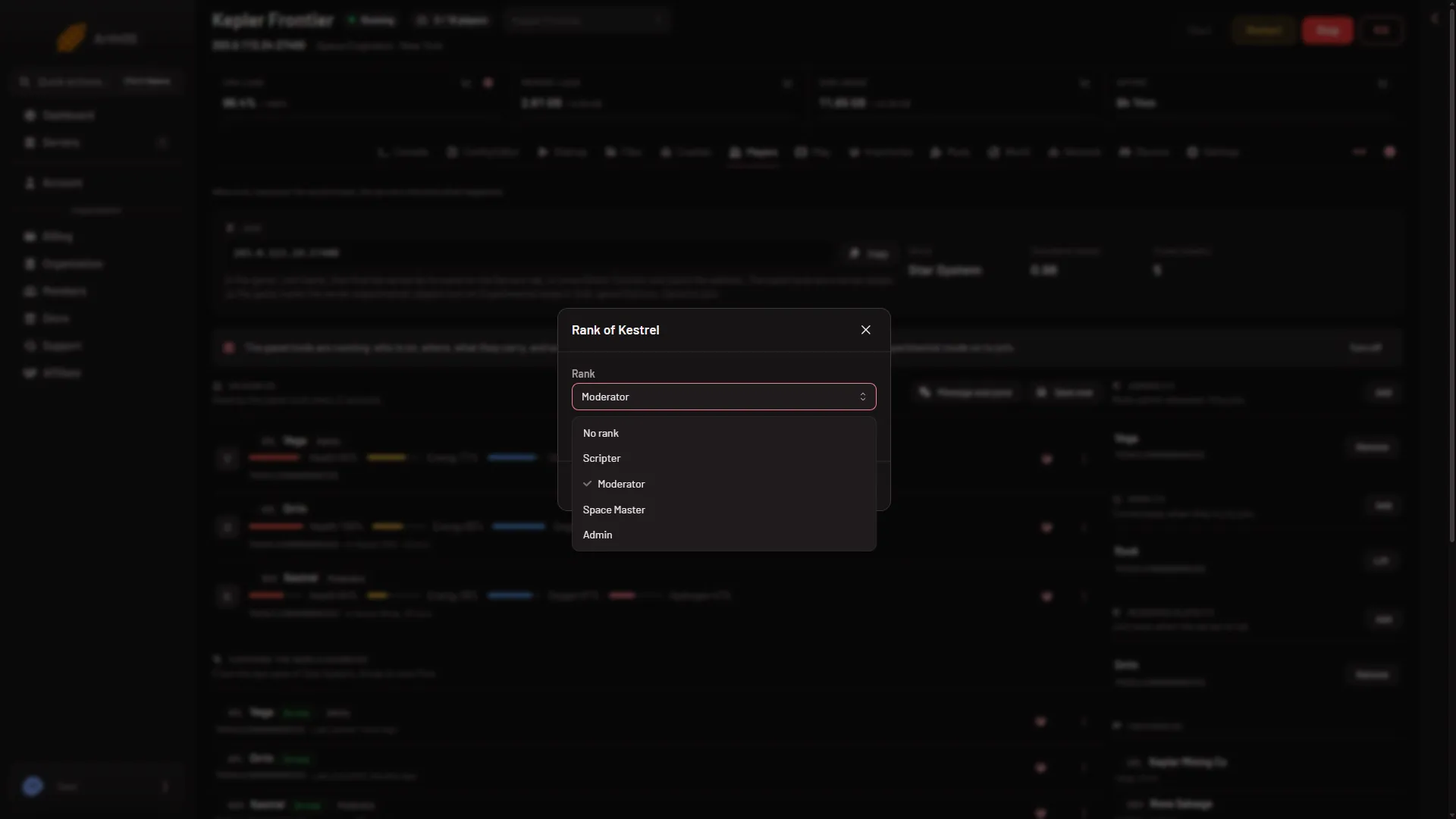
- Scripter
How Scripter compares to other ranks
Scripter is the lowest rank, one star. Moderator and above have Scripter permissions too, so a Moderator, Space Master or Admin can edit scripts. See player ranks.
When a player without the permission pastes a blueprint, the game says: “Some scripts were removed from this blueprint because you do not have Scripter permissions.”
Turn it off
Stop the server, turn Only Scripters may run scripts off, save, and start. Any player can use the Programmable Block again.
If it does not work
- Save is greyed out. The server is not stopped.
- There is no World settings tab. A new server shows only Passwords and Server settings until it has started twice: the first start makes the world, the next start names it as the world that loads. Start it again (or restart it), then stop it to change world settings. The same happens after Make it at the next start on the World page. Use this world shows the tab at once.
- Change rank is missing, or the panel gives no rank. The panel tools are off or not loaded yet. Turn them on and restart.
- A player cannot edit scripts. Check that Programmable block scripts is on, and the player’s rank is Scripter or higher.
Sources: spaceengineers.wiki.gg: Multiplayer Screen, spaceengineers.wiki.gg: SessionSettings