

















The Crashes tab lists each start of your server and says how that start ended: still running, stopped normally, crashed, or never got going. For a bad start it shows the findings the panel reads in the game’s log, with a fix for each, and the last lines of the log.
It lists starts, not crash files. The game writes one log for each start, and the panel reads the newest 10.
Open it
- Open the Crashes tab.
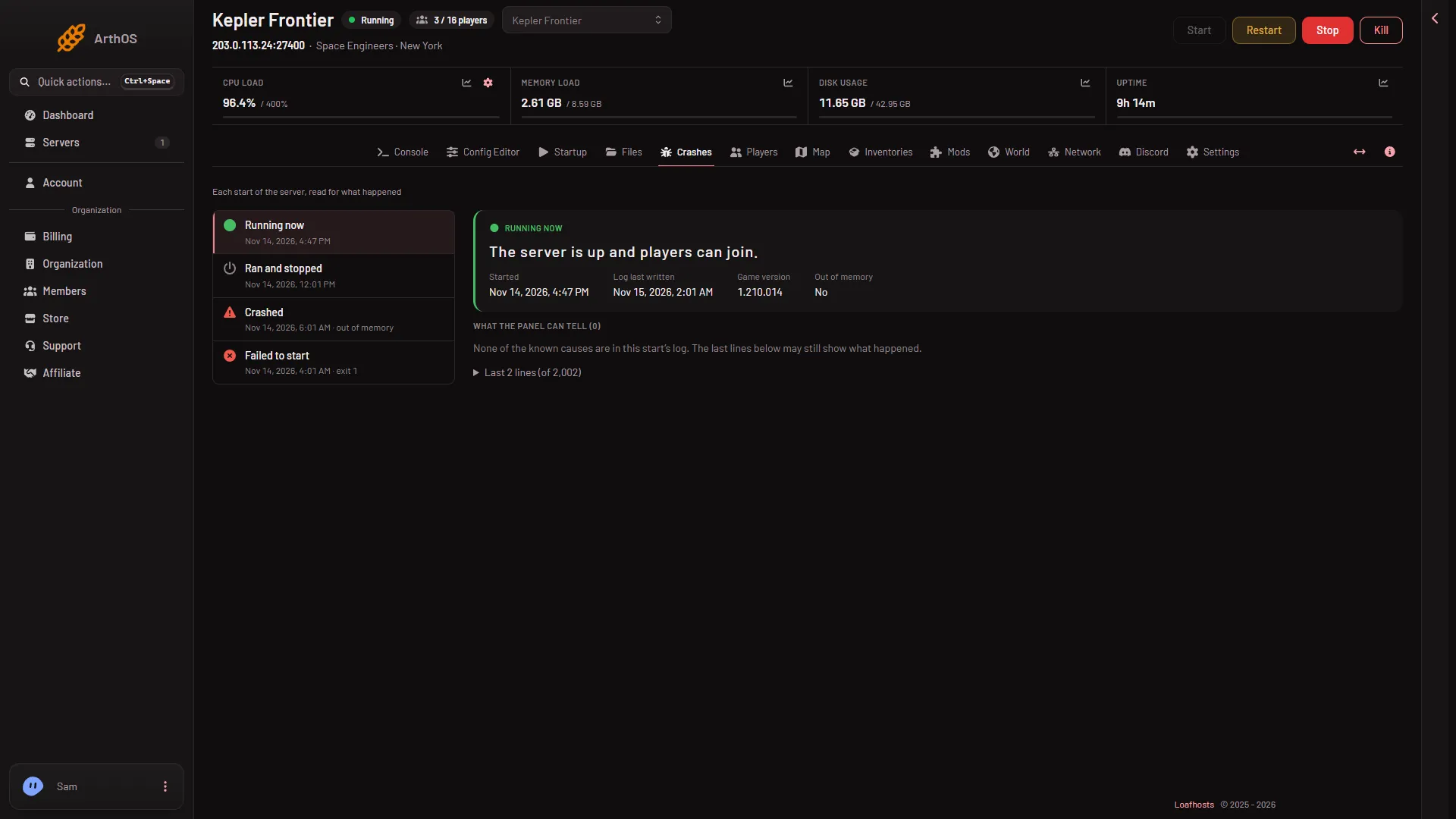
- The list on the left shows each start with its outcome and the start time.
- Choose a start. The panel shows its facts, its findings and its last lines.
If the server has not started yet, the page says there is nothing to read.
What the outcomes mean
- Running now. The newest log says the game is ready. “The server is up and players can join.”
- Ran and stopped. The log shows a normal stop. “The server started, ran and stopped normally.” A stop from the panel ends this way.
- Crashed. “The game stopped without being asked to.” A start can also say “out of memory” beside its time.
- Failed to start. “The server never got as far as letting players in.” A start can say “exit 1” beside its time.
- Starting. The server is running but not ready yet.
- Ended early. The server was ready, but the log does not say how it stopped.
A world that cannot load reads Crashed or Failed to start: read the finding, not the word. The game ends by itself when it cannot load the world, and the panel can read that as a crash. The pictures in this guide are made up.
What a chosen start shows
For the start you chose, the panel shows:
- Started and Log last written.
- Game version, for example 1.210.014 as of 15 November 2026.
- Exit code, when the node knows it.
- Out of memory, Yes or No.
- What the panel can tell (N): the findings, each with a category, a fix line and the log lines that caused it.
- A folded list of the last lines of the game’s own log, with the routine lines left out. Open it to read them.
The findings
A finding has a title, a category and a fix. These are the ones the panel knows for this game.
- The world could not be loaded (World). A file of the world is missing or damaged. See the world could not be loaded.
- The world chosen to load was not on the server, so the game made a new one (World). Choose the world to load on the World page.
- There was no world to load and no world to start a new one from (World). Choose a world, or make a new one on the World page.
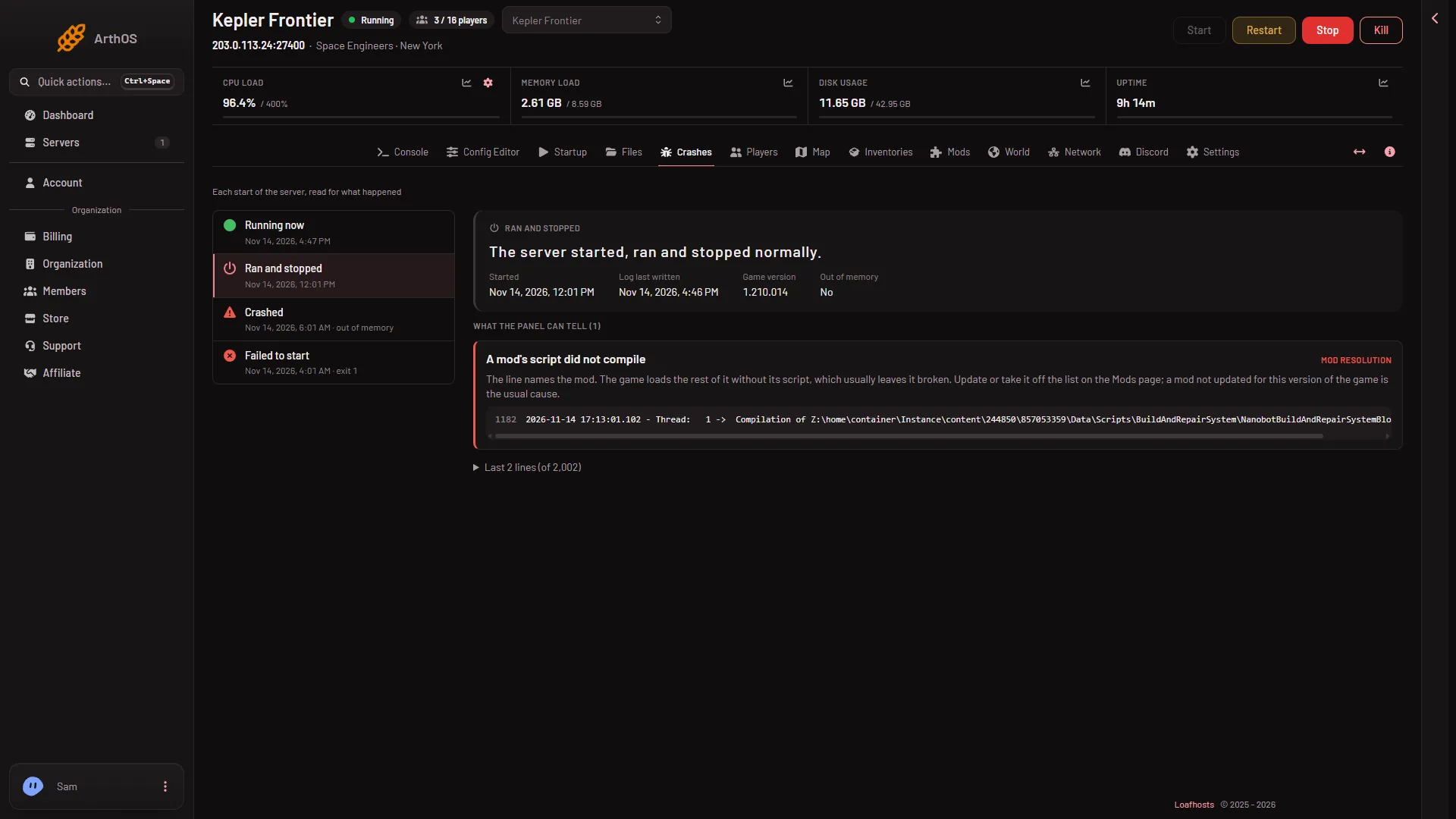
- A mod’s script did not compile (Mod resolution). The line names the mod. Update it or take it off the list on the Mods page. See a mod’s script did not compile.
- The finding
- A mod could not be downloaded (Mod resolution). The Workshop refused it or it is private. Check that it is still on the Workshop and public, or take it off the list.
- The server’s Windows runtime is missing (Notice). The server’s files are not complete. Reinstall from the Settings page with Reinstall Server; your worlds in the Instance folder stay.
- The server could not connect to Steam (Port). Restart it. If it happens again, Steam may be down, or support needs to check the server’s files.
- The server ran out of memory and The server used all its memory and was stopped (Memory). See out of memory.
- The game’s port was in use (Port). Restart the server. If it happens again, ask support to check its ports.
- The game crashed (Crash). The lines below are the game’s own. If it repeats at the same point, the last mod you added is the first to take off the list.
Below a finding, the panel shows the log line that caused it, with its line number. Scroll sideways to read a long line.
If there are no findings
A start can end badly with no known cause in the log. The page then says none of the known causes are in this start’s log. Open the last lines and read the end. If a start shows Out of memory but the log has no line about it, the machine ended the game when it reached its memory limit. The game could not save or write why.
If it does not work
- The list is empty. The server has not started yet.
- A crash you expected is missing. Only the newest 10 starts are read.
More about the game: Space Engineers servers.