

















A mod can carry a script, which is a small program that runs on the server. “Did not compile” means the game could not turn that script into something it can run. The server still starts. The mod loads without its script, so whatever the script did is missing, and the mod is usually broken. The usual cause is a mod that its maker has not updated for this version of the game.
The server stays up, so nothing stops it. The panel shows the failure in three places: the Mods page, the Console (an error line tagged Mods, “Compilation of … failed”) and Crashes. This guide shows how to find the mod and fix it.
Find the mod
- Open the Mods page, on the On this server tab.
- Look for an amber note above the list: “The script of (mod name) did not compile at the last start, so it loaded without it. The mod may need an update from its maker.” It names every mod that failed (1). The panel shows it only when the last start read the list as it is now.
- Find the same mod in the list. Its row says “Loaded at the last start, but its script did not compile, so what the script does is missing.” Under it is a link, “Its log from that start may say why.”
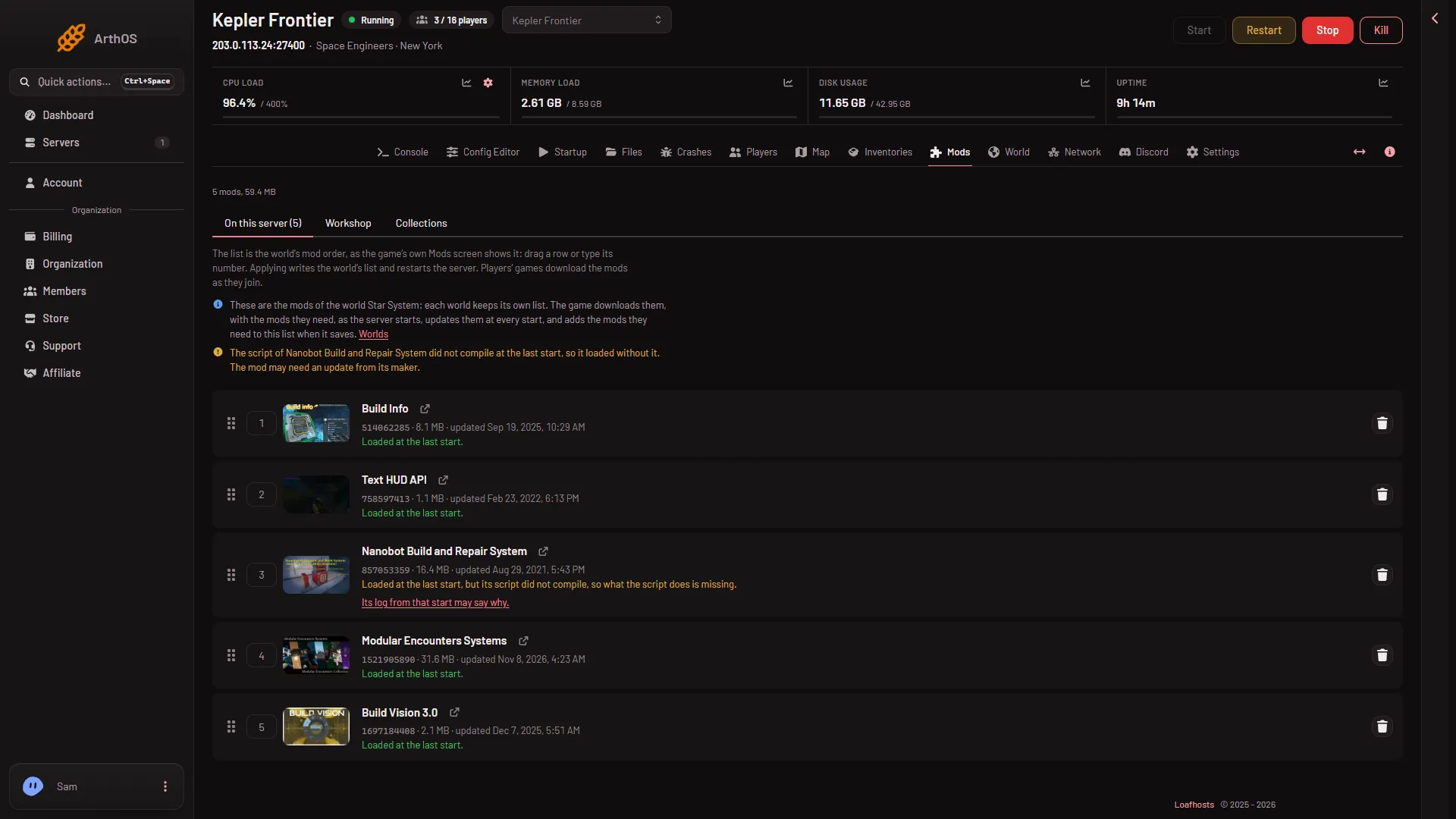
- The note naming the mod
The note and the row line both come from the game’s log of the last start. If you have changed the list or the order since, the note waits until the server has started again.
Read the log line on Crashes
The link opens the Crashes page. You can also open it yourself and choose the start from the list.
- Open Crashes and choose the start. It may say Ran and stopped: a script that did not compile is not a crash.
- Under What the panel can tell, find A mod’s script did not compile, with the category Mod resolution (1).
- Read the log line under it. It starts with
Compilation ofand names the mod’s folder. The number in the folder name is the mod’s Workshop ID, the same number shown on its row on the Mods page.
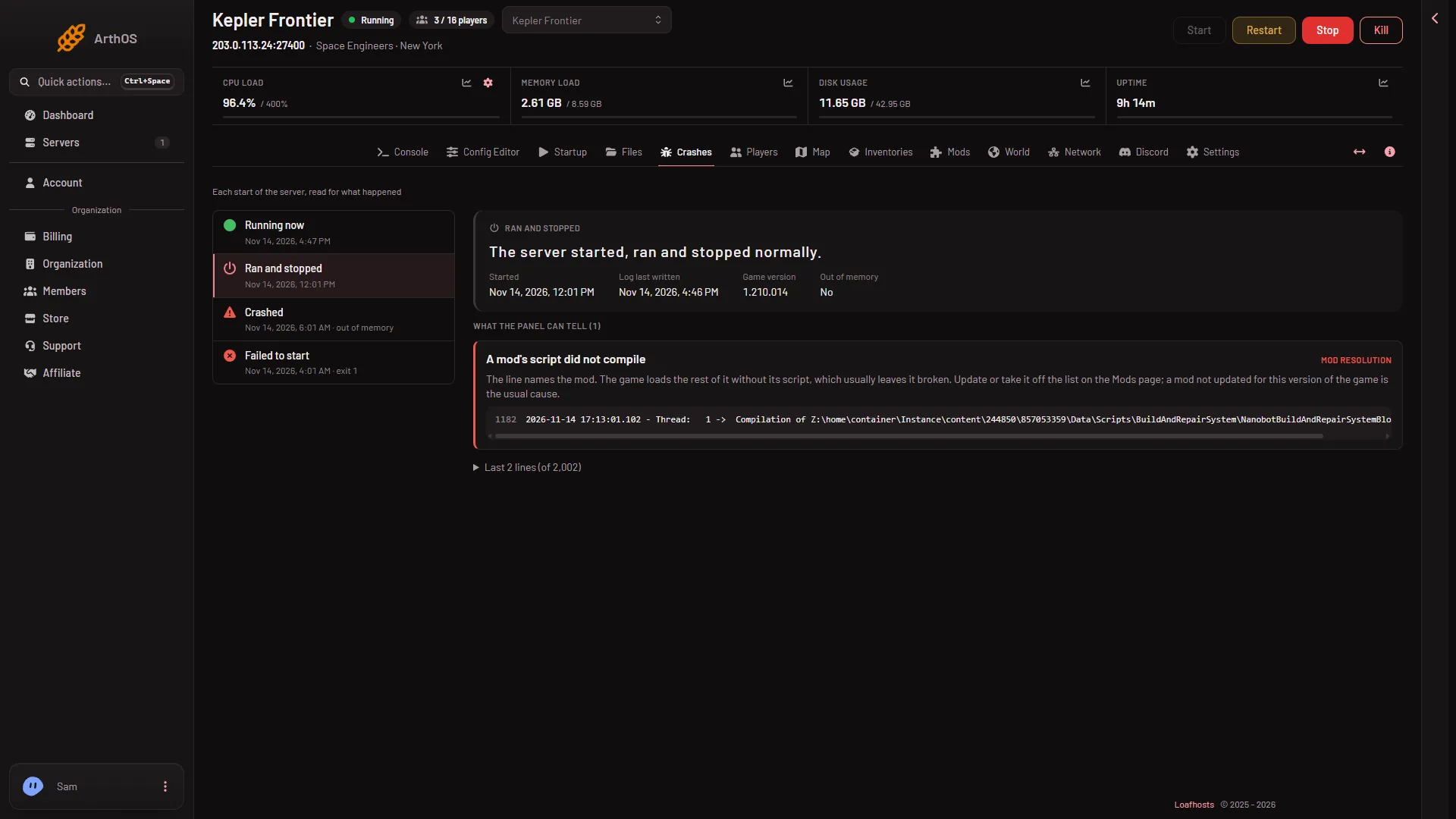
- The finding
The panel’s own fix line says: “The line names the mod. The game loads the rest of it without its script, which usually leaves it broken. Update or take it off the list on the Mods page; a mod not updated for this version of the game is the usual cause.”
Fix it
Pick one of these, in this order.
- Restart the server once. The game updates every mod on the list at each start. If the maker has published a fix, the restart fetches it. Use Restart at the top of the page. Players on the server are disconnected. Then look at Mods again.
- Check the Workshop page. On the mod’s row, choose the link icon to open it on the Steam Workshop. Read the maker’s comments. A mod not updated since an old game version keeps failing until its maker fixes it.
- Take it off the list. On its row choose the red bin button, then choose Apply and restart in the bar at the bottom. The server stops, the world’s list is written, and the server starts again. Players on it are disconnected. A server that is stopped says Apply and stays stopped.
If it does not work
- The note is gone but the mod still acts broken. The note only shows when the last start read the list as it is now. Restart the server, then check the row again.
- The row says “On the list, but the game did not load it at its last start.” That is a different problem: the game did not load the mod at all. Open the link under the row and read the log.
- Another mod is named after you remove the first. Each start names every mod that fails. Fix them one at a time and restart in between. If two mods change the same thing, see the mod load order.
- The server will not start. Open Crashes, choose the start, and read the finding. A world that could not load needs a different fix: see the guide on a world that could not be loaded.
Each world keeps its own mod list, so this only changes the world that loads. More about running one is on the Space Engineers server page.
Sources: spaceengineers.wiki.gg: Mods