

















Your Space Engineers server uses one port. It is a UDP port (a kind of network port that games use for fast traffic), and it carries both the game and the Steam server list. You find it on the Network page, under Allocations. You do not open or forward anything.
See your port
- Open your server and choose Network.
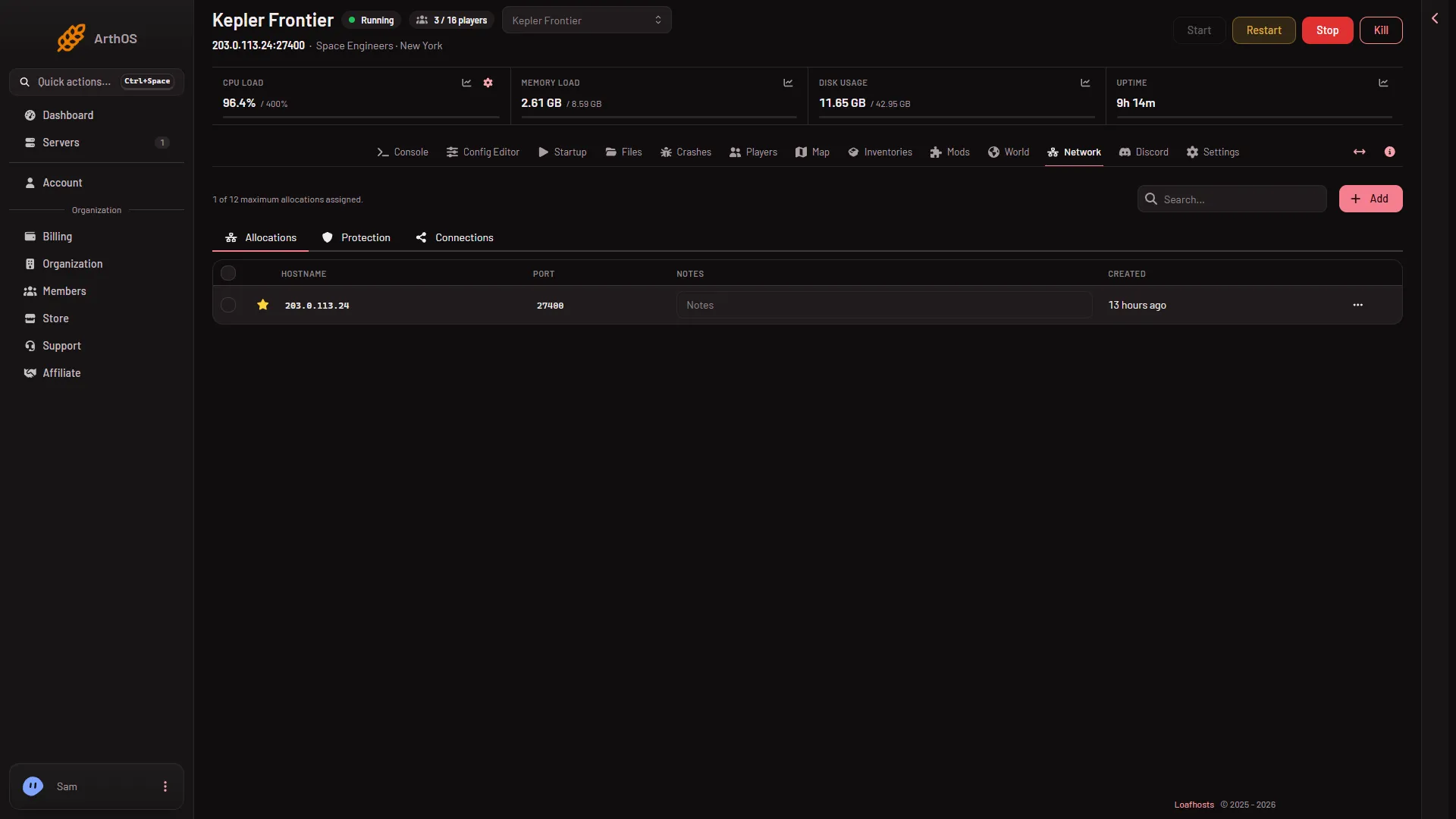
- Stay on Allocations (1). The table shows Hostname and Port, a notes box and the date the allocation was made. There is one row. The hostname is your server’s address, and the port is the number beside it.
- Allocations
The star beside the row marks the game port. The picture shows a made-up address. Yours is different, and so is your port. You do not need the Add button: one port is all the game needs.
You can also read it on the Players page, in the join box at the top with its copy button. Players use the address and the port together, for example 203.0.113.24 and the port from the table. See how players join for the steps in the game.
Why one port is enough
Keen Software House, the game’s makers, says the game uses the UDP protocol. The default port in Keen’s own documentation is 27016, but it can be changed. In the game’s file SpaceEngineers-Dedicated.cfg the keys are ServerPort and SteamPort. On Loafhosts one UDP port carries both play and the Steam server list, so there is no second number for players or for you to look after.
Loafhosts gives each server a port of its own and sets it for you. That is why the port on your Network page is probably not 27016. Use the number the panel shows.
You do not forward a port
Guides for a server on a home computer tell you to forward a UDP port on your router and to open it in a firewall. None of that applies here. The server runs on a Loafhosts machine with an address and a port already open to players. There is nothing to set on your own router.
Network protection
The Protection tab is the network protection for the server. For this game, the panel shows that no filter is needed for the port. Leave it as it is unless Loafhosts support tells you otherwise.
Networking and console players
The server uses Steam networking. Players on Steam can join. Players on Xbox and PlayStation cannot, because the panel sets the server to Steam networking with console compatibility off. See crossplay.
If it does not work
- The server is not in the game’s list. A filter in the game’s list may be hiding it, or the server is still starting. See server not in the list.
- The port is different from what a friend remembers. The port is the one on the Network page now. It can differ from another game’s port.
- You typed the address without the port. Players need both, from the Network page. More about the game: Space Engineers servers.