

















Your server’s address is an IP address and a port, for example 203.0.113.24:27400. The panel shows it in three places: under the server’s name, in the Join box on the Players page, and on the Network page.
Copy it from the Players page
- Open the Players page.
- Find the Join box at the top. It holds the address and the port.
- Press Copy (1). The panel tells you it copied the address.
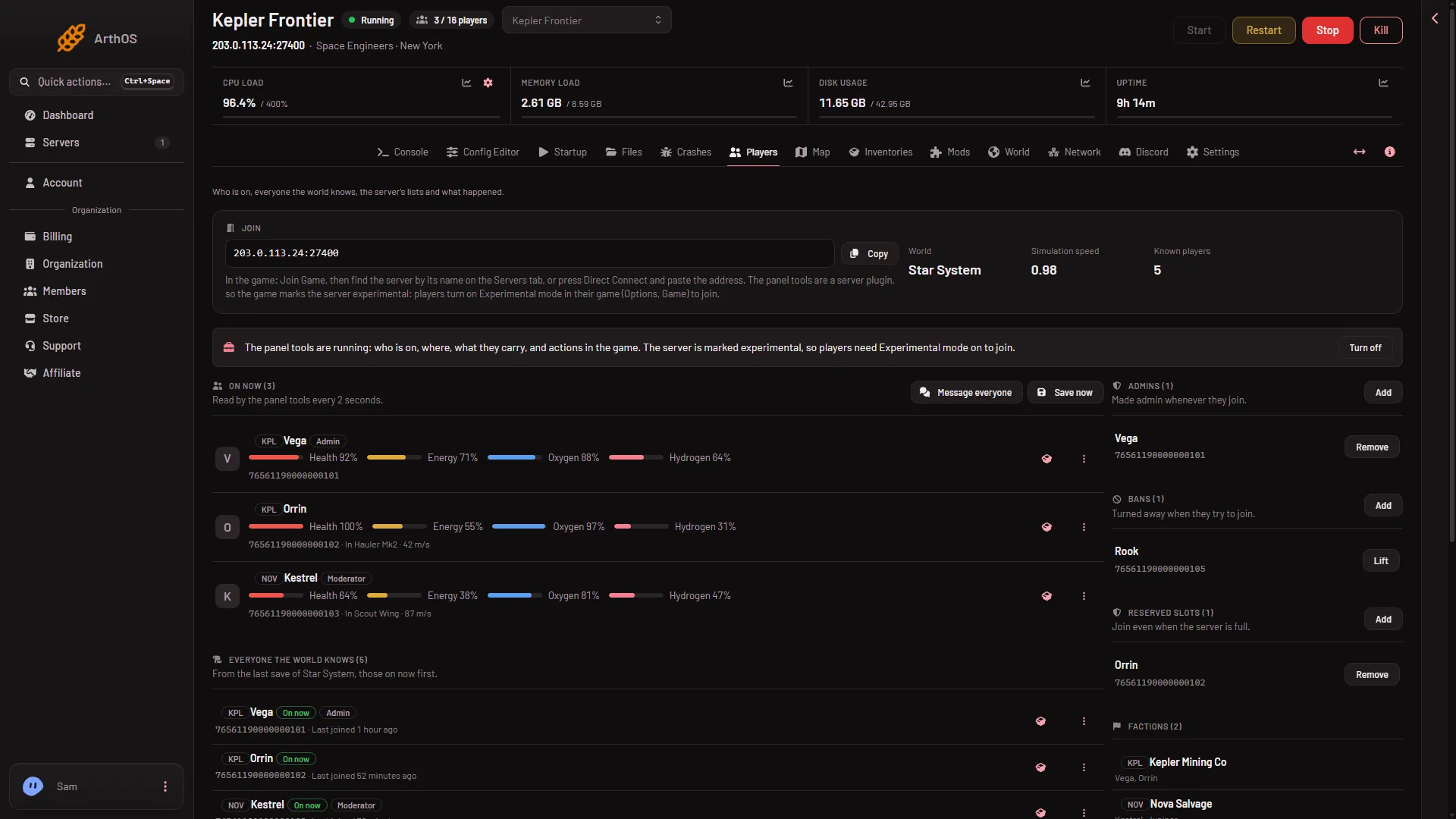
- Copy the address
The address is also written under the server’s name at the top of every page. If the box says “The server has no address yet.”, the server has not been given one. Contact support.
See it on the Network page
- Open the Network page.
- Under Allocations, read the row. Hostname is the IP address and Port is the port. The star marks the port the game uses. You do not need Add.
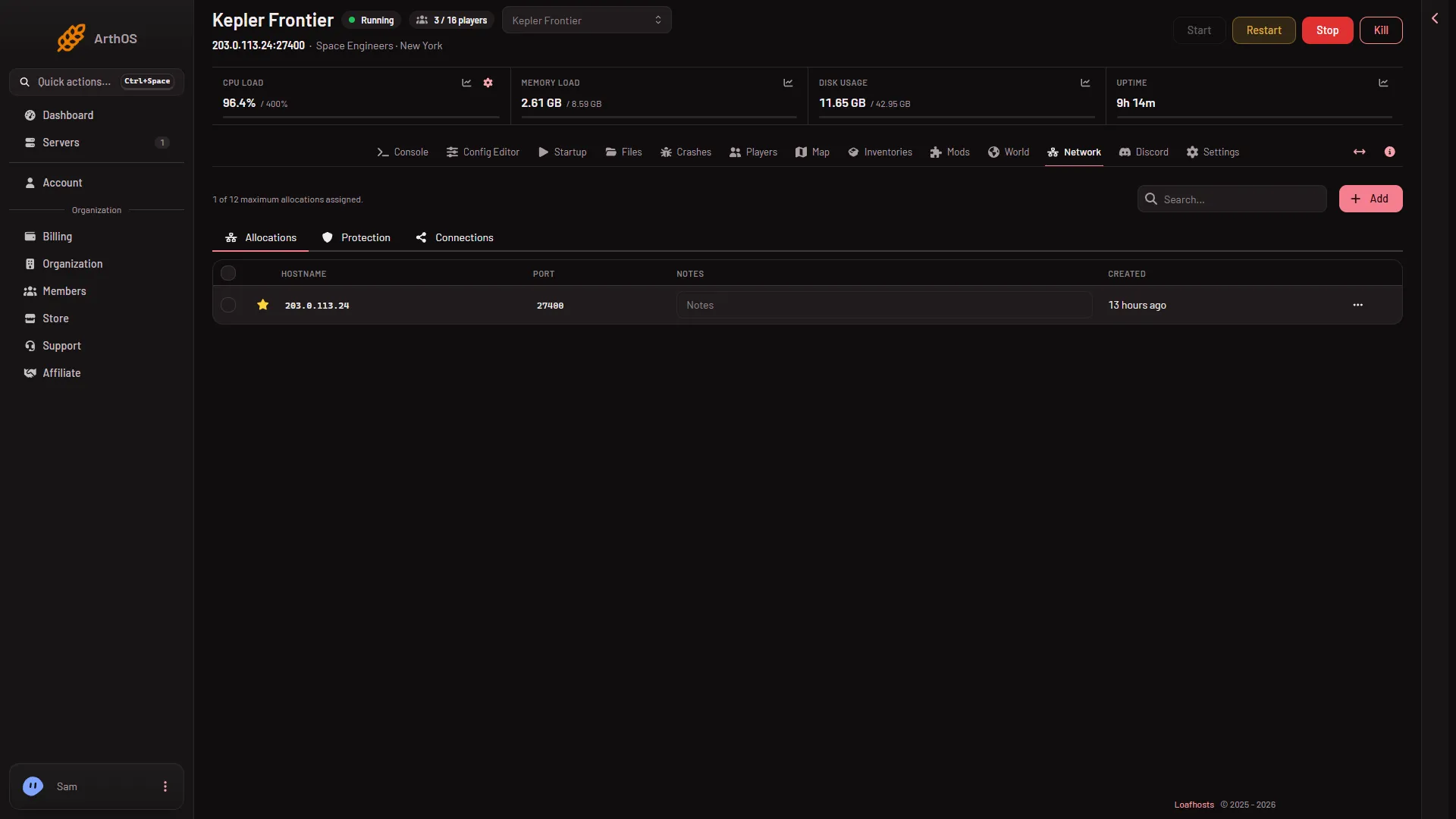
- Allocations
A Space Engineers server has one port. It is a UDP port (the kind of network port a game uses for fast traffic), and it carries both play and the Steam server list. You do not open or forward anything: Loafhosts has already done it.
Join with the address
Tell your players to do this in Space Engineers:
- Open Join Game from the main screen.
- Press Direct Connect.
- Paste the address from the Join box into the box that appears.
- Join.
Not checked with a player on 1.210 as of 15 November 2026: how Direct Connect takes the port.
The player must own Space Engineers, and must be on the Steam list, not the EOS one. See join a Space Engineers server.
A player can also find the server by name on the Servers tab of Join Game. The name is the Server name on Startup. A new server is called Hosted By Loafhosts.com until its owner changes it. Direct Connect is the sure way, because it does not depend on the server list.
If it does not work
- The server does not answer. It may still be starting. The first start makes the world, and players can join once the Console shows
Game ready. For about 11 minutes after the first start the server builds .NET files (the game’s software framework) in the background, so it works harder and may run slower. - The game asks for a password. Set or read it under Passwords in the Config Editor: see the server password.
- A player typed it by hand and it fails. Use Copy and paste it, so no digit is lost.
- The server is not on the list. Use Direct Connect. See also the server’s ports.
More about the game: Space Engineers servers.