

















If this is the first start of a new server, wait. The install (about 5 minutes) runs when the server is made or on Reinstall Server, before any start. The first start makes the world. Players can join once the Console shows Game ready. For about 11 minutes after the first start, the server builds .NET files in the background (.NET is the software the game’s server runs on), so it works harder and may run slower. A later start of a small world took about half a minute on a Loafhosts server (measured: 31 seconds, Star System with three mods).
Watch the console
- Open the Console tab.
- Read the lines as they come. Each has a level and a source tag such as Steam, World and Mods.
- A healthy start shows, in order:
Server connected to Steam, the world’s name,Downloading world mods - STARTandDownloading world mods - END,Loading session, the experimental mode lines, and thenGame ready....
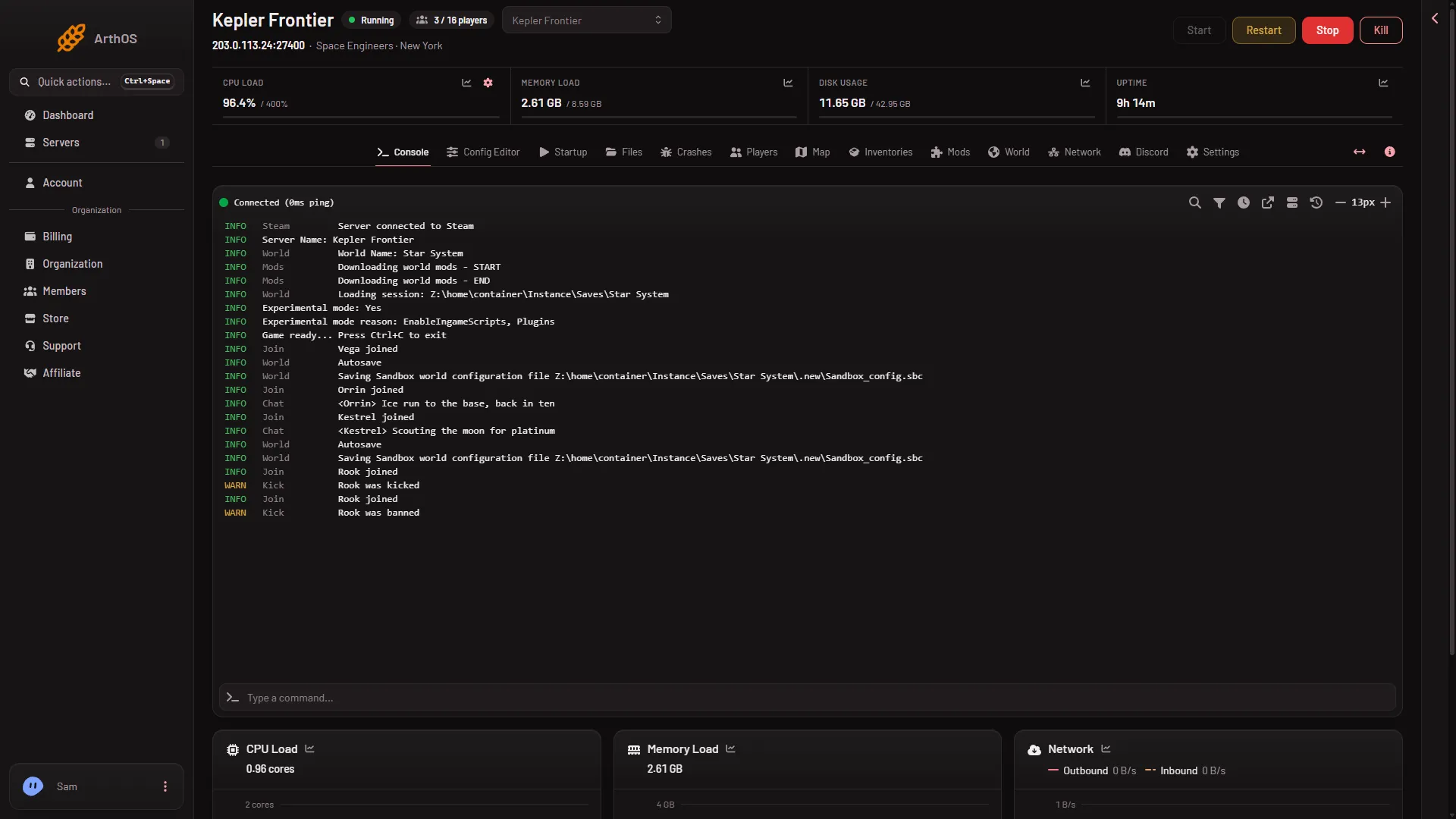
Mods are downloaded by the game itself while it starts, together with the mods they need. A long mod list makes this step longer, and the first start after adding mods takes the longest. It is the same step you see in the console as Downloading world mods.
When you press Apply and restart on the Mods page, the progress line at the top of the page shows the wait. The panel waits up to 20 minutes for the server to come up. That is the panel’s wait, not a game limit. After that it says the server was still starting and sends you to the console.
When to stop waiting
If a later start shows no Game ready after 20 minutes, open Crashes, read the last lines of that start, and send them to Loafhosts support with the server name and the start time. Press Stop, not Kill: a stop ends in 3 to 9 seconds and saves.
Check the Crashes page
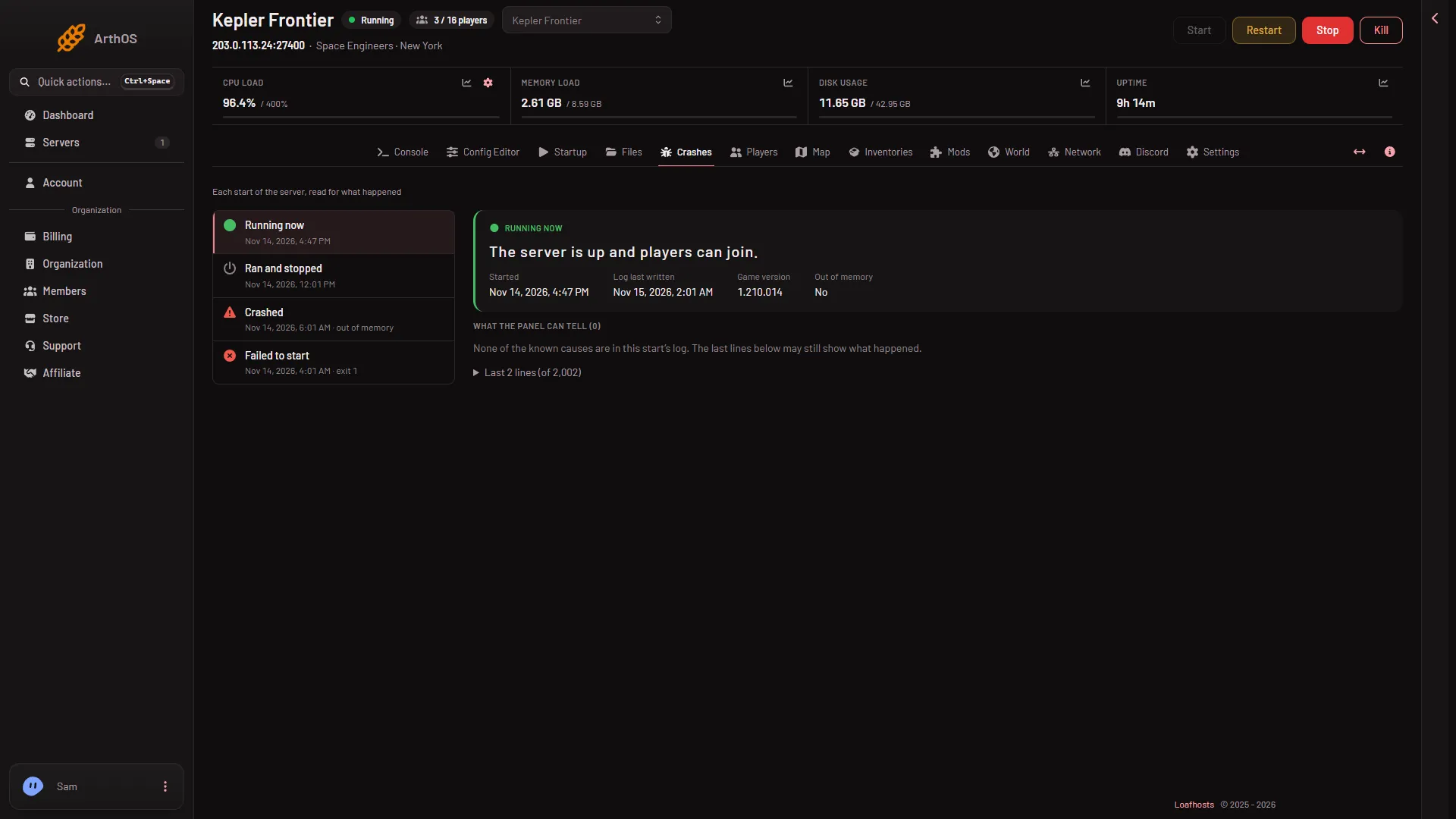
Crashes lists each start with a plain word.
- Open Crashes.
- Find the newest start in the list. Running now means the server is up. Ran and stopped means it ended. Crashed and Failed to start are the faults: Failed to start means it never reached
Game ready, and the list shows “exit 1” next to it. - Choose the start. Under What the panel can tell it names the cause when it knows it.
If it failed to start
The finding on the start names the cause. These are the ones that stop a start:
- The world could not be loaded. The start reads Crashed or Failed to start: read the finding. A file of the world is missing or damaged. Put back one of the game’s backups from the World page, or choose another world there. The picture is made up.
- There was no world to load and no world to start a new one from. Choose a world, or make a new one from one of the game’s worlds, on the World page.
- A mod could not be downloaded. The Workshop refused it or it is private. Check it is still public, or take it off the list on the Mods page.
- The server’s Windows runtime is missing. Use Reinstall Server on Settings. Your worlds in
Instancestay. - The server could not connect to Steam. Restart it. If it happens again, Steam may be down.
- The server ran out of memory. Remove grids nobody uses (a grid is a ship or a station), turn on Trash removal in the Config Editor, or use a bigger plan: a bigger plan has more memory (Small 6 GB, Standard 8 GB, Large 12 GB).
If it is only slow
- A first start: the 11 minutes of building are normal. Wait for
Game ready. - Slow after the first start: count the mods on the Mods page. The game checks every mod for a newer version at each start, and downloads what it needs.
Do not press Kill on a server that is still starting. A kill does not save. Stop asks the game to save and shut down first.
Sources: spaceengineers.wiki.gg: Mods