

















A grid is a ship or a station, one connected build. When grids vanish from a Space Engineers server, a clean-up rule in the world’s settings is the first thing to check. The most common is Trash removal (TrashRemovalEnabled), which takes away small abandoned grids. Wrecks and half-built ships are the usual victims. This guide lists each rule that can remove a grid, and where to change it.
Find the rule that removed it
Open the Config Editor, then World settings, and look at the Saving and clean-up group (1). A new server shows only Passwords and Server settings until it has started twice: the first start makes the world, the next start names it as the world that loads. Start it again (or restart it), then stop it to change world settings. Work through these in order.
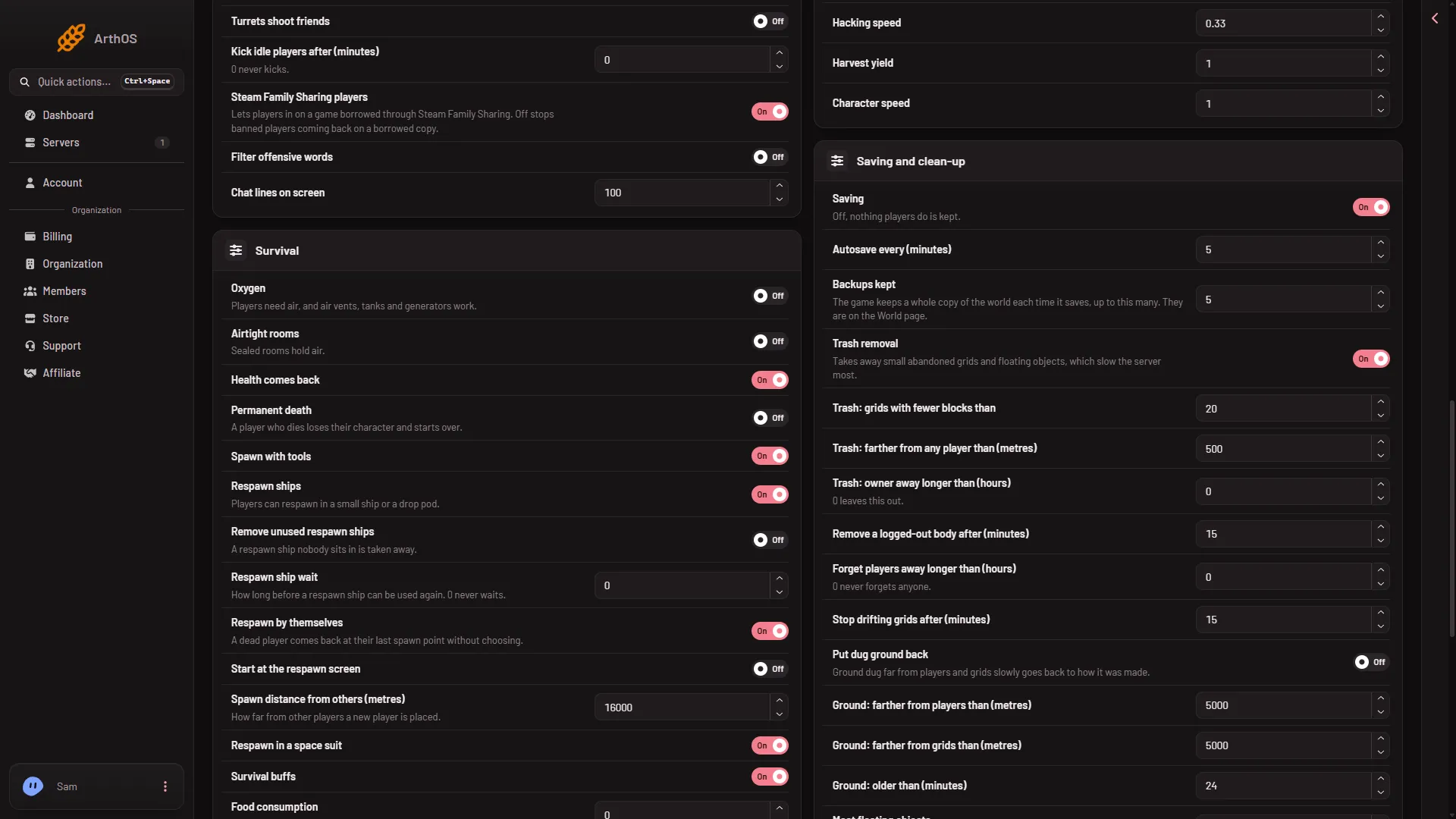
- Saving and clean-up
-
Trash removal. The panel’s line says it “Takes away small abandoned grids and floating objects, which slow the server most.” A grid is removed only when it passes the checks the game has turned on. Three rows set the numbers:
- Trash: grids with fewer blocks than (
BlockCountThreshold): a grid smaller than this is a candidate. - Trash: farther from any player than (metres) (
PlayerDistanceThreshold): a grid farther away than this is a candidate. - Trash: owner away longer than (hours) (
PlayerInactivityThreshold): 0 leaves this check out.
The game’s wiki warns that if wrecks and half-welded grids disappear, the automatic trash removal settings may be too aggressive. To make it gentler, lower the block count, raise the distance and raise the hours, or turn Trash removal off. The game’s own trash flags (
TrashFlagsValue) decide which checks are used. They are not a named row: under Advanced, Show them lists them if your world’s file has them. The row’s exact name was not checked. Do not change that number unless you know what each flag does. - Trash: grids with fewer blocks than (
-
Remove a logged-out body after (minutes) cleans up characters. Forget players away longer than (hours) forgets old players (0 never forgets anyone). What happens to a forgotten player’s grids was not checked.
-
Most floating objects (
MaxFloatingObjects) caps loose items. Most cargo bags (MaxCargoBags) is the most Temporary Containers at once: when a block is destroyed or ground down, its cargo is packed into one instead of dropping as loose items. -
Put dug ground back slowly returns ground dug far from players and grids to how it was made. It changes terrain, not grids.
-
Stop drifting grids after (minutes) stops a grid that is far from a player. It does not delete it. A grid that was stopped will not move, which can look as if it went.
Other things that remove grids
- Remove unused respawn ships. In the Survival group. In the game’s words, a player’s respawn ship is deleted when they leave the server or spawn a new respawn ship. Turn it off if players lose their pods.
- World size (km). In the World group. 0 has no edge. With a number set, the game wiki says everything that leaves that area is deleted, and characters that leave die. A ship that drifts out of the area is gone.
- A deleted grid. On the Map, the ship dialog has Delete, then Delete for good. The dialog warns that the ship and everything in it are taken out of the world, and that the game’s backups still have it. Someone with access may have used it. Check Activity under Settings for who.
- A mod that was taken off. Blocks that a mod added leave the world with it.
Change the setting
World settings are saved only while the server is stopped.
- Stop the server.
- Change the rows above in the Config Editor, World settings. The keys are spelled that way in the world’s
Sandbox_config.sbc, under<Settings>. - Press Save, then start the server. The change applies from the next start.
Bring a grid back
Grids removed by clean-up are gone from the world as it is now. They may be in a backup.
- Open the World page and look at Backups.
- Choose a time before the grids vanished and press Put back. It copies that backup into a new world and loads it from the next start.
- Restart the server and check the grids are there. To come back to your old world, press Use this world on it.
Your current world stays as it was. Anything built after the backup is not in it.
If it does not work
- It keeps happening after you turned trash removal off. Check Remove unused respawn ships and World size (km).
- The server also runs out of memory. The panel’s own fix for that is to remove grids nobody uses and keep trash removal on. Keep it on and lower Trash: grids with fewer blocks than, so it only takes the smallest grids.
- The work was lost, not a ship. See the guide on lost progress.
Sources: spaceengineers.wiki.gg: Admin Screen, spaceengineers.wiki.gg: SessionSettings