

















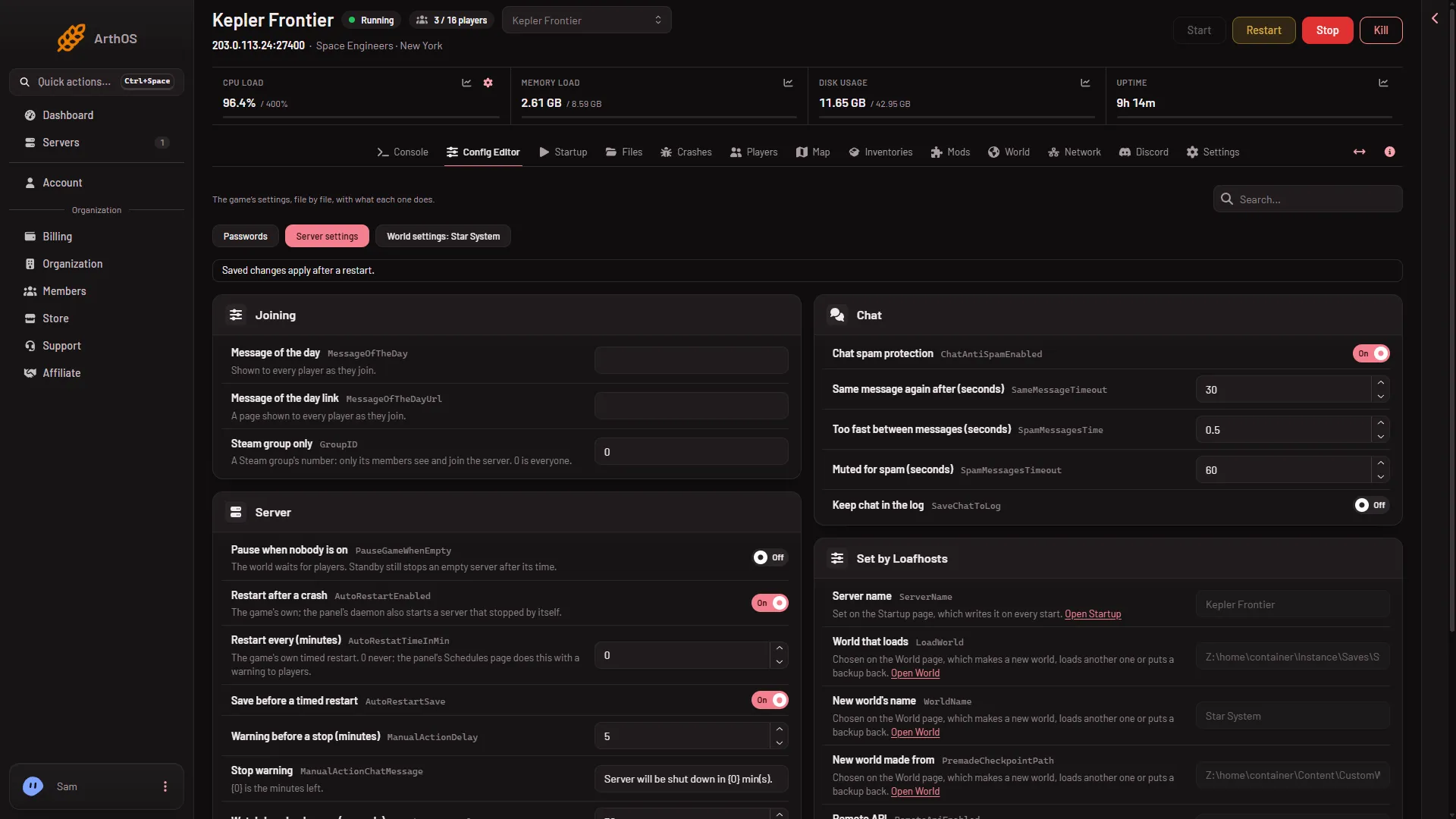
Put your Steam group’s number in Steam group only. Keen Software House, the game’s makers, says the server is then visible only to members of that Steam group. Leave it at 0 and everyone can see it. The row is on the Server settings tab of the Config Editor page.
The game’s own name for this setting is GroupID. It lives in the server’s SpaceEngineers-Dedicated.cfg file. Keen says: if it is set to a non-zero value, the dedicated server is only visible to the given Steam group.
Set it
- Open the Config Editor page of your server on the Space Engineers panel.
- Choose Server settings (1).
- In the Joining group, find Steam group only.
- Type the group’s number in the box. Use digits only.
- Choose Save. The page says “Saved changes apply after a restart.”
- Choose Restart at the top of the page. Players on the server are disconnected while it restarts.
- Server settings
The panel saves server settings while the server runs. The game reads them only when it starts, so the limit begins at the next start.
Turn it off
Set Steam group only back to 0, choose Save, and restart. The server is visible to everyone again.
Combine it with other limits
- A join password is a second lock. A player then needs the password as well.
- A reserved slot lets a listed player in when the server is full. Whether it also works for a player outside the group was not checked.
If it does not work
- Nobody can see the server, not even group members. Check the number has no spaces or letters. Set it to
0, restart, and compare. - The change has no effect. It applies at the next start. Restart the server after you save.
- The server is missing from the list for another reason. See server not in the server list.
Sources: spaceengineers.wiki.gg: Setting up a Space Engineers Dedicated Server, spaceengineersgame.com: Dedicated servers