

















You can move a player to stand next to another player, or beside a ship or station. On the Players page you move them to another player. On the Map you can also send them to a ship or station. It needs the panel tools to be running, and the move happens at once.
In the game itself, an Admin can open the Admin Screen with Alt+F10. Its Entity List has a teleport action for the entry you pick. Not checked with a player on 1.210 as of 15 November 2026.
Move a player to another player
- Open the Players page.
- In On now, open the three-dots menu on the row of the player you want to move.
- Choose Move to (name), where the name is the player they should go to. There is one item for each other player on now.
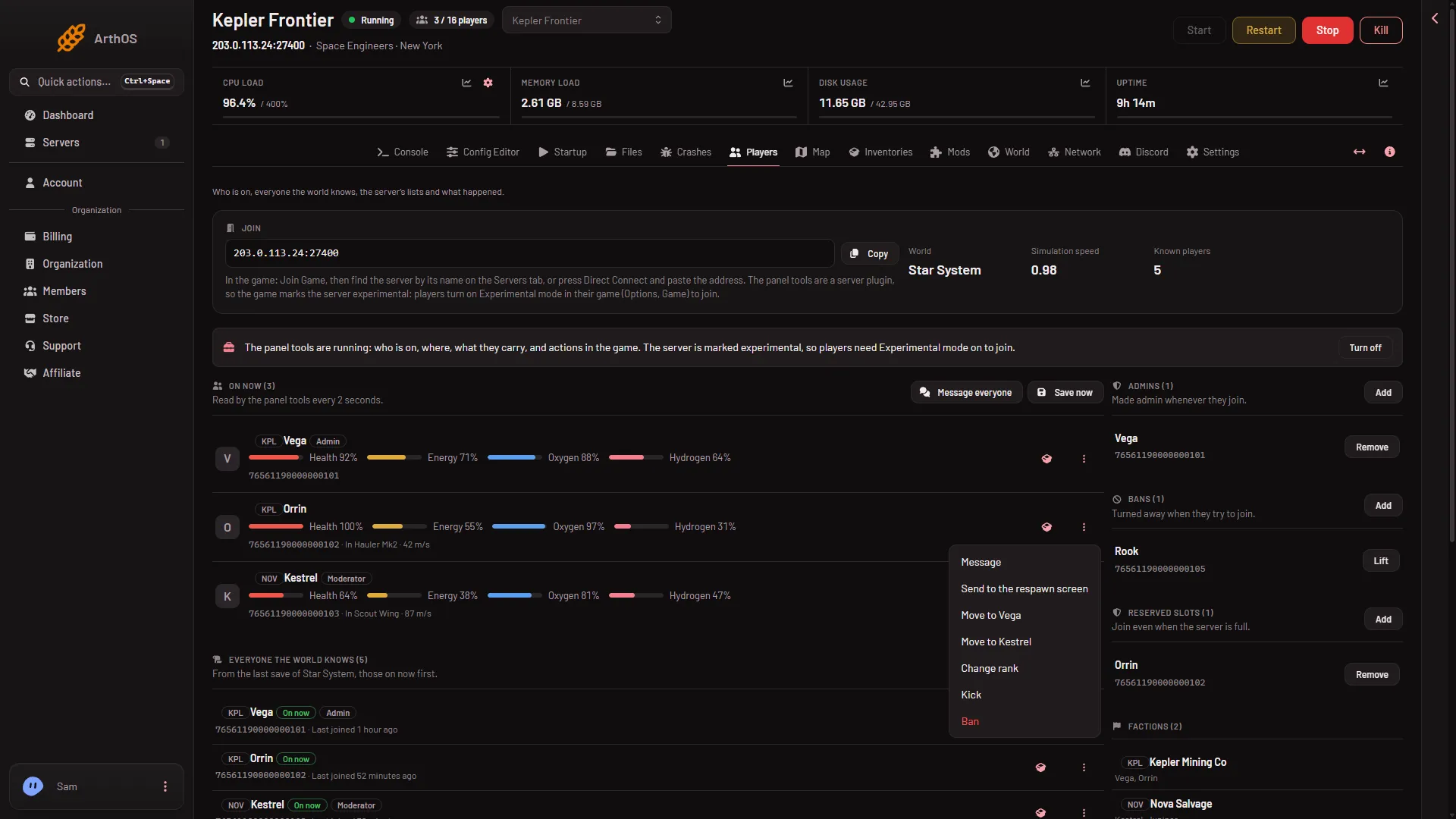
- Move to Vega
There is no box to confirm. The panel says “(name) was moved to (other)”. The player stands 2 m behind the other one, and their speed is set to zero. “What happened” shows “(name) was moved to (other).”
Move a player from the map
- Open the Map page.
- Press the player’s marker, or the three-dots button beside their name in On the map. Their card opens.
- In Move to (1), choose another player, or a ship or station. The list shows players first, then up to 200 ships and stations.
- Press Move.
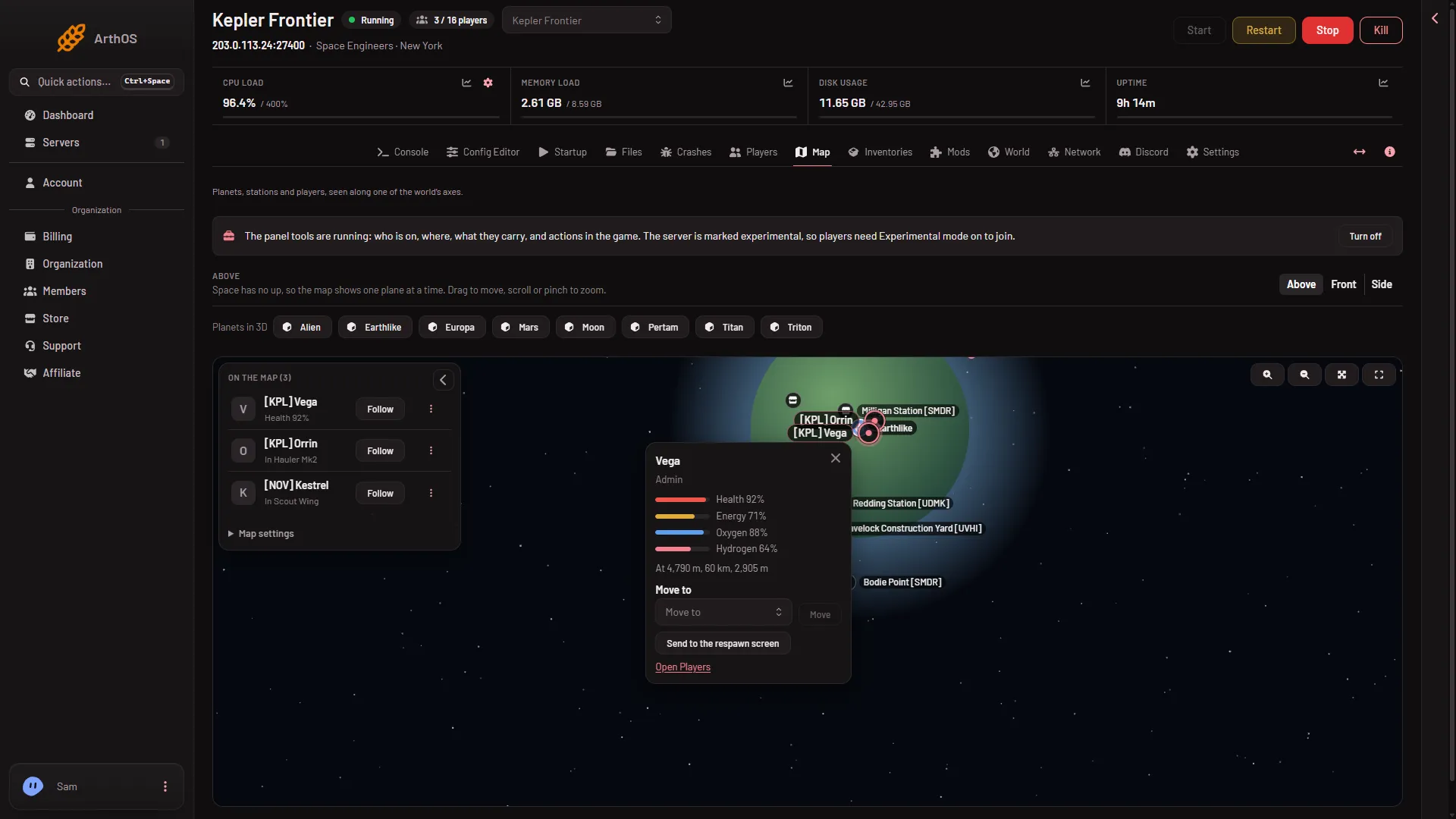
- Move to
Ships and stations in the list need the private map permission. You can also start from the ship, as below.
Send a player to a ship or station
- On the Map, press the ship or station. Its box opens.
- In Send a player here (1), choose the player.
- Press Move (2).
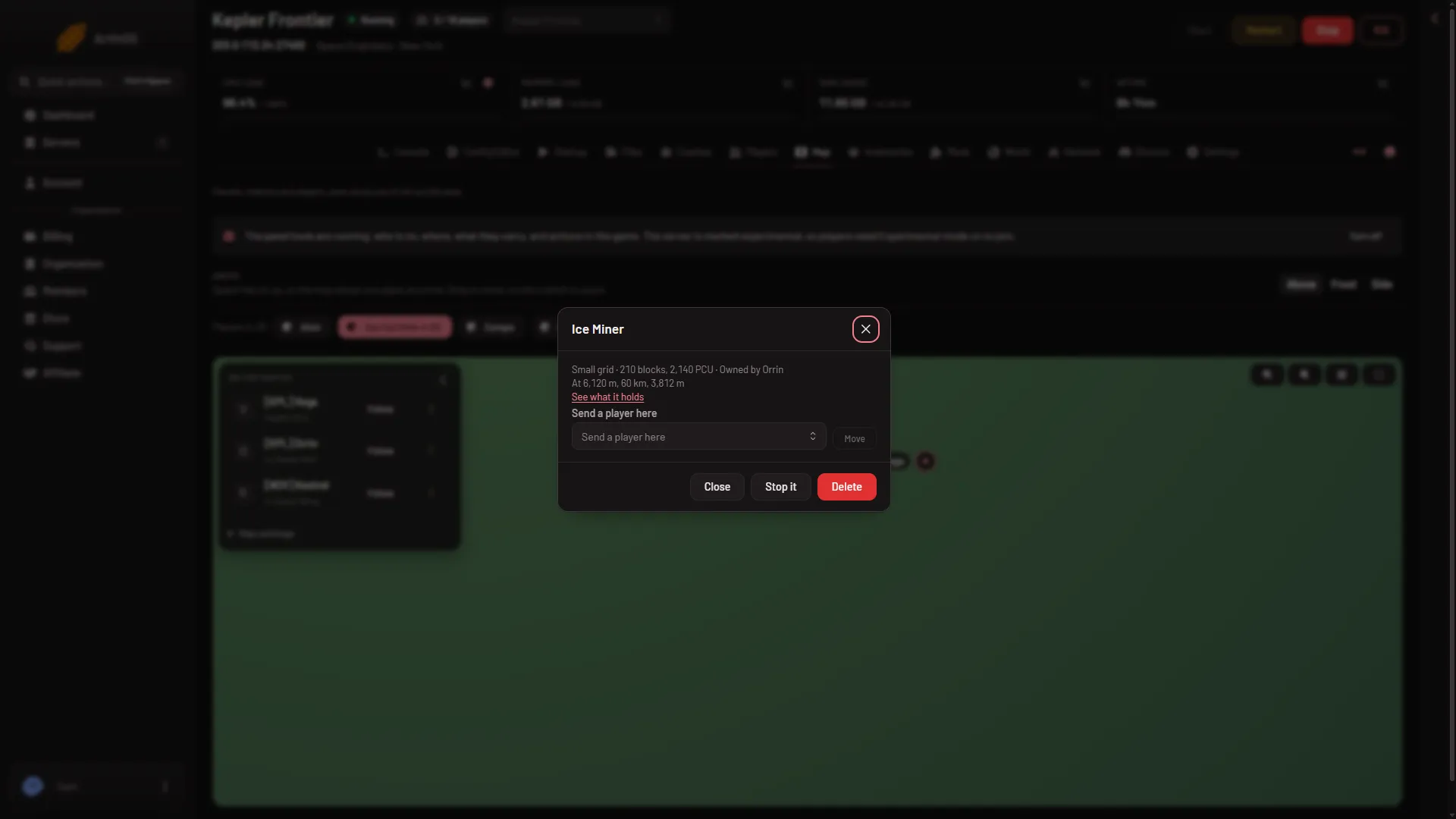
- Send a player here
- Move
The player lands outside the ship, beside it and never inside its blocks. The panel puts them just outside the box that holds the whole ship, a little farther out than its corner.
When the panel refuses
- “(name) has no body to move until they respawn”. They are dead. Wait until they respawn.
- “(name) is in a seat: they have to get out first”. Ask them to leave the seat, then try again.
- “the player to send them to is not on the server”. That player left.
- “that player is not on the server”. The one you wanted to move left.
- “send them to another player or to a grid”. You must choose exactly one place, and not the player themselves.
Who can do it
The owner can always do it. A member needs the permission to run game actions on this server. For ships and stations, the private map permission too. A role on the organization page gives them (Settings, Access, Manage roles). Without them the buttons are not shown.
More about the game: Space Engineers servers.
Sources: spaceengineers.wiki.gg: Admin Screen