

















Open the Map page, find the player under On the map, and press Follow. The view then stays centred on that player as they move. Press the three-dots button, or the player’s marker, to open their card with health, suit levels and their position.
Players on the map come from the panel tools. With the tools off, the list says “Players show here with the panel tools on.” and shows nobody. See the panel tools guide. Not checked with a player on 1.210 as of 15 November 2026.
Find and follow a player
- Open your server and choose Map.
- On the left, On the map lists everyone who is on. Each row has the name, with the faction tag first for players who have one, and a second line: the ship they are in, Dead, or their health.
- Press Follow (1) on the player’s row. The button turns solid and reads Following.
- The map keeps that player in the middle. Faint lines called paths show where they have been.
- To stop, drag the map or press Whole map. A player who leaves the server cannot be followed.
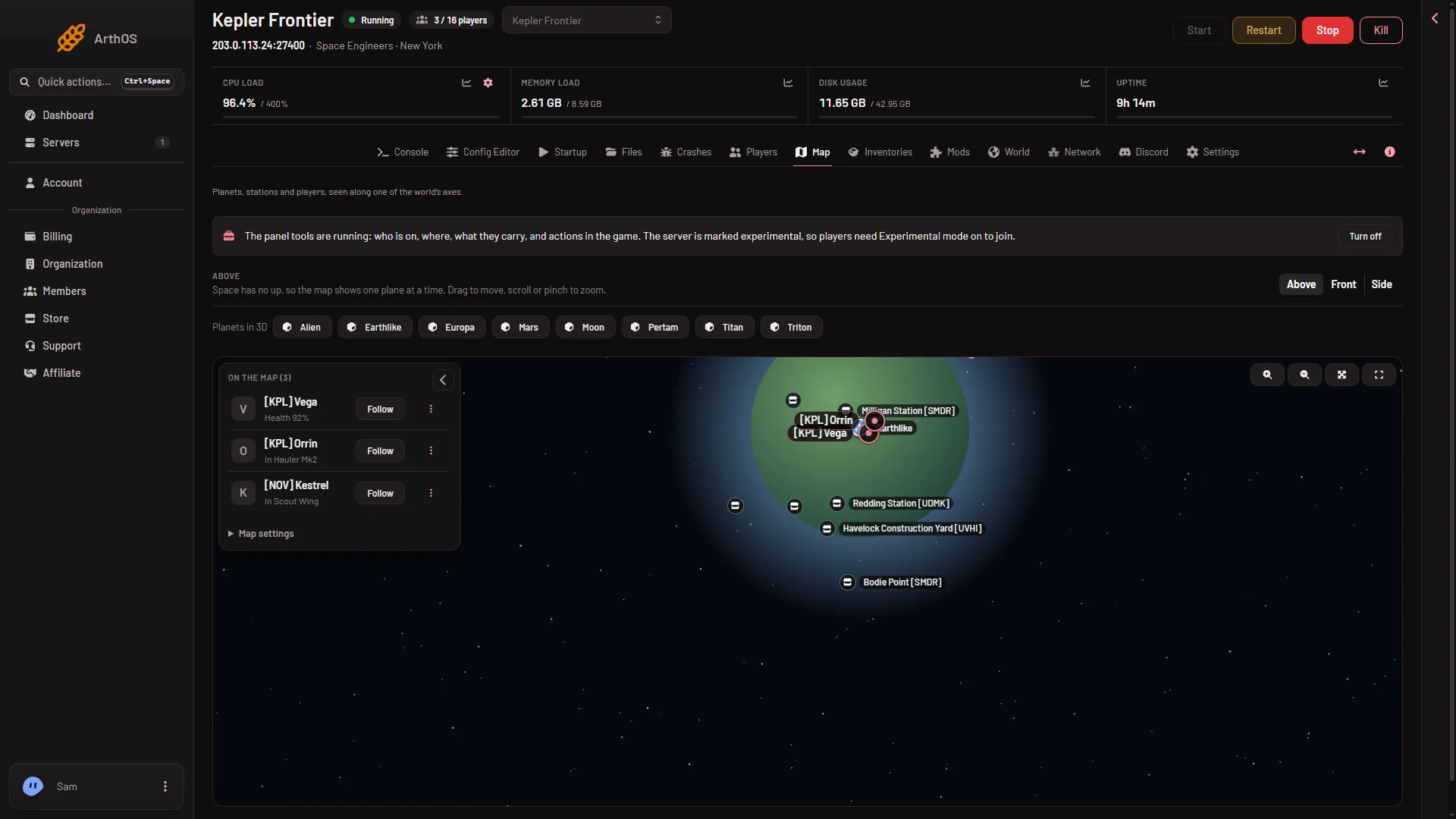
- Follow
- A player's marker on the map
You can also press a player’s marker (2) on the map. It opens the same card. If you cannot see them, press Whole map or Zoom out, then switch plane with Above, Front or Side, because a player far above a planet looks close to it from one side and far from another.
Read the player card
Press the three-dots button on a row, or the marker. The card shows:
- The name and their rank, such as Admin or Moderator.
- Health, Energy, Oxygen and Hydrogen as percentages. These are the suit’s levels and only show when the player is alive.
- A line with the ship they sit in, their speed (from 1 m/s), and their position as “At x, y, z”. That is metres from the world’s centre in each direction, in kilometres from 10 km, with minus signs, for example “At -1,200 m, 340 m, 62 km”.
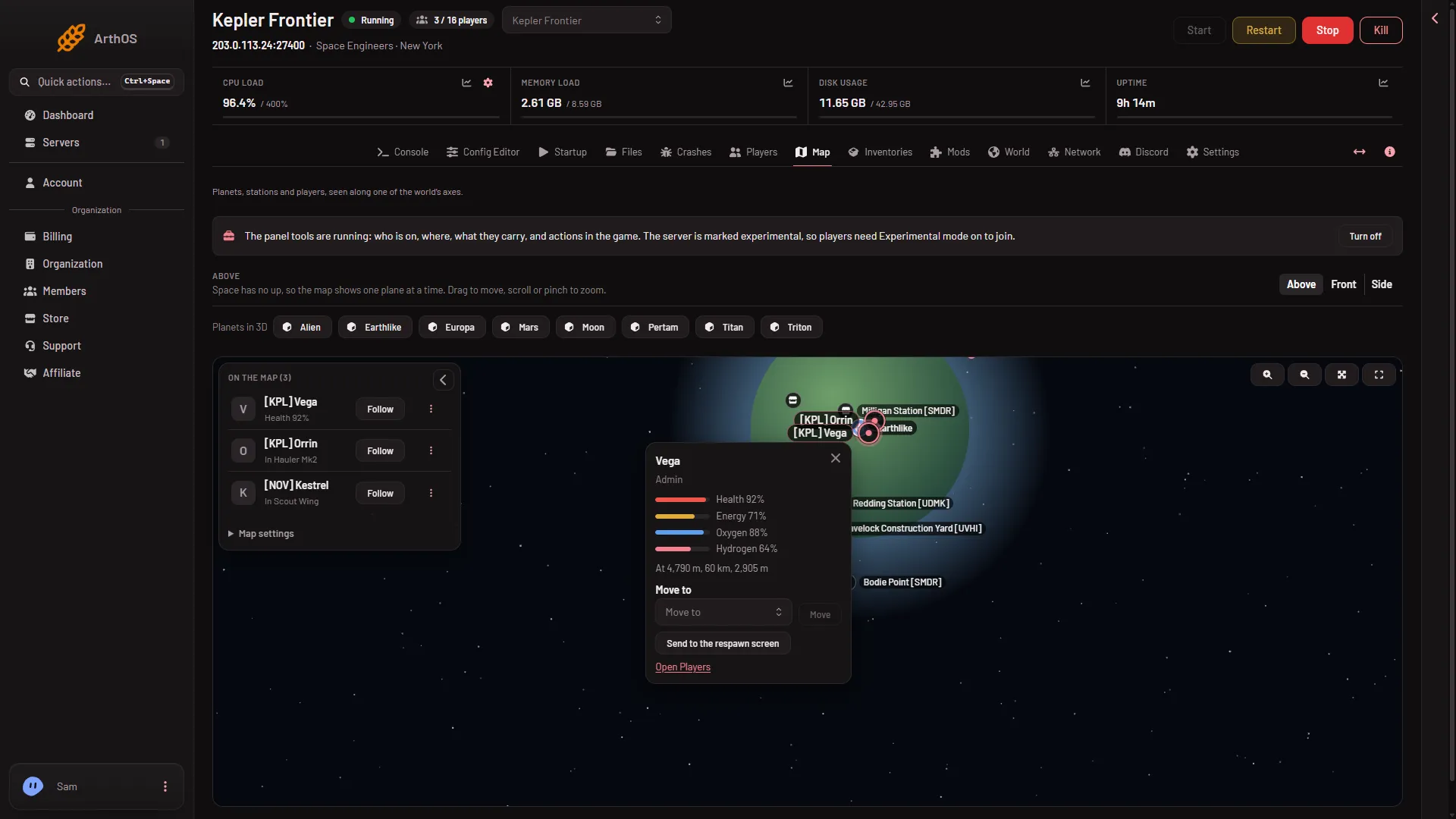
- Move to
- Send to the respawn screen
The card also has Move to (1) with Move, which puts the player beside another player or a ship, and Send to the respawn screen (2). These need permission to act in the game, and the panel tools running. They change things in the game at once. See the teleport guide. Close the card with the X or Escape.
Open the Players page
At the bottom of the card, Open Players takes you to the Players page. It has the same players with Message, Kick, Ban and rank changes. See Who is on.
If it does not work
- The list is empty and says “Players show here with the panel tools on.” The tools are off. Turn them on from the strip at the top of the page. They load at the next start.
- It says “The panel tools load at the next start.” The tools are on in Startup, but the running game started without them.
- “Nobody is on.” The tools run and the server has no players.
- “The server is stopped.” Start the server first.
- The numbers look wrong. The page reads the game every 3 seconds, so a fast ship may have moved. The health and suit numbers have not been checked with a player on 1.210.