

















The game’s trading stations show on the Map page as small pins called Places. Zoom in and each pin gets a name with the station’s faction tag, such as “(name) [TAG]”. They come from the world’s save, so they show with the panel tools on or off. Trading with them needs Economy turned on in the world.
See the stations
- Open your server and choose Map.
- Zoom in until the pins show names. The names appear once the view is about an eighth of the whole frame, each with its faction tag after it.
- Press Whole map to see how far out they lie. The game puts trading stations thousands of kilometres from the planets, so the map opens on the planets and you zoom out to find them.
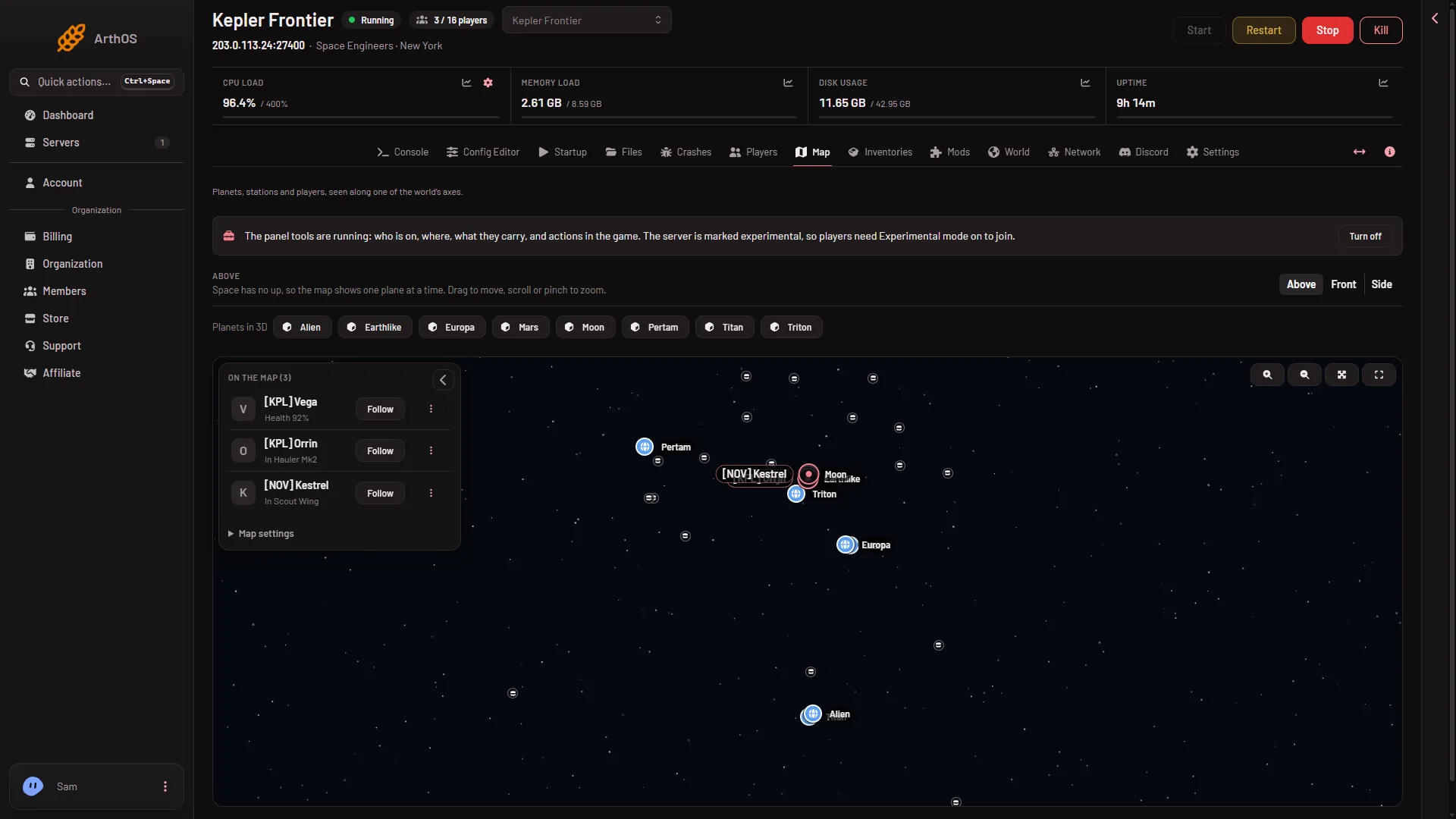
- Map settings
The stations are the game’s own: outposts, mining stations, orbital stations and space stations. They are never shown as ships. If the world has none, the pins and the setting are left out.
Show or hide them
- Press Map settings (1) in the left panel to open it.
- Make sure Places is ticked under Show.
- With Places on, Trading stations is a switch with a count. Use Hide all to hide them, and Show all to bring them back.
Your choice is remembered for your account and applies to all your Space Engineers servers. Names also turns the names off.
Stations in 3D
When a planet is open in 3D, the stations near it are drawn as dots with names and the height above the ground. See Planets in 3D.
Trading needs Economy
The map shows the stations whether or not trading works. For players to trade with them, the world setting Economy (EnableEconomy) must be on. Stop the server, then turn it on in the Config Editor under World settings, in the Economy group. A new server shows only Passwords and Server settings until it has started twice: the first start makes the world, the next start names it as the world that loads. Start it again (or restart it), then stop it to change world settings. The same happens after Make it at the next start on the World page. See the Economy setting guide.
If it does not work
- No stations on the map. The world has none, or Places or Trading stations is off in Map settings. A world that has never been saved and never run shows nothing.
- Pins but no names. Zoom in, and check that Names is ticked.
- Stations but no trading. Economy is off in the world settings.