

















Sync distance (SyncDistance) is how far around each player the server sends ships and objects. 3000 metres is the game’s own value, and a bigger number costs the server much more. View distance (ViewDistance) is a separate setting with a larger value. On a server, Sync distance is the one that decides what players see move around them. Both are in the Config Editor, with the server stopped.
Change them
- Stop the server from the header. The game writes the world’s settings file when it stops, so the world settings can only be saved while it is stopped.
- Open the Config Editor and choose the World settings tab (1), for example World settings: Star System.
- In the World group, find View distance (metres) and Sync distance (metres).
- Change the number, press Save in the bottom bar, then start the server. The values are read at the next start.
A new server shows only Passwords and Server settings until it has started twice: the first start makes the world, the next start names it as the world that loads. Start it again (or restart it), then stop it to change world settings. The same happens after Make it at the next start on the World page.
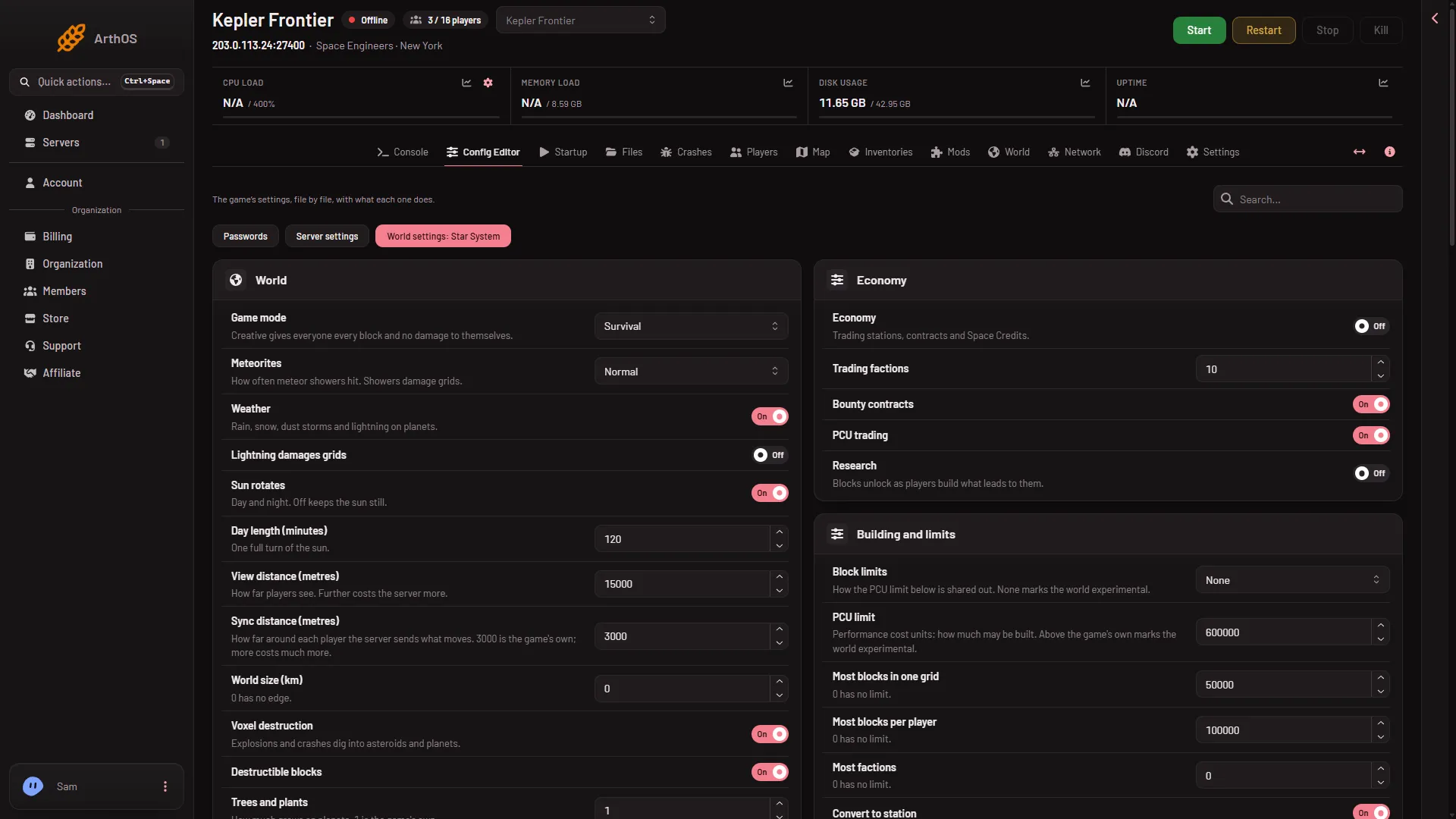
- World settings tab
Sync distance
The panel’s range is a whole number from 1000 to 20000. The help line says “How far around each player the server sends what moves. 3000 is the game’s own; more costs much more.”
Keen Software House, the game’s makers, say the same in other words in their wiki: a high distance “can slow server drastically. Use with caution.” Keep it at 3000 unless you have a reason and a way to watch the server. A shorter distance sends less, so the server works less, but players see less of what moves far away. If you raise it, raise it a little and watch how the server behaves.
View distance
The panel’s range is a whole number from 1000 to 50000. The help line says “How far players see. Further costs the server more.” Keen’s wiki gives 15000 metres, 15 km, as the game’s default. It says 5 to 10 km suits low-end machines and 30 to 50 km only high-end ones.
Keen’s wiki adds that in multiplayer the sync distance is used for what is drawn, and that view distance also sets the range of procedural generation around things and how far a laser antenna can see a target. Keen’s wiki also says large view distances are not recommended in worlds with many asteroids. See world size and asteroids.
If it does not work
- The Save button is greyed out. The server is not stopped. Stop it, then change the number.
- No World settings tab. See the note under the picture: start the server again, then stop it.
- The number is refused. Sync distance takes 1000 to 20000, and View distance 1000 to 50000.
- Players still see a ship pop in late. Ships beyond the sync distance are not sent until the player is closer. Raising it costs more, see above.
- You changed it and nothing happened. The value is read at the next start, and it applies to the world that loads.
More about the game: Space Engineers servers on Loafhosts. If the server lags, see the lag guide.
Sources: spaceengineers.wiki.gg: SessionSettings, spaceengineers.wiki.gg: World Settings