

















Five numbers in the Speeds group set how fast players weld, grind, hack, mine by hand and walk: Welding speed, Grinding speed, Hacking speed, Harvest yield and Character speed. A value of 1 is the game’s normal pace. Change them in the Config Editor while the server is stopped. They apply at the next start.
What each setting does
- Welding speed (
WelderSpeedMultiplier) is a multiplier for welder speed. It covers ship welders and hand welders. A higher number builds blocks faster. - Grinding speed (
GrinderSpeedMultiplier) is the same for grinders, ship and hand. A higher number takes blocks apart faster. It counts for every player, so your own ships come apart faster too. - Hacking speed (
HackSpeedMultiplier) is the extra multiplier for grinding blocks that belong to someone else. It is multiplied with Grinding speed. A number below 1 makes taking over other players’ blocks slower than ordinary grinding. - Harvest yield (
HarvestRatioMultiplier) is a multiplier for the ore you get from hand drills. It does not change ship drills. - Character speed (
CharacterSpeedMultiplier) changes how fast a player walks and runs. It does not change jetpack flight. Keen Software House, the game’s makers, says it also affects the game’s animals and other computer-controlled characters.
The panel gives these rows no help line, so the list above comes from Keen’s wiki. The keys are the game’s names for the rows. They live in the world’s Sandbox_config.sbc under <Settings>.
Change them
- On the server page, choose Stop and wait until the server shows Offline. Players on it are disconnected, so tell them first. A normal stop saves the world.
- Open the Config Editor and choose the World settings tab. Its name ends with the world’s folder name.
- Find the Speeds group (1) and type a new number in the row you want.
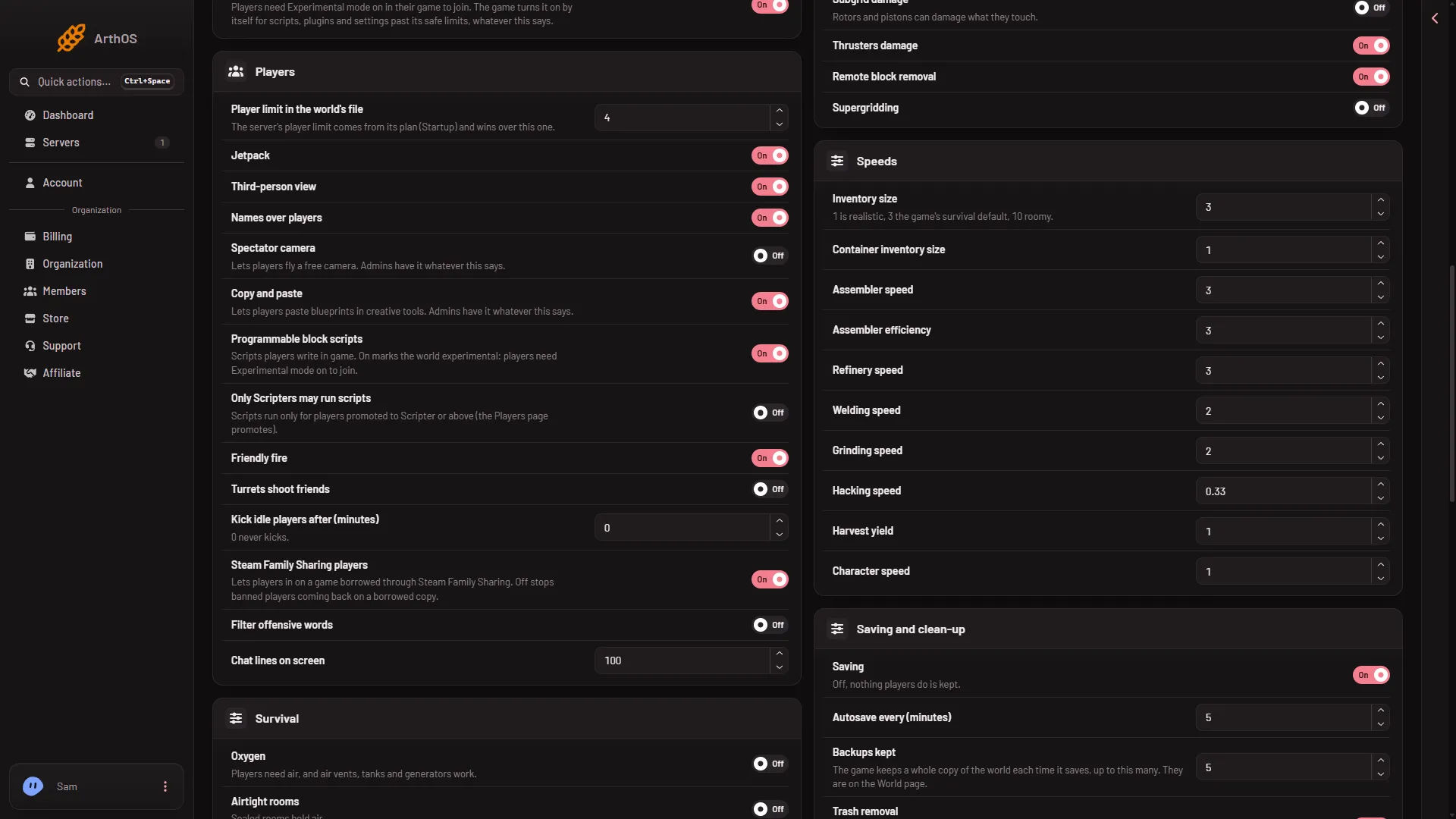
- Speeds group
- Press Save in the bar at the bottom. The panel says “Saved. The changes apply when the server starts.”
- Start the server.
The numbers in the picture are demo numbers. Open your own page to read what your world has now.
What numbers are safe
The panel accepts these ranges:
- Welding speed and Grinding speed: 0.1 to 1000.
- Hacking speed: 0.01 to 100.
- Harvest yield: 0.1 to 100.
- Character speed: 0.1 to 10.
These are the editor’s own limits, not the game’s. The game’s own world screen offers Realistic, x0.5, x2 and x5 for welding and grinding. Keen says values outside what its own screens allow are “not tested and officially unsupported”. Keen’s wiki lists a limit of 0.75 to 1 for Character speed on a dedicated server, so values outside 0.75 to 1 are outside what Keen’s own server tool allows. Stay near these ranges unless you are ready to test.
If it does not work
- Save is greyed out. The server is not stopped. The page says “The game writes this file itself when it stops, over anything changed while it runs. Stop the server to change these settings.”
- The old speed is still there. The change applies at the next start. Start the server again and check the row.
- There is no World settings tab. A new server shows only Passwords and Server settings until it has started twice: the first start makes the world, the next start names it as the world that loads. Start it again (or restart it), then stop it to change world settings. The same happens after Make it at the next start on the World page. Use this world shows the tab at once. See the World page.
More about the game: Space Engineers servers on Loafhosts.
Sources: spaceengineers.wiki.gg: SessionSettings, spaceengineers.wiki.gg: World Settings, spaceengineersgame.com: Dedicated servers