

















Open Mods, then Collections. Name the list, press Save collection, and the server’s mod list is kept as a collection. On another server of this game, press Add to my list or Replace my list, then apply.
These are collections kept by the panel, not Steam Workshop collections. A collection keeps the list in its load order. For a Steam collection link, see Workshop collections.
Keep this server’s list
- Open Mods and choose Collections (1).
- In the form Keep this list of (n) mods as a collection, type a Name. A Description (optional) is allowed.
- Under Who can use it, choose Your organization or Everyone.
- Press Save collection.
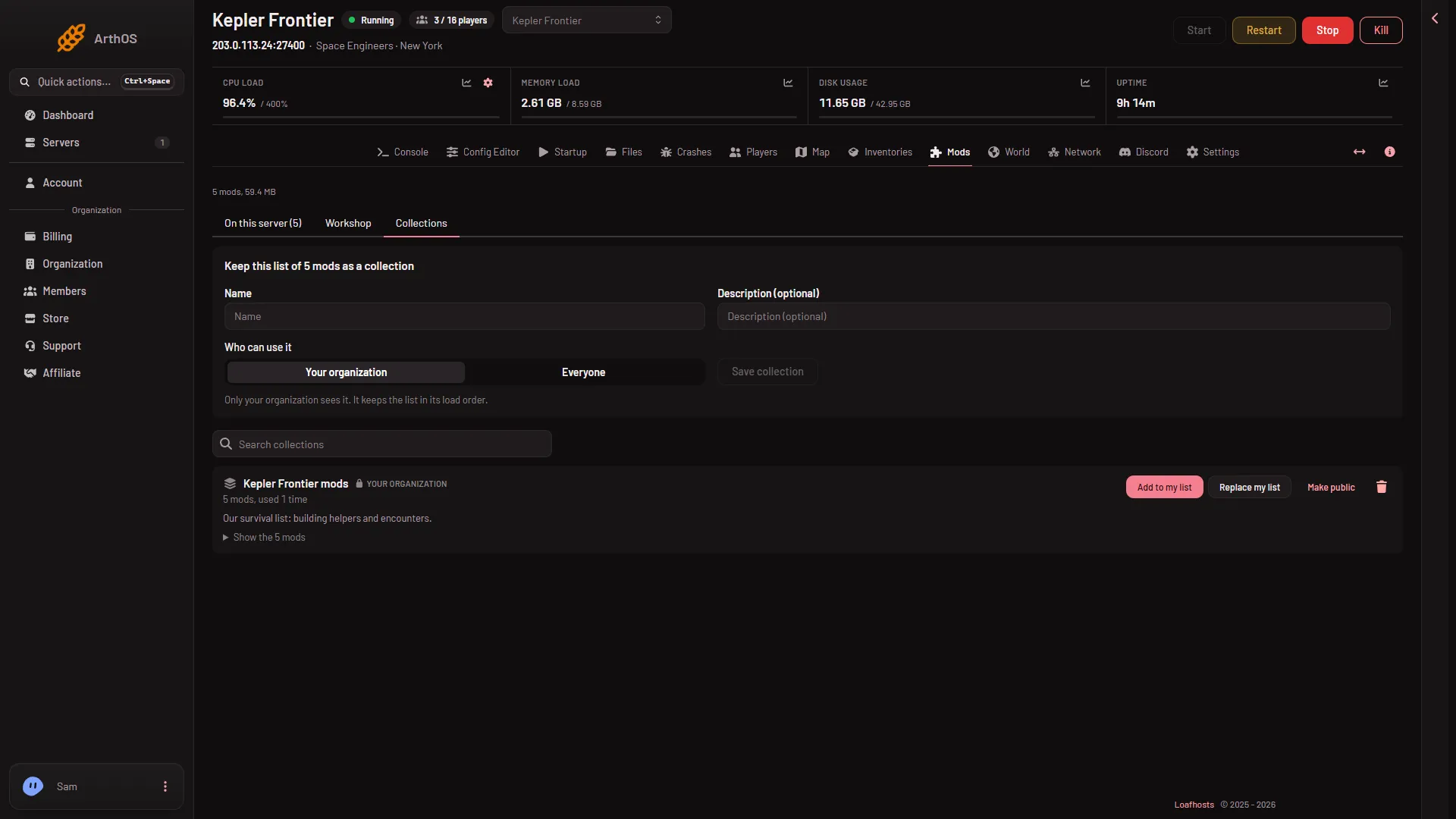
- Collections (1)
- A saved collection (2)
Your organization shows the collection only to your organization. Everyone lets every panel user with a Space Engineers server find and use it. Only your organization can change or delete it. Pick Everyone only if you mean to share the list.
You need permission to change the startup, and the server needs at least one mod.
Use a collection on a server
- Open Mods on the server that should get the mods, then Collections.
- Find the collection (2). Search collections helps when the list is long. Show the (n) mods opens the list inside it.
- Choose Add to my list to add the collection’s mods to the list the server already has. Or choose Replace my list to swap the server’s list for the collection’s.
- The box counts “(n) added and (n) taken off”. It adds: “The server changes only when you apply the list.” Confirm.
- Go to On this server and press Apply and restart (Apply when the server is stopped).
The change takes effect at the next start. Applying stops the server, writes the world’s list, and starts it again. See change the mod load order for how the draft and the bottom bar work.
Manage your collections
On a collection you own, Make public and Make private change who can use it. The bin button deletes it. Servers that used it keep their mods. The collection is gone for everyone.
A collection belongs to this game. A Space Engineers server only sees Space Engineers collections.
If it does not work
- Save collection is greyed out. The list is empty, you need a name, or your role cannot change the startup.
- No collections yet. The tab says: “No collections yet. Save this server’s list to start one.”
- A mod from the collection will not load. The collection keeps only the list. The game fetches each mod when the server starts. The Crashes page names a mod it could not download.
More about the game: Space Engineers servers.