

















To stop a ship that is drifting, open the Map page, press the ship, and press Stop it in its dialog. The panel sets the ship’s straight and turning speed to zero at once. This needs the panel tools running. The game also has a world setting, Stop drifting grids after (minutes), that stops far-off grids by itself.
In Space Engineers a ship or station is called a grid. Stations are fixed in place already, so Stop it is not offered for them.
Stop a ship now
- Open the Map page. If it says the panel tools are off, turn them on first. See the panel tools. They load at the next start, so restart the server once. Players of a new server need Experimental mode on in their game either way.
- Find the ship. Zoom in and press its marker. If you cannot see ships, see ships and stations on the map.
- In the dialog, press Stop it (1).
- A green message says the ship was stopped.
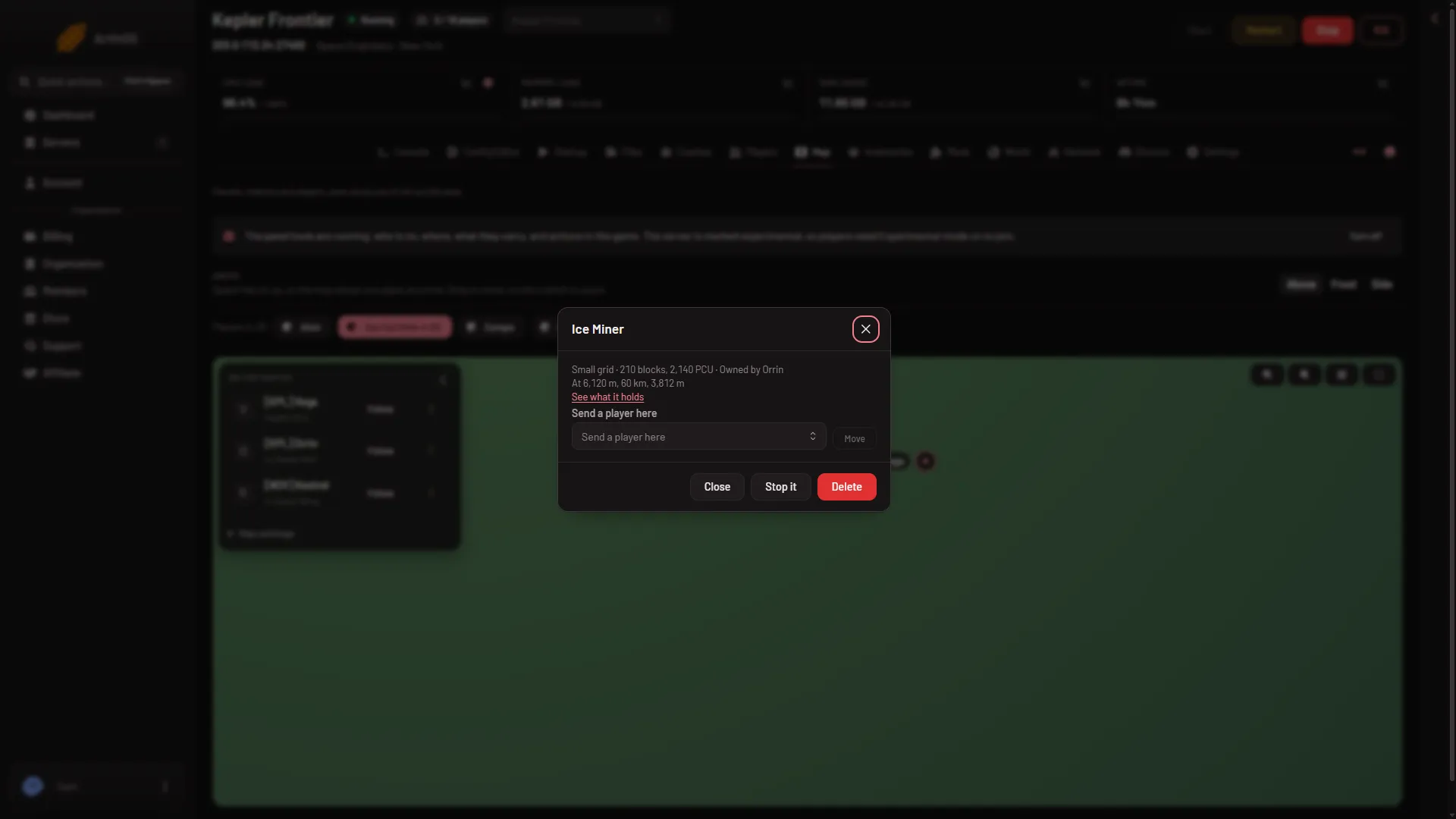
- Stop it
Stopping a ship sets its speed to zero. It does not park it, lock it, or switch anything off, so anything still pushing the ship can set it moving again. It is not written to the What happened list on the Players page.
You need a role with the permissions players.game and live-map.private. Without them the dialog is not offered. Roles are changed on the organization page: Settings, Access, Manage roles.
Let the game stop far-off grids
The game can stop drifting grids by itself. It is a world setting, Stop drifting grids after (minutes) (StopGridsPeriodMin), in the Config Editor. A self-hosted world keeps it in the Settings section of Sandbox_config.sbc.
- Stop the server. World settings are saved only while the server is stopped.
- Open the Config Editor, choose the World settings tab and find the Saving and clean-up group (1). A new server shows only Passwords and Server settings until it has started twice: the first start makes the world, the next start names it as the world that loads. Start it again (or restart it), then stop it to change world settings. The same happens after Make it at the next start on the World page.
- Set Stop drifting grids after (minutes) to a whole number of minutes, from 0 to 100000.
- Save, then start the server. The game reads the value as it loads the world.
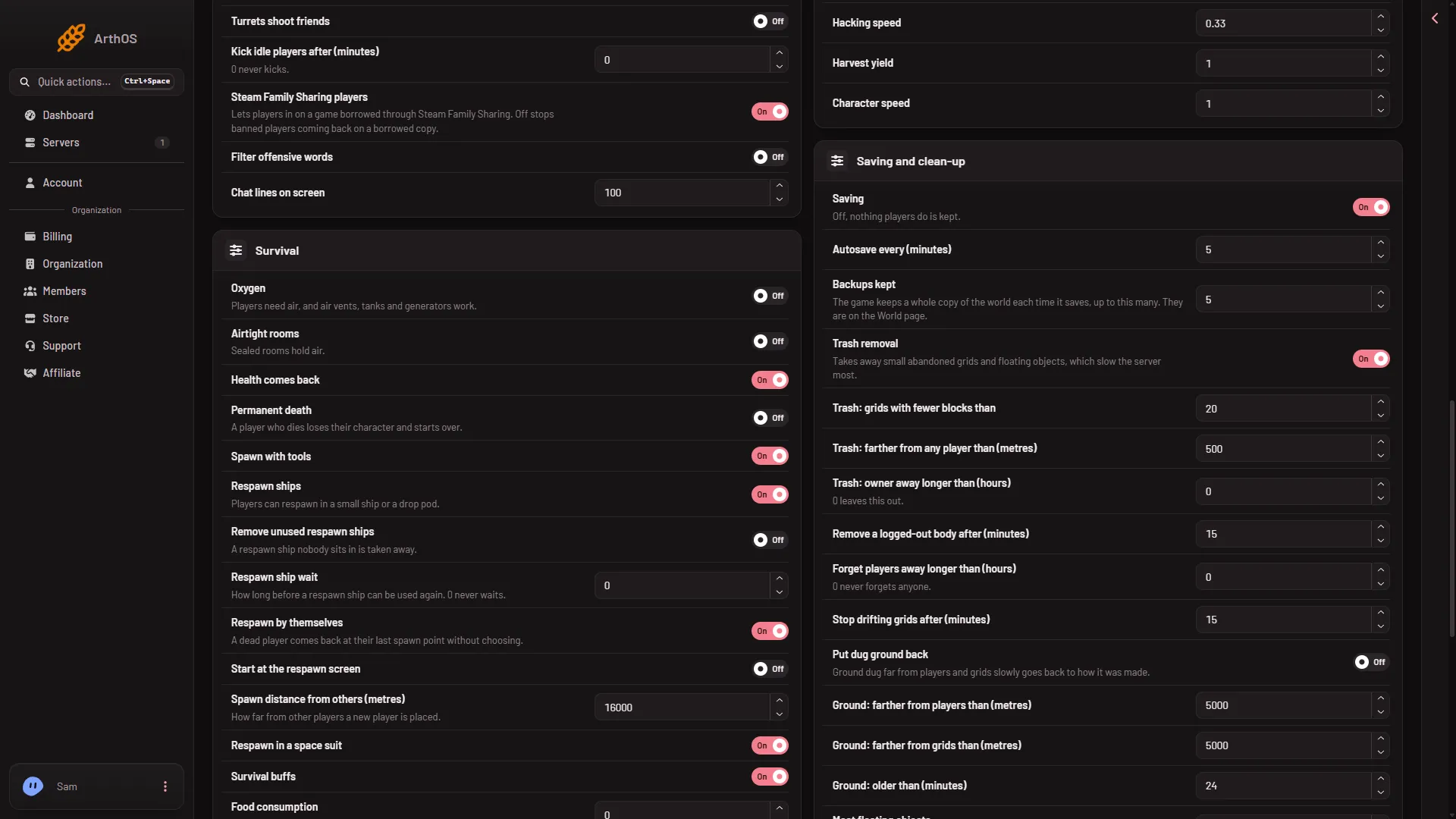
- Saving and clean-up
The game’s own description is that grids will be stopped if they are far from a player, and that 0 turns the feature off. Its default is 15 minutes. The game does not say how far “far” is, so this guide does not either.
If it does not work
- Stop it is missing. The panel tools are not running, you lack the permissions, or the grid is a station.
- The panel says the tools are off. Turn them on in the panel tools strip at the top of the page. They load at the next start.
- “that grid is not in the world any more”. The grid was deleted, or the list on screen is older than the game’s. Reload the page.
- The game did not answer. It may be busy saving. Try again in a moment.
- The ship moves again. Something is still pushing it. Stopping sets speed to zero once and does nothing after that.
More about the game: Space Engineers servers.