
















These roles decide what people can do in the panel. They do not make anyone an admin in the game. Vanilla has no admins in the game; to be an admin in the game, run TShock and follow set up TShock.
On a Terraria server, what a person can do in the panel depends on the role they hold. A role is a set of permissions. Give each helper a role that allows only what they need. A moderator can kick and ban without being able to see addresses, change startup or delete a world.
How access works
Nobody is added to a server one by one. Access comes from the organization. You give a role this server, then you give people that role. Open Settings, then Access to see the owner and each role that reaches the server. Manage roles (1) takes you to the organization page, where you change roles.
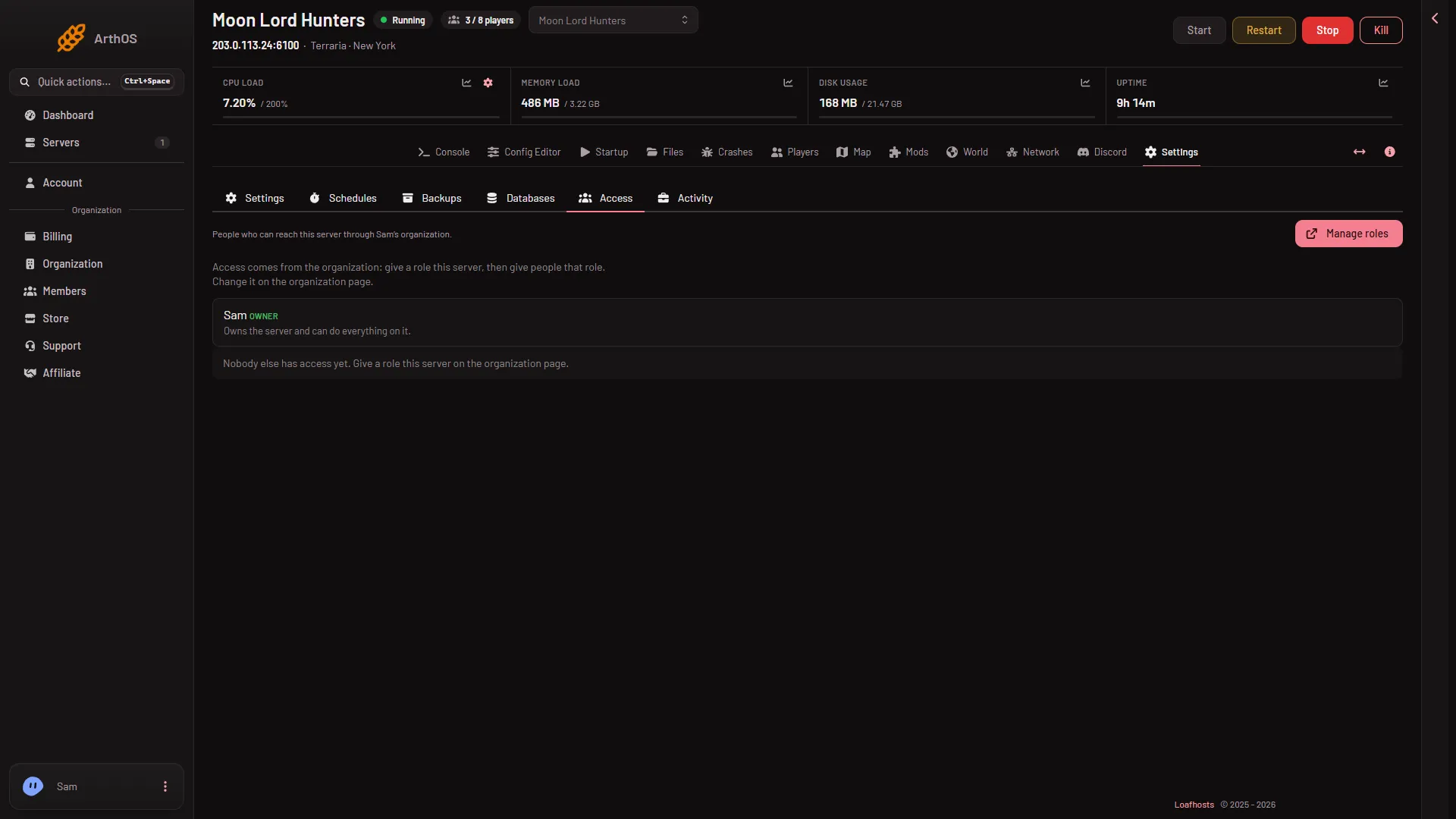
- Manage roles
The owner row reads “Owns the server and can do everything on it.” With nobody else, the page says “Nobody else has access yet. Give a role this server on the organization page.”
What each permission opens
The permission keys are in backticks. Look for them in the role editor.
See things
players.readopens the Players page: who is on, who has played, the log of joins and chat, and the bans list.live-map.readopens the Map page: the world, places, bosses, town NPCs and where players are.startup.readopens the World page and the Mods page. It only lets the person look.files.read-contentopens the Crashes page and its logs. See the Terraria logs.
Moderate players
players.moderate allows Kick and Ban, and Lift on the Bans list. A ban on Vanilla and tModLoader uses the player’s name and address. A ban on TShock uses their account, character and address.
Game actions
players.game allows what changes the game for players. That is Message and Message everyone, the time buttons, Save the world now, Give an item, Heal, Give a buff, sending a player to spawn or to another player, Call a boss, Kill and starting an event.
Most of these need the panel’s tools, which run on TShock and tModLoader. A Vanilla server still accepts the time, the save and the messages.
Operators
players.operators is for TShock. It shows the one-time setup code under Make yourself TShock’s owner. It also lets the person see TShock accounts and change a player’s group.
Addresses
players.ips shows each player’s address. Only a role that allows it sees addresses. Without it the address is blank on the Players page.
Private map data
live-map.private shows chests, signs and where town NPCs live. Without it the Map shows “Chests and signs need permission to see what players keep to themselves on the map.” Each time someone with this permission opens the map, the server’s Activity records it, at most once an hour.
Roles made before this permission existed do not have it. Add it to a role on purpose.
Startup and the World page
startup.update changes the variables on Startup and the changes on the World page: the server program, the version, the world that is played and making a new world. Each change takes effect at the next start.
Two more permissions are needed for some World page buttons:
backups.restorefor Put back on one of the game’s backups.files.deletefor Delete on a world. This removes the world, its backups and its tModLoader part for good.
Restart
control.restart is the restart permission. On the Mods page, Apply and restart needs it together with startup.update. A person with only one of the two can add mods to the list but cannot apply them.
A few roles to start from
- Watcher.
players.readandlive-map.read. They can look and nothing more. - Moderator. The watcher’s permissions and
players.moderate. - Game master. The moderator’s permissions and
players.game. - Admin. Add
players.operators,players.ips,live-map.private,startup.readandstartup.update.
Keep files.delete and backups.restore for people you would trust with the world files.
If it does not work
- A page is missing from the tab row. The person’s role does not allow it. Check the permission for that page above.
- A button is missing from the menu on a player. The role does not allow that action, or the panel’s tools are not running. Vanilla runs none.
- Addresses are blank. The role lacks
players.ips. - The map shows no chests. The role lacks
live-map.private. - Apply on the Mods page is refused. The role needs both
startup.updateandcontrol.restart.
More about the game: Terraria servers.