












To go back to the standard Palworld server, open the Mods page and choose Turn off server mods. The server stops, the standard version downloads, the mod files are deleted, and the server stays offline until you start it. Your world, settings and passwords stay.
Why the server changes
Pocketpair says server-side mods run only on one version of the dedicated server, the one that loads mods. Loafhosts switches your server to the version of the server that runs mods when you turn mods on. Turning them off switches it back.
Before you start
Read these four points first.
- The server stops. Anyone playing is disconnected. Pick a quiet time.
- Mod files are deleted. Mods stop loading. If you want them again later, you add them again.
- Characters made with mods on do not carry back. The card on the page counts them: “Characters on this world now: (number). They do not carry over: each player starts a new character.” Bases and the world stay.
- Keep the characters. Start a new world on the World page first. The old characters stay in the old world, and players still start new ones in the new world. See start a new Palworld world.
You need a role that allows changing the game (settings.change-game). Without it the page says “Turning server mods on or off needs permission to change the game.”
Steps
- Open your server and choose the Mods page.
- Find the card Server mods are on.
- Choose Turn off server mods.
- A box titled Turn off server mods? opens. It repeats what will happen, and it tells you about the backup (see below).
- Choose Turn off server mods in the box.
- Progress shows at the top of the page. Wait until it finishes.
- Start the server when you are ready. It does not start by itself.
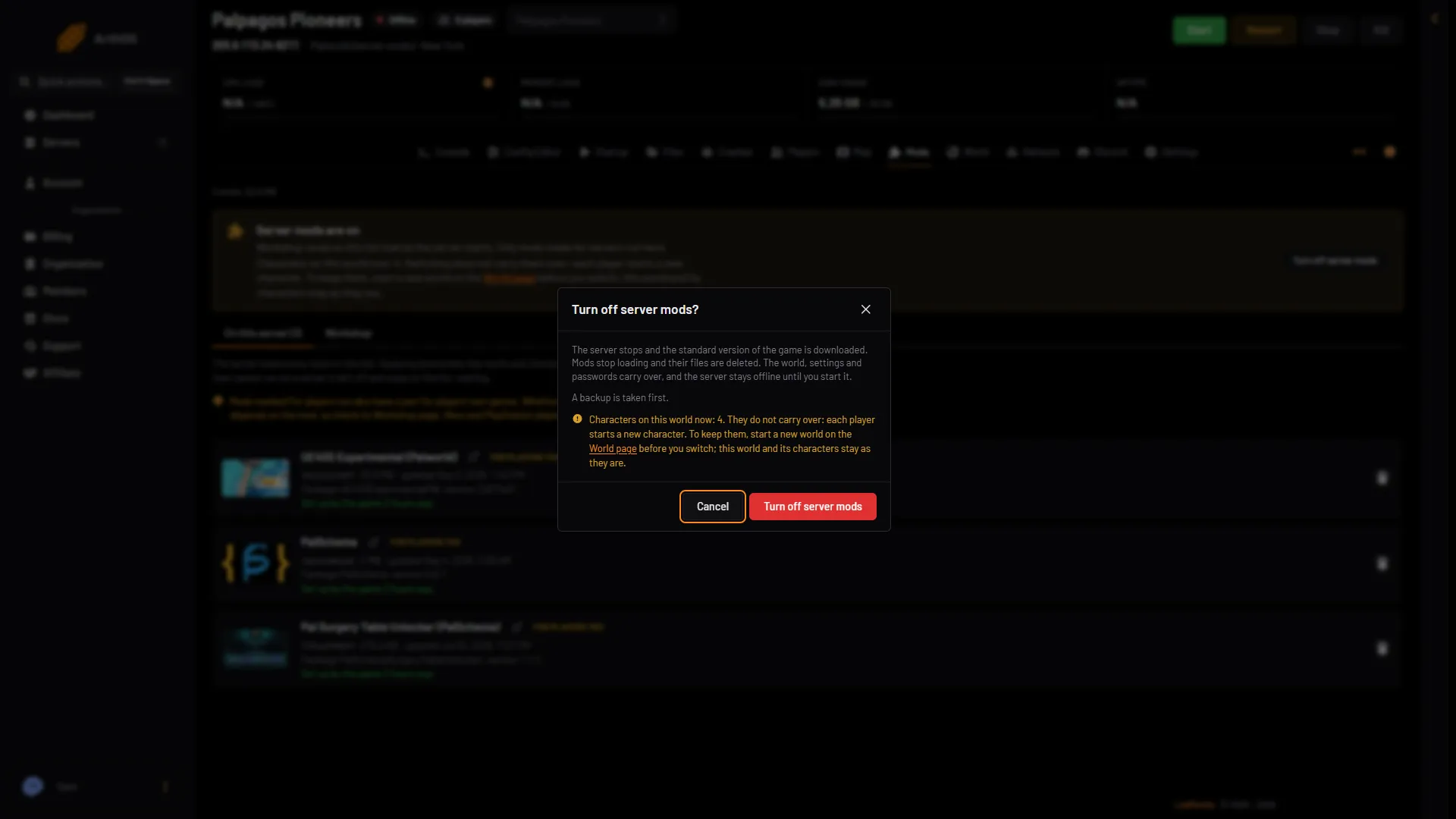
- What happens
- Choose Turn off server mods
Read the box (1), then choose Turn off server mods (2).
The backup
The box says one of three things.
- “A backup is taken first.” The panel takes a backup before it changes anything.
- “A backup is taken first, in place of (name), which the panel took before an earlier change.”
- “No backup can be taken: (reason). The switch goes ahead without one.” Read the reason. If you want a copy, cancel the box, fix the reason, and try again. See back up a Palworld server.
What carries over
| Carries over | Does not |
|---|---|
| The world, its bases and Pals | Mod files |
| Settings, including the Config Editor values | Characters made with mods on |
| The join and admin passwords |
After it finishes
- Start the server from the panel.
- Each player starts a new character if they had one made with mods on.
If it does not work
- The button is missing. Server mods are already off. The card says Server mods are off.
- The page says you need permission. Ask the server owner for a role that changes the game.
- The page says server mods are not offered for this server yet. Ask Loafhosts support to move the server.
- Players say their character is new. That is the cost of the switch. The backup taken first is in Backups under Settings.
More about the game: Palworld servers.
Sources: docs.palworldgame.com: Mod