

















To unban a player, open the Players page and press Lift next to their name in the Bans list. You can also open Actions for (name) under Everyone the world knows and choose Lift the ban. There is no box to confirm. With the panel tools running it works at once. Without them it applies at the next start.
Lift a ban from Everyone the world knows
This works for a player the world has seen, with the panel tools on or off. A banned player has a red Banned tag.
- Open the Players page and scroll to Everyone the world knows.
- Open the three-dots menu on the banned player’s row (Actions for (name)).
- Choose Lift the ban (2).
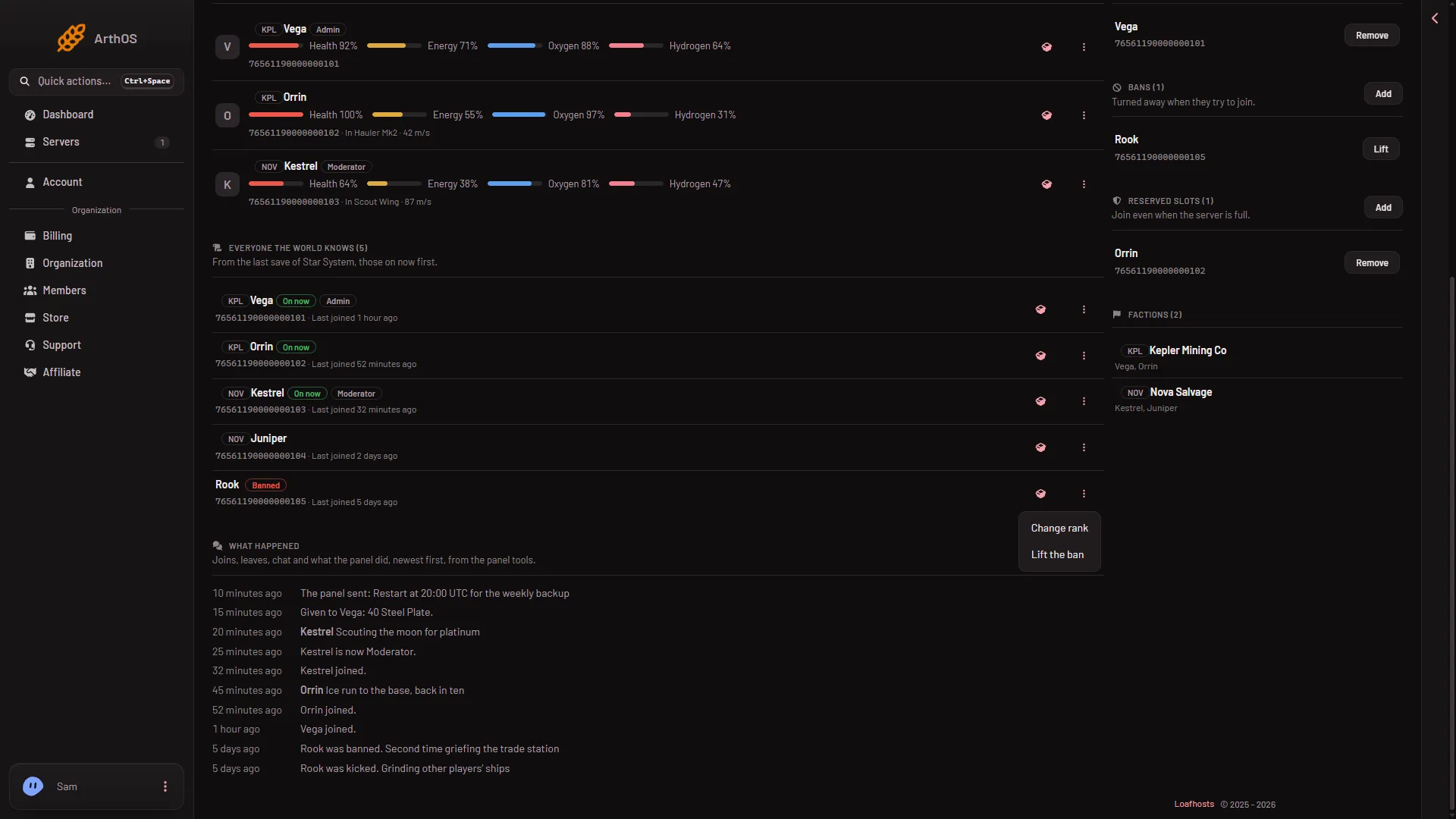
- Change rank
- Lift the ban
With the panel tools running, the panel shows “The ban was lifted.” and the player can join again.
Lift a ban from the Bans list
This is the way for someone the world does not know, such as a player you banned by SteamID64 before they ever joined. A SteamID64 is the 17-digit number of a Steam account. It also works with the panel tools off.
- On the right of the Players page, find Bans (1). Its text says “Turned away when they try to join.”
- Find the row with the player’s name or SteamID64. A name the world does not know shows “Not in this world”.
- Press Lift on that row.
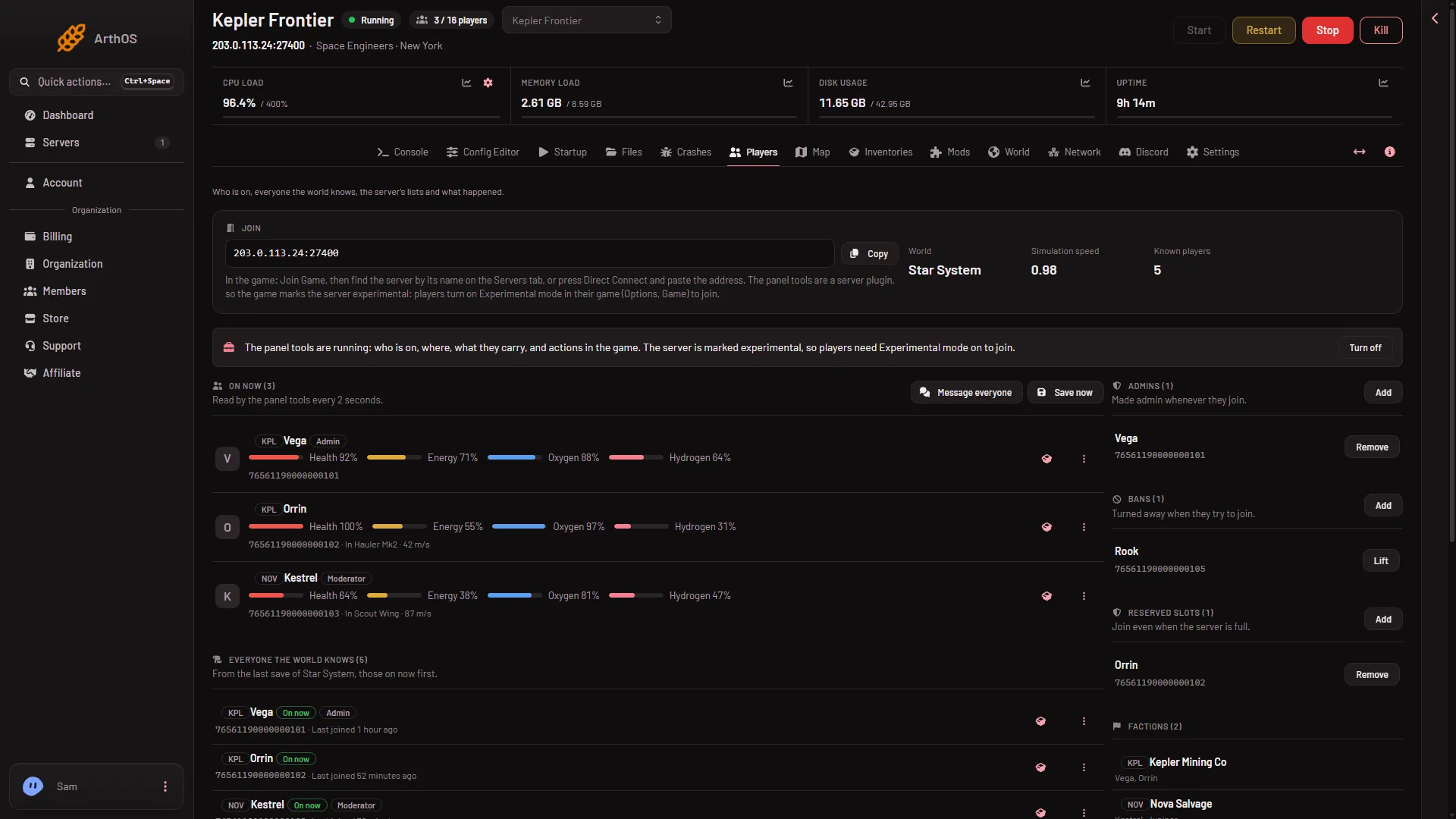
- Bans list
To check you have the right row, compare the SteamID64 under the name. Pressing it copies it. See how to find a SteamID64.
When it takes effect
- Panel tools running: at once, in the game. The page says “The ban was lifted.”
- Panel tools off, or the server stopped: the panel removes the SteamID64 from the server’s ban list and says “Written to the server’s lists. It applies at the next start.” The player is turned away until then. Restart the server to let them in now. A restart disconnects everyone on it, so warn your players first.
The ban list belongs to the server, not one world. Lifting a ban lifts it for every world on the server. The game keeps the list as Banned in its server file SpaceEngineers-Dedicated.cfg.
The panel tools are a plugin (an add-on the server loads) that Loafhosts makes. On a new server players already need Experimental mode in their game, so the tools add nothing they must change. See the panel tools.
Not checked with a player on 1.210 as of 15 November 2026: a banned player joining again after a lift.
If it does not work
- There is no Lift button. Your role may not have permission to moderate players. The owner of the server has every permission. Other people get theirs from a role: on the organization page, Settings, Access, Manage roles.
- The player is still turned away. The panel tools were not running, so the change waits for the next start. Restart the server.
- You cannot find them in Everyone the world knows. The world has not seen them. Use Lift in the Bans list.
- “the server has no config yet: start it once first”. Start the server once, then try again.
To ban someone, see how to ban a player.
More about the game: Space Engineers servers.