

















You can ban a player two ways on the Players page. Choose Ban on their row: with the panel tools running they are thrown out at once. Or press Add next to Bans and type their SteamID64. Without the tools a ban turns them away from the next start.
A ban is by SteamID64, not by name. A SteamID64 is the 17-digit number that identifies a Steam account. To find it, see how to find a SteamID64.
Ban from a row
The panel tools are a plugin (an add-on the server loads) that Loafhosts makes. See the panel tools. With them running, On now rows have a menu. With them off, On now has no menu, but Everyone the world knows still has Ban on each row.
- Open the Players page.
- Find the player under On now, or under Everyone the world knows if they have left. Open the three-dots menu on their row (Actions for (name)).
- Choose Ban.
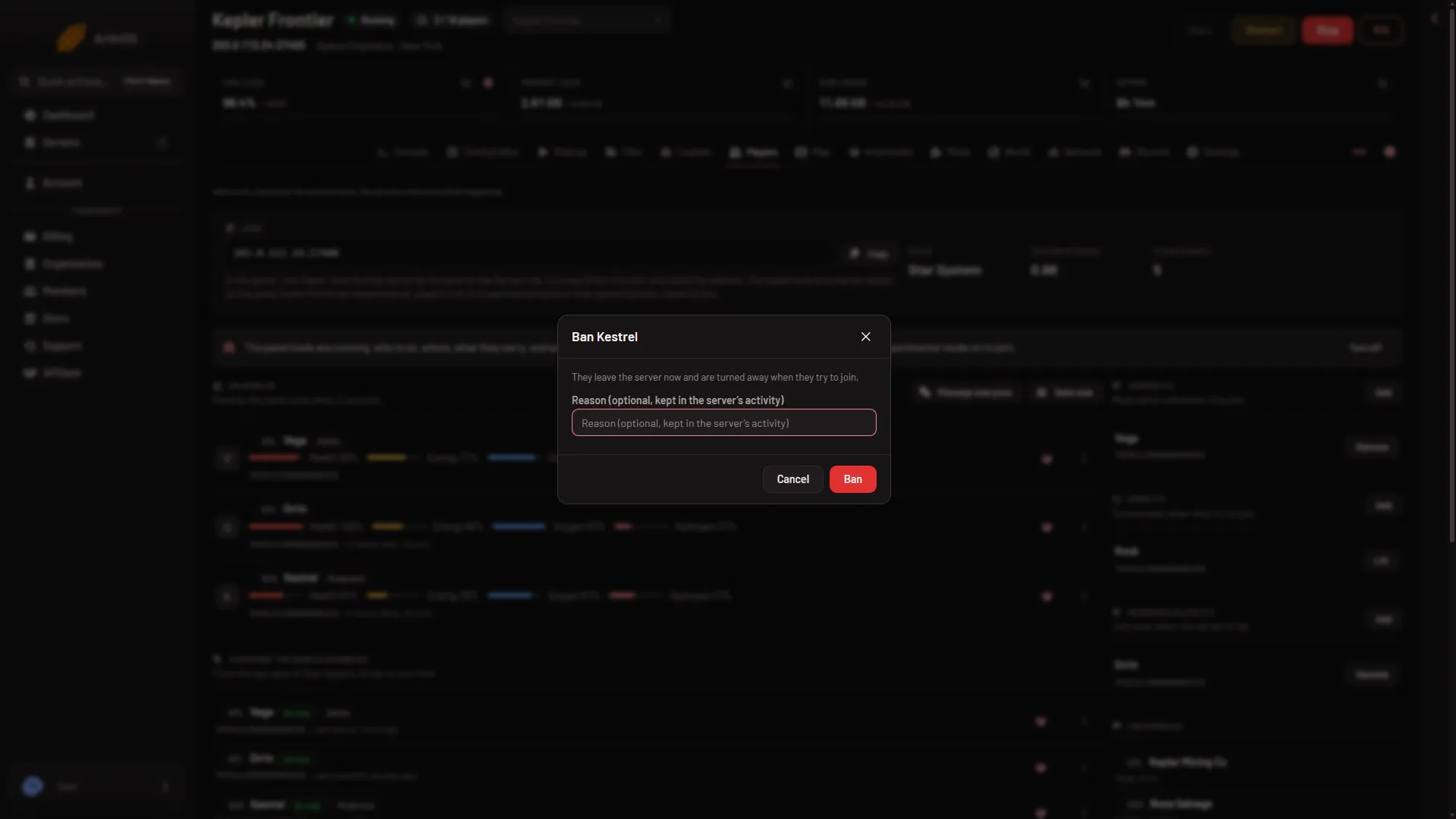
- Type a reason if you want one. It is optional, up to 200 characters.
- Press Ban.
- Box title
- What a ban does
- Ban
With the tools running, the box says “They leave the server now and are turned away when they try to join.” The ban is made in the running game, and the panel also writes the SteamID64 into the server’s ban list. The player now shows a Banned tag. With the tools off, the box says they are added to the server’s ban list and turned away from the next start.
Like a kick, the reason is not shown to the player. It is kept in the server’s Activity tab and under What happened. Not checked with a player on 1.210 as of 15 November 2026.
A player who is already banned has no Ban item. Use Lift the ban to undo it, see lifting a ban.
Ban by SteamID64 (Add to Bans)
Use this when the player has never joined, so the world does not know them, or when you have only their number.
- On the Players page, find Bans on the right.
- Press Add. A box opens.
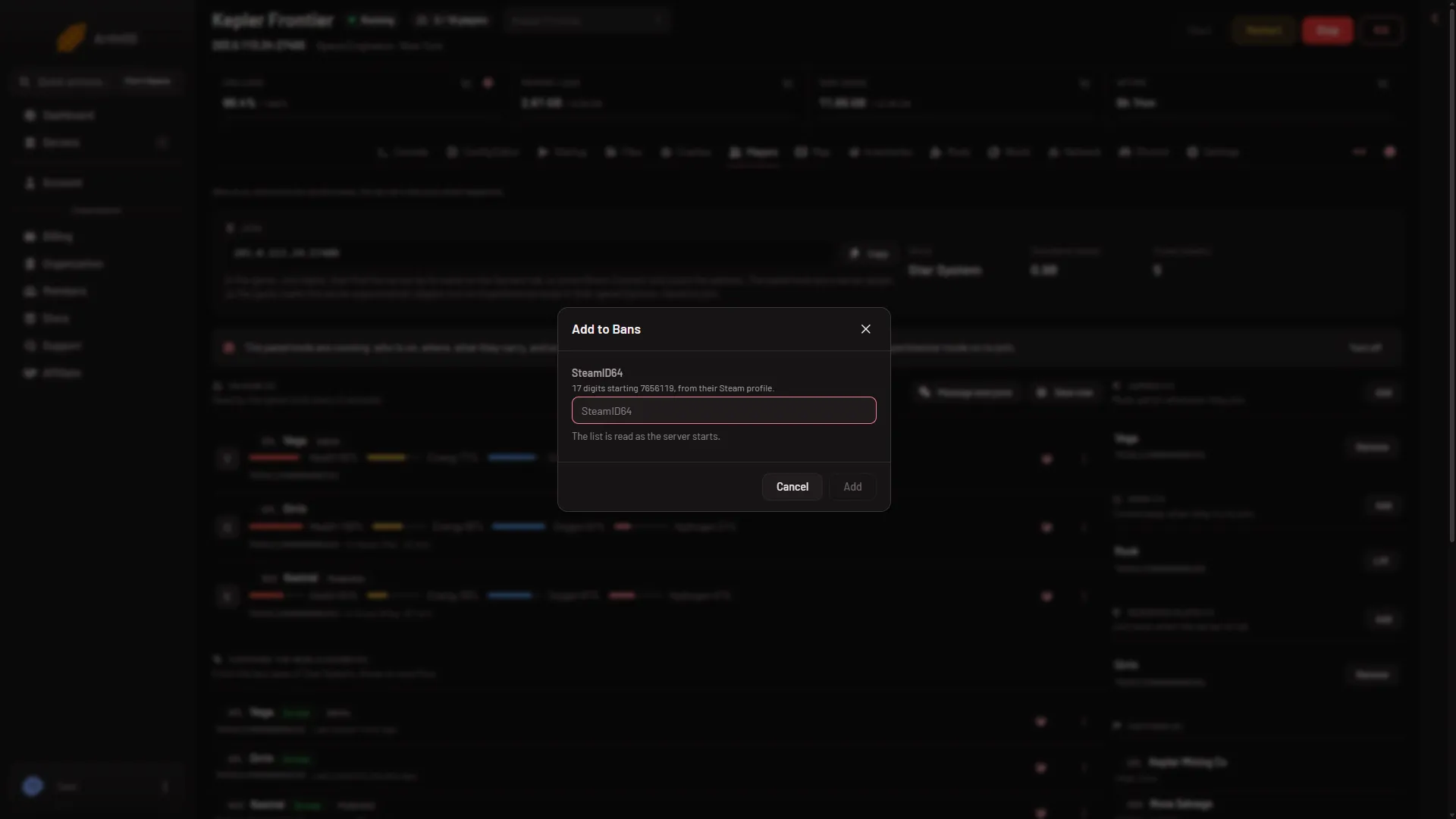
- Type the SteamID64 (1): 17 digits starting 7656119. For example
76561190000000101. - Press Add (2).
- SteamID64
- Add
The box says “The list is read as the server starts.” So this ban applies at the next start, and the panel says “It applies at the next start.” Restart the server to make it count now. A restart kicks everyone on it, so warn your players first. The game keeps this list as Banned in its server file SpaceEngineers-Dedicated.cfg.
The Add button stays grey until the number is a valid SteamID64.
When a ban takes effect
- From a row, panel tools running: at once.
- From a row, panel tools not running: the SteamID64 goes on the ban list and applies from the next start.
- Add to Bans: from the next start.
What a ban covers
The ban list belongs to the server, not to one world. A banned player stays banned in every world on this server, including a world you start later. Anyone you add is turned away when they try to join. Moving to another world does not undo it.
The Bans list shows each name when the world knows it, and “Not in this world” when it does not. Each row has Lift.
Ban in the game
A Moderator or higher can ban from the game. Press F3, pick the player and choose Ban. The game says it forces them to log out and not let them log back on. To give someone that rank, see player ranks. Not checked with a player on 1.210 as of 15 November 2026.
If it does not work
- There is no Ban item in the menu. For an On now row the panel tools must be running. Your role also needs permission to moderate players: the owner of the server has every permission, and other people get theirs from a role (organization page, Settings, Access, Manage roles). Under Everyone the world knows, or with Add next to Bans, the tools are not needed.
- The Add button is grey. The SteamID64 must be 17 digits starting 7656119. A name does not work.
- “the server has no config yet: start it once first”. Start the server once, then add the ban.
- The player is still on the server. A ban that waits for the next start does not remove them. Kick them now, which needs the tools.
More about the game: Space Engineers servers.