











Permadeath is off by default. When you turn it on, a character that dies cannot respawn. Turn it on only if every player knows.
Turn it on
- Choose Stop at the top right of the server page and wait until the server is offline.
- Open Config Editor and choose Game rules.
- In the group Survival, turn on Permadeath.
- Choose Save, then choose Start at the top right of the server page.
The change applies at the next start. It is not in the file while it is off, because off is the default. See the Config Editor.
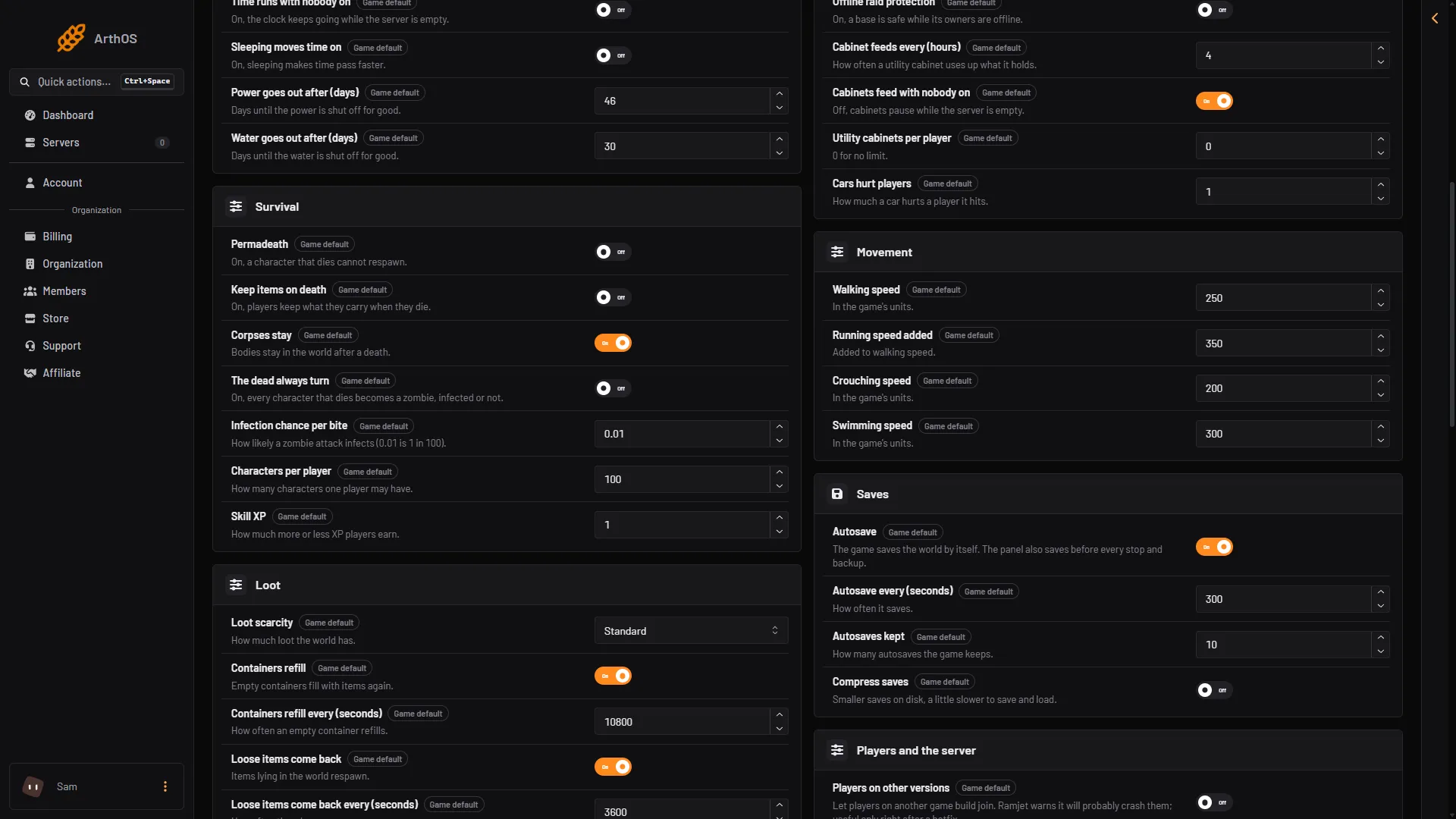
- Permadeath
- Keep items on death
Settings that go with it
All of these are in Survival.
- The dead always turn: default off. On, every character that dies becomes a zombie, infected or not.
- Characters per player: default 100. This is how many characters one player may have. Lower it to limit how many characters each player can have. Not checked on 0.025 as of 27 October 2026: how the game counts a dead character against this number.
- Infection chance per bite: default 0.01, which is 1 in 100.
Not checked on 0.025 as of 27 October 2026: how the game treats a dead character when Permadeath is on, beyond the panel’s help text.
Tell players first
Put the rule in the server’s Description (Server settings, group Players and the server), so players see it in the server browser before they join. Tell players again before you turn it on for an existing world, because characters already in play are then at risk.
Turn it off
Do the same steps and turn Permadeath off. It applies at the next start.
If it does not work
- Players still respawn. The server was not restarted after you saved.
- Save is greyed out. The server is running. Stop it first.
By hand
With the server stopped, open Files, go to Vein/Saved/Config/LinuxServer/Engine.ini and add the key under [ConsoleVariables]. 1 is on, 0 is off:
[ConsoleVariables]
vein.Permadeath=1
See also keep items on death. More about the game: VEIN servers.
Sources: ramjet.notion.site