











If the world went back to an earlier time, the server lost what happened after its last save. The game autosaves every 5 minutes by default. A crash loses up to the last autosave. A copy of the save, put back from the World page, can bring an earlier state back.
How the world is saved
- The game writes one save file while it runs,
Server.vns. The game keeps no older saves beside it, so do not look for older ones. - It autosaves every 300 seconds by default, into that same file.
- The game saves nothing when it is simply stopped. The panel saves the world before every stop, restart and backup, so these are safe.
- A crash, or a server killed by something outside the panel, loses everything since the last autosave.
See what the server has
- Open World.
- In The save, you see its Size, when it was Written, and whether it is Saving now.
- In Autosave, check the switch is on and read Every (minutes).
- Under Copies and uploads, the copies the panel made and kept are listed, named like
Server-before-(what)-(time).vns. It makes one before an upload, a put back, or a version change. It never deletes them.
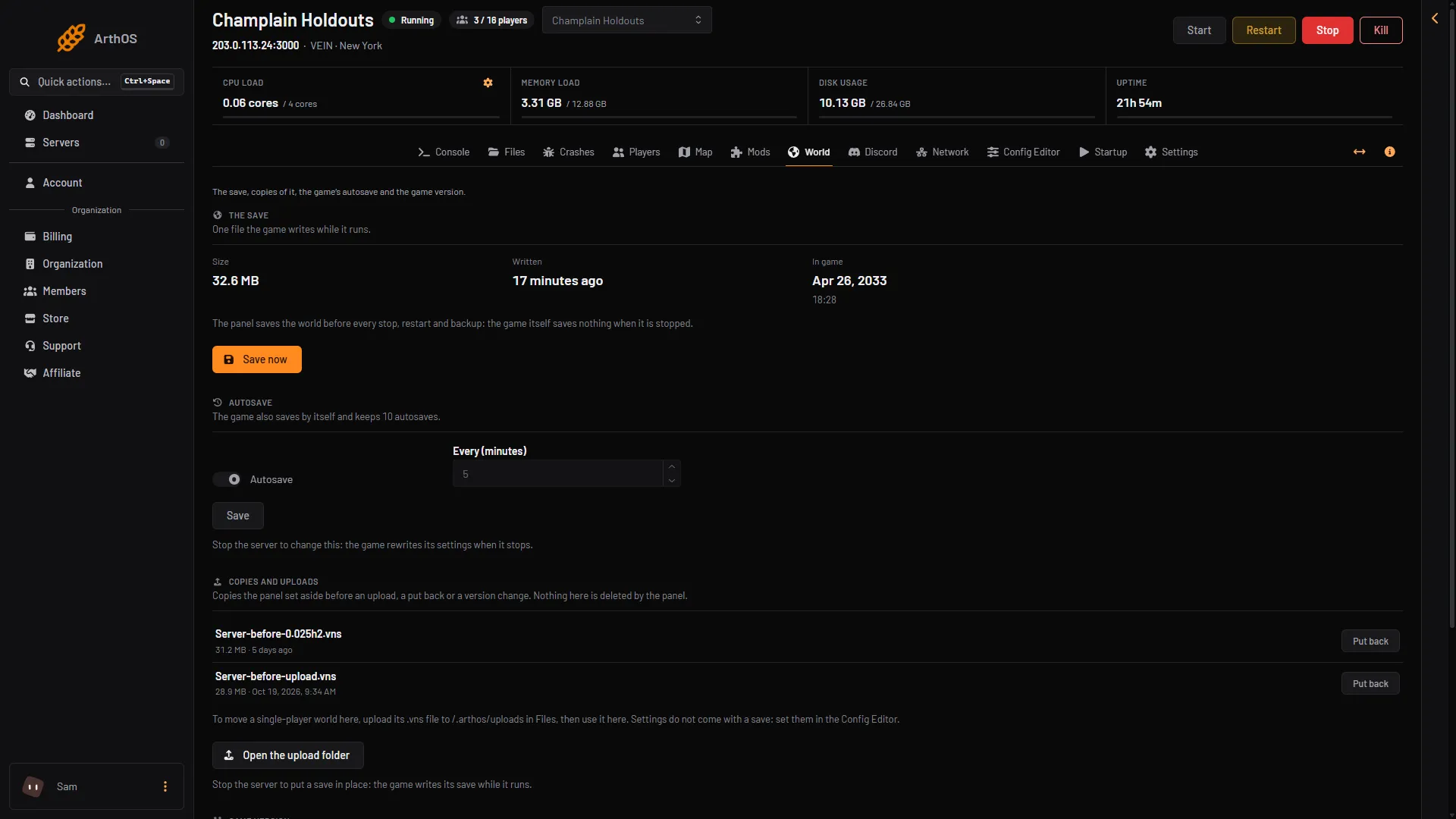
- When it was written
- Autosave
- Every (minutes)
- Put back
Put back a copy
- Choose Stop at the top right of the server page. A save can only be put in place while the server is stopped.
- On World, under Copies and uploads, find the copy you want.
- Choose Put back and confirm. The copy becomes the live save again. The save as it is now is kept as a copy first, so nothing is lost.
- Start the server and check your base.
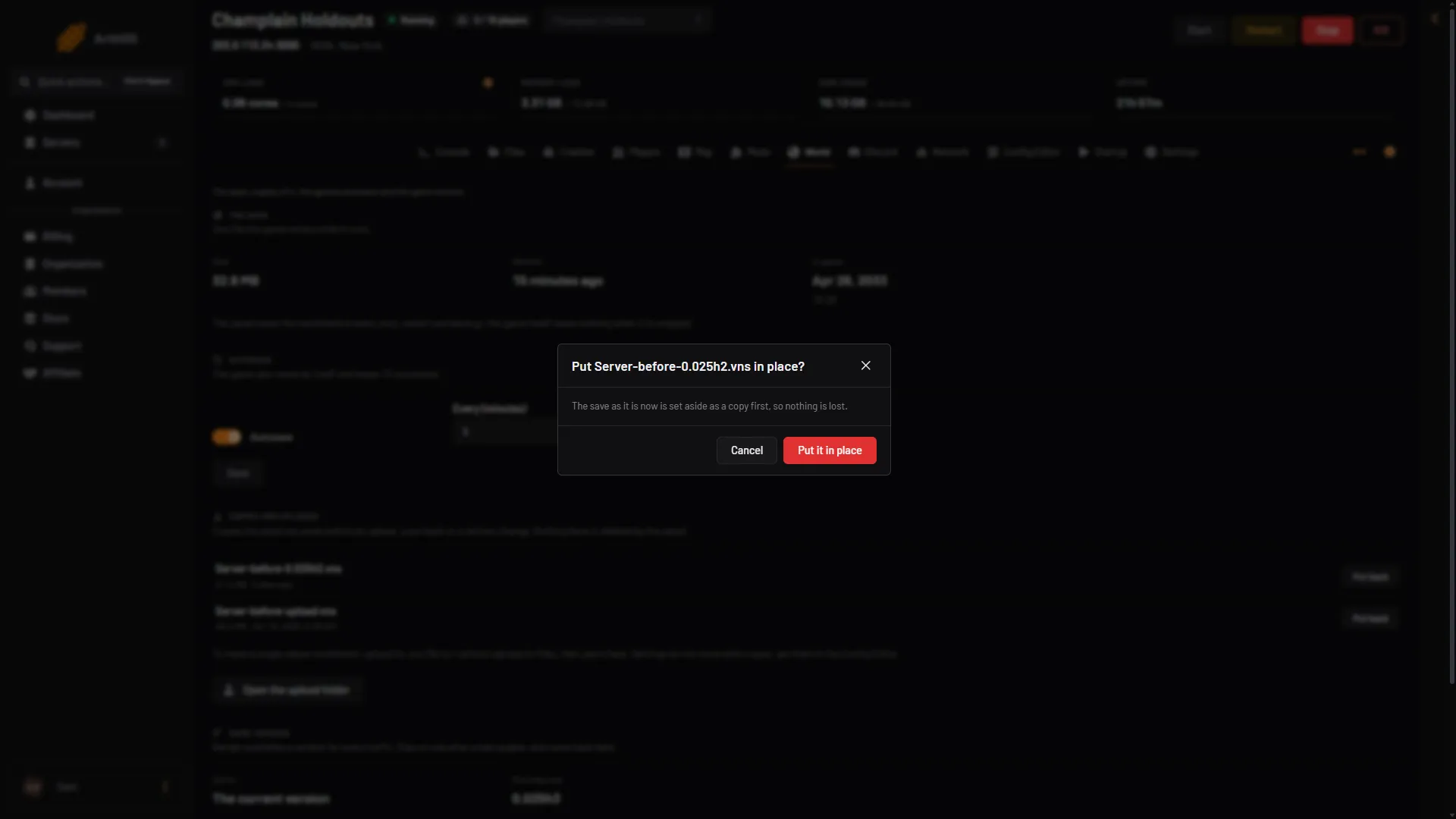
- Nothing is lost
- Put it in place
Stop it happening again
- Keep Autosave on. A shorter Every (minutes) loses less after a crash. Changing it needs the server to be stopped, and it applies at the next start.
- Before a risky change, such as a version change or a big settings change, choose Save now. It is on World and on Players.
- Choose Stop or Restart at the top right of the server page, not other means, so the panel can save first.
A panel backup of a running VEIN server saves the world first, so the backup holds the latest state.
If it does not work
- Autosave was off. Nothing was written between saves. Turn it on.
- A save was cut off. The server was stopped while it wrote the save, and characters may be missing. Put a copy back.
- No copies listed. The panel makes copies only at an upload, a put back or a version change. Older state may be in a backup.
- The copy will not load. It may come from another game build. Check Game version on World.
More about the game: VEIN servers. Not checked on 0.025 as of 27 October 2026: putting back one of the game’s own autosaves.