











“A save was cut off” means the game was stopped while it was writing its save. Characters may be missing. If something is lost, stop the server and put a copy of the save back on the World page.
What happened
VEIN writes its whole world into one save file, Server.vns. While it writes, it keeps a second file, Server.bak.vns, in the same folder. When the save is whole, the game removes that second file.
If the server stops in the middle, the second file is left behind. The panel sees it and tells you. The game also logs a “Saving game to disk” line with no finished line after it, and the Crashes page reports this as A save was cut off.
The Crashes page shows it under What the panel can tell. While the server is stopped, the World page says: “A save was cut off: the game was stopped while it wrote its save, and its backup file is still there. Characters may be missing.” On a server that is running again, look at Crashes: the World page then only says when the server found the cut-off save at its start, or nothing.
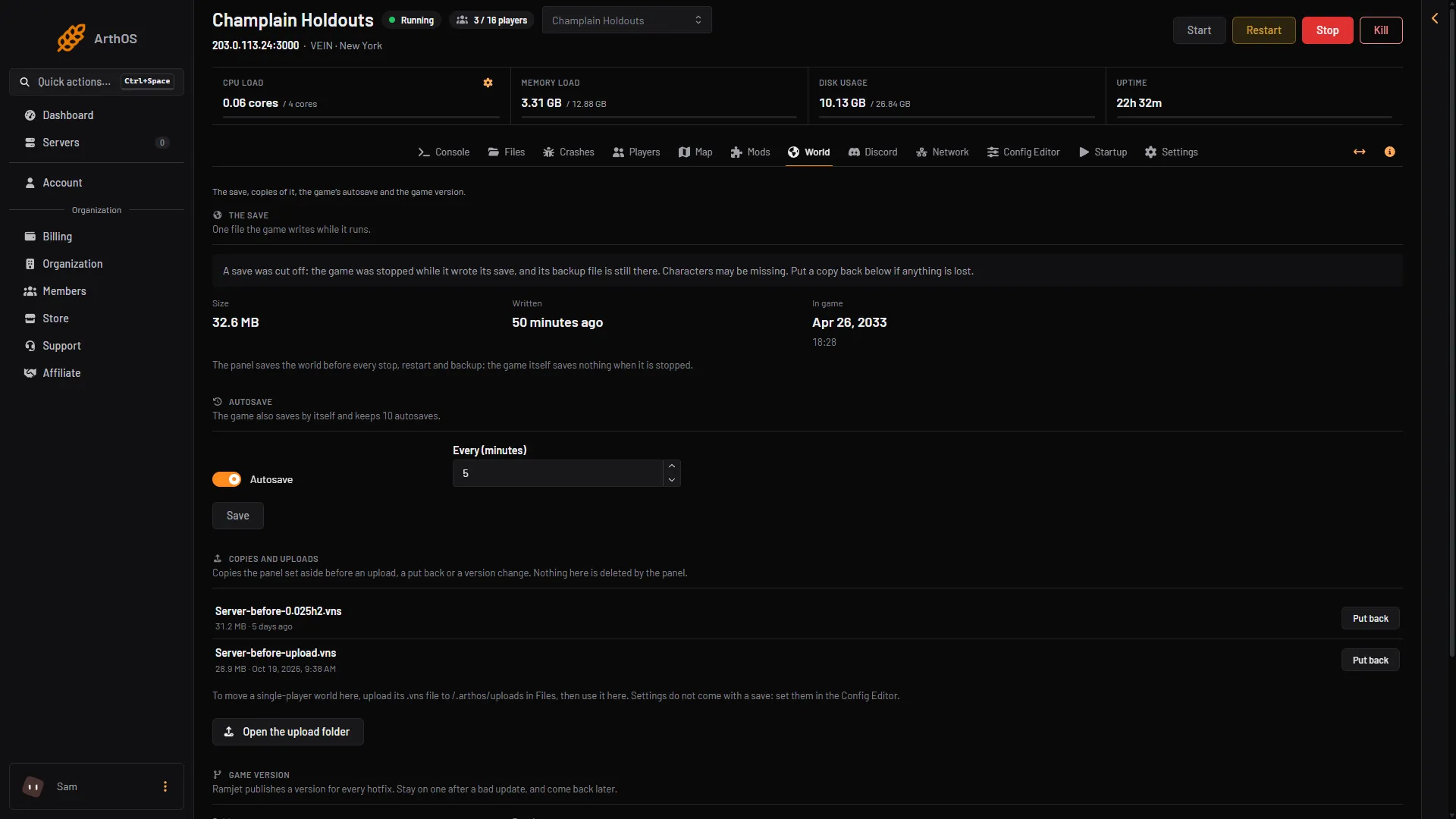
- A save was cut off
Why the panel saves before every stop
VEIN saves nothing by itself when it is simply stopped. So the panel asks the game to save first, and waits, before every stop, restart and backup. A stop from the panel does not normally cut a save.
A save is cut when the game stops some other way, such as a crash, or a stop forced while a save was running.
To lower the risk, use Save now on the World page before you do anything risky, and stop the server with Stop at the top right of the server page.
Put a copy back
- Choose Stop at the top right of the server page. Put back is refused while the game runs.
- Open the World page.
- Go to Copies and uploads. The list holds copies the panel made and kept before an upload, a put back or a game version change.
- Choose Put back next to the copy you want. Put back means the copy becomes the live save again.
- Read the box “Put (name) in place?”. The save as it is now is first copied and kept, so nothing is lost. Choose Put it in place.
- Choose Start at the top right of the server page.
The message “Done. The save it replaced is kept as a copy.” confirms it. The panel never deletes these copies.
The game keeps no older saves beside Server.vns, so do not look for older ones.
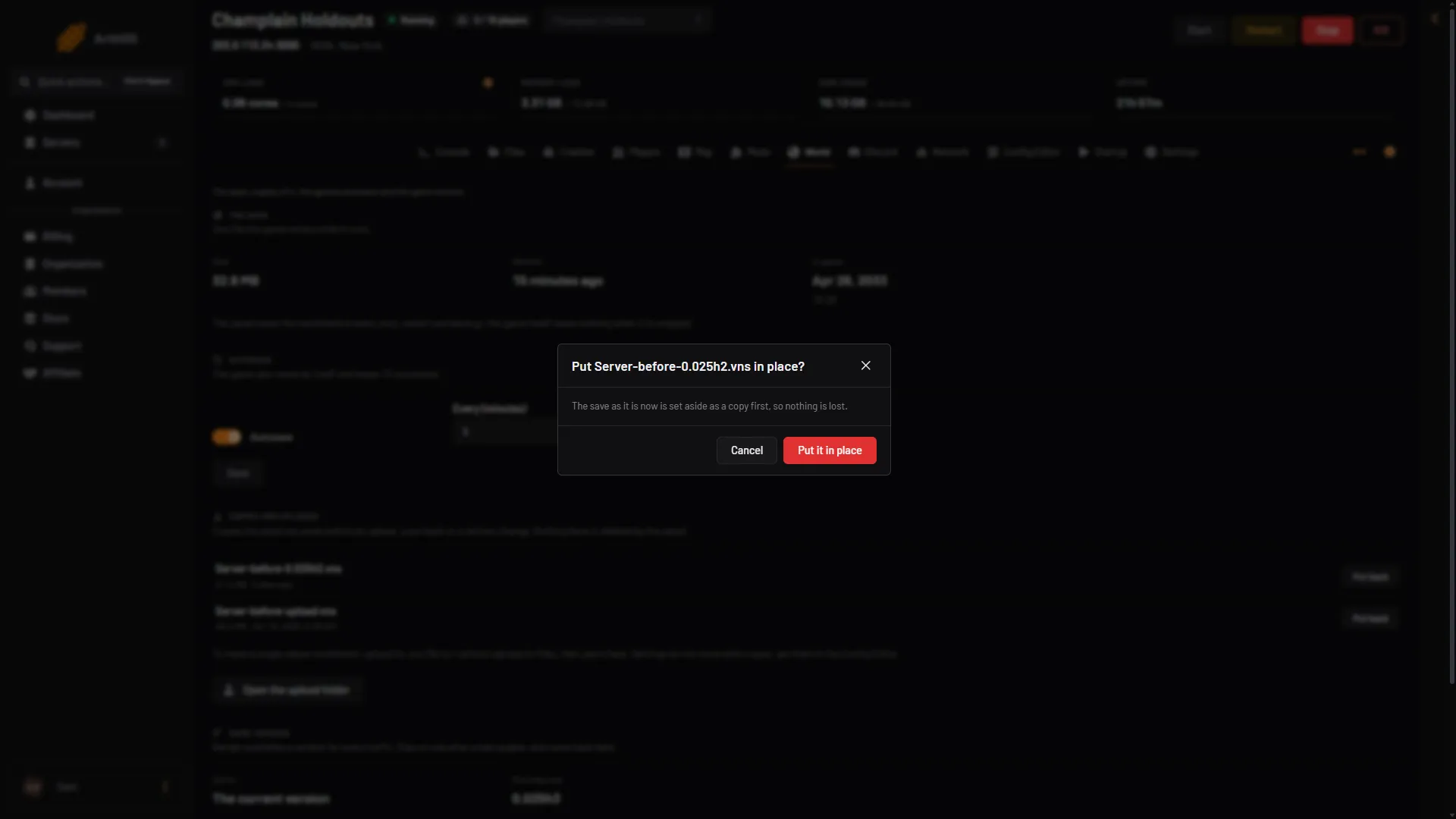
- Put it in place?
- Nothing is lost
- Put it in place
If there is no copy
You can restore a panel backup from Settings, then Backups, if you have one. A backup of a running VEIN server is taken after the panel saves the world, so it holds a whole save. See save copies.
If you have neither, the cut-off save may still load. Start the server and look at your characters. If some are missing, they were not written. See progress lost.
If it does not work
- Put back is refused. The server is running. Stop it first.
- The list of copies is empty. The panel only makes a copy before an upload, a put back or a version change. Use a backup instead, as above.
- It happens again. Find out why the server stopped. See server crash.
More about the game: VEIN servers.
Not checked on 0.025 as of 27 October 2026: whether a cut-off save always loads.