











When a player cannot join a VEIN server, check these seven causes. Go down this list in order. Each item says which panel page shows it and how to fix it.
1. The server is stopped or still starting
Open the Players page. If the server is stopped, it says so. If it is starting, it says “The server is starting.” A VEIN server takes about a minute to be ready, and it shows in the browser about 30 seconds after that. Wait, or choose Start at the top right of the server page. Console shows the game’s log lines while it starts.
2. It is not listed yet
After every start, the first server list heartbeat (the short message the server sends to the browser list to say it is up) fails and the next one lists the server. Wait about 30 seconds after the server is ready. If it never appears, check Listed in the server browser in the Server settings file of the Config Editor. If it is False, the server is hidden on purpose. See listing settings and server not showing.
3. Wrong join password
Open Startup and read Join password. A server ordered from the store starts with a random one. The Players page says “Players need its join password (Startup).” or “It has no join password.” To set your own, use letters, numbers, _ and -, at most 32 characters. Save, then choose Restart at the top right of the server page. Send the password again to the player.
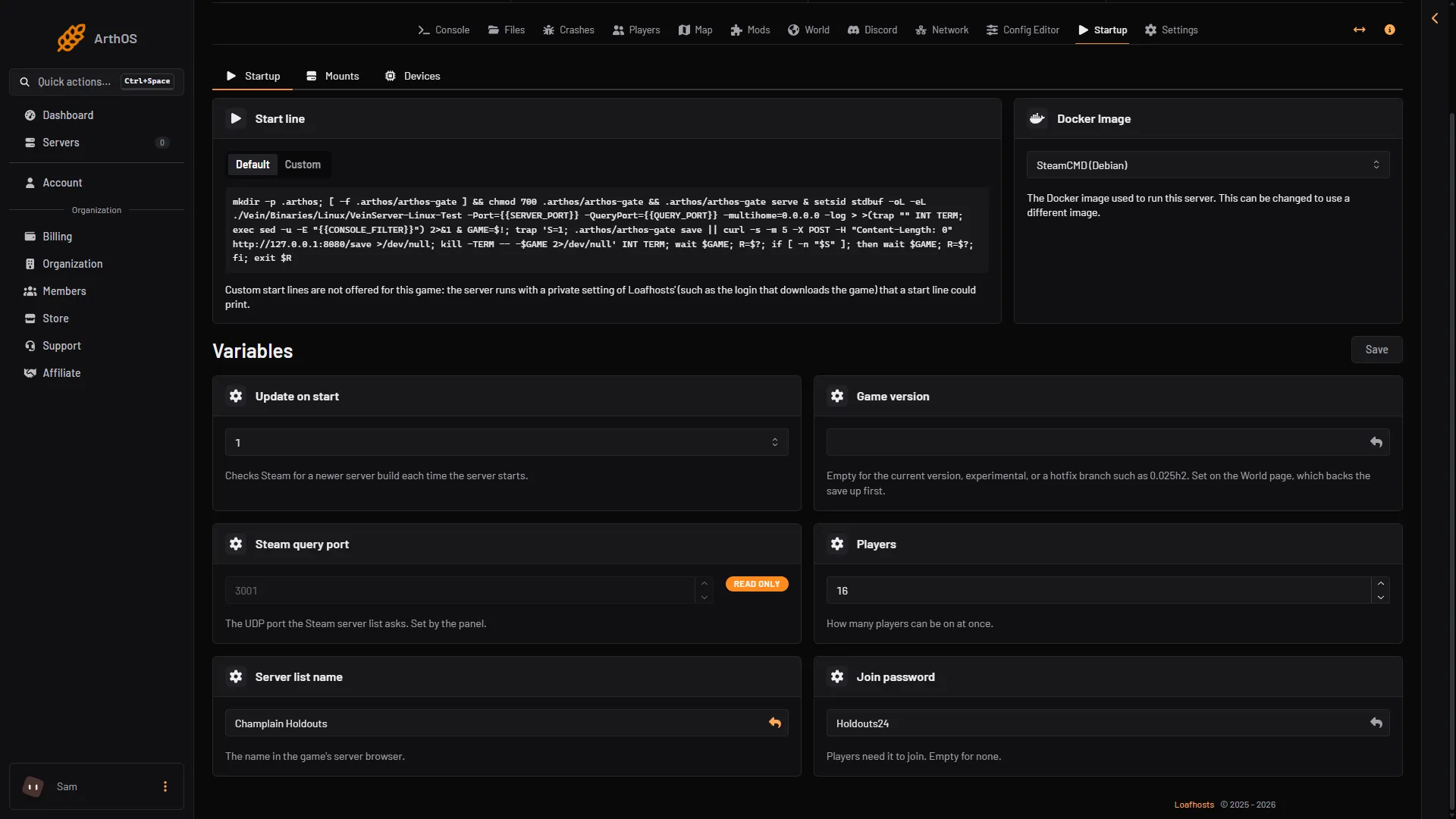
- Join password
- Server list name
The password is in the Join password field (1). The name players look for is Server list name (2).
4. A different game version
Players and the server must run the same VEIN version. Ramjet Studios publishes a Steam branch (a separate copy of the game’s files) for every hotfix, so a server can sit on one while players update. The Players page shows the server Version. The World page has Game version, with Use this version to move the server to the one your players have. Players should update their game to match it. See version mismatch.
The Config Editor has Players on other versions (in Game rules, off by default). It lets players on another build in. Ramjet warns it will probably crash them. Use it only for a short time after a hotfix.
5. The whitelist is on
On the Players page, look at Whitelist. If anyone is on it, only those players can join. An empty list lets anyone with the password in. Add the player with Add to the whitelist in their menu, or Add by Steam id. Take everyone off to turn it off. The game reads the list when it starts, so the change applies at the next start. See the whitelist. Not checked on 0.025 as of 27 October 2026: that a whitelisted or banned player is refused in the game.
6. The player is banned
On Players, look at Banned. Choose Lift next to the name. The change applies at the next start.
7. The server is full
The Players page shows how many are on against the limit, for example 3 / 16, in the figure called Players. The limit is Players on Startup, up to 64. A new server starts at its plan’s player count: 8, 16 or 32 for Small, Standard and Large. Raise it and choose Restart at the top right of the server page. A bigger number needs more memory.
Still stuck
Open Console while the player tries to join. Not checked on 0.025 as of 27 October 2026: which lines a refused join prints. Ask the player for the server name and join password they used, or have them try Steam favourites. A typed address must carry the game port (3000 in the pictures), not the next number up; see server ports. Not checked on 0.025 as of 27 October 2026: which port Steam’s favourites box needs. The Joining card on Players shows the address and a Copy button.
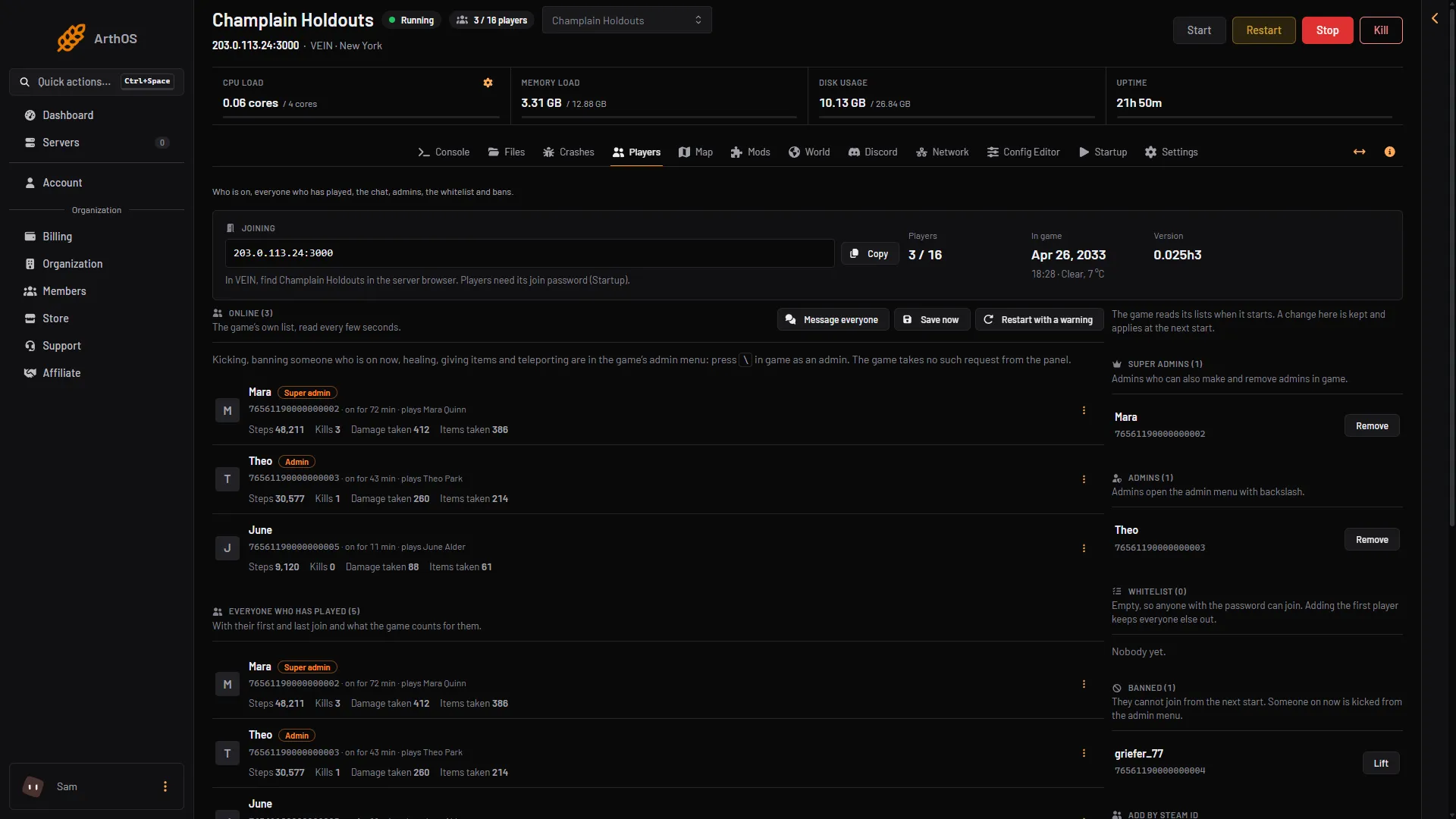
- Copy the address
- How players join
Use Copy (1) and read the line under it (2): players find the server by name and need the join password.
More about the game: VEIN servers.
Not checked on 0.025 as of 27 October 2026: the exact message the game shows a player for each of these causes.