
















A collection is a saved copy of a server’s mod list, in its load order. Save one on the Mods page, then use it on this server or another. Using a collection fills your list. Nothing changes on the server until you apply the list.
Do not confuse it with a Steam Workshop collection. A Steam Workshop collection is a list on Steam: you can paste its link in Add by link or ID on the Workshop tab to add its mods. The Collections tab holds your own saved lists, made here.
Save a collection
- Open the Mods page and choose the Collections tab (1).
- Under “Keep this list of (mods) as a collection”, type a Name.
- Add a Description (optional) if you like.
- Under Who can use it, choose Your organization or Everyone.
- Choose Save collection.
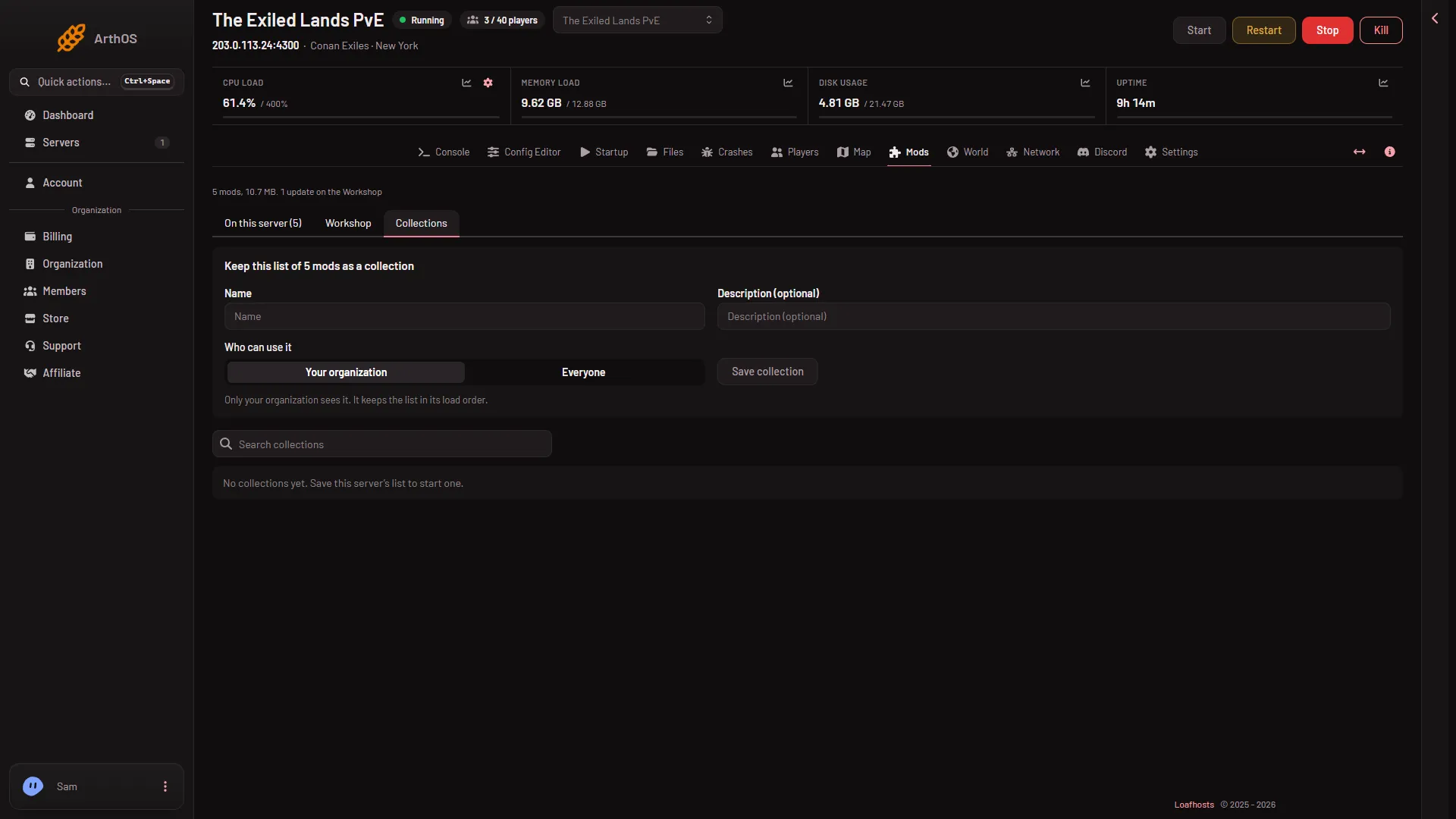
- Collections tab
The panel says “Saved (name).” The collection keeps the list in its load order.
Public or private
- Your organization. Only your organization sees it.
- Everyone. Every panel user with a Conan Exiles server can find and use it. Only your organization can change or delete it.
Change it later with Make public or Make private on the collection’s row.
Find and use one
- On the Collections tab, type in Search collections to find one. The row shows how many mods it has and how often it was used.
- Choose Show the mods to see what is in it.
- Choose one of two buttons:
- Add to my list puts the collection’s mods on this server’s list, and keeps the ones already there.
- Replace my list swaps this server’s list for the collection’s.
- A box asks “Add (name) to this server’s list?” or “Replace this server’s list with (name)?”. It says how many mods are added and how many are taken off. Confirm it.
The panel then says “Used (name). Apply the list to load it on the server.”
Apply it
A collection only fills the draft list. The bar Changes not applied yet shows what will change. Choose Apply, or Apply and restart.
On a stopped server the bar offers Apply, which downloads now and leaves the server off. On a running server it offers Apply and restart, which stops the server, downloads the mods and starts it again. If a download fails, the server keeps the copy it had. The mods load at the next start. Check the disk first: the downloads need room (see mod limit and disk space).
A mod made for the old Conan Exiles never loads on Enhanced, even from a collection. The panel names such mods under the list. Take them off.
Delete a collection
Choose Delete on its row, then confirm “Delete (name)?”. The collection is gone for everyone. Servers that used it keep their mods.
If it does not work
- There is no Collections tab. Your role may not let you see the Mods page.
- Add to my list and Replace my list do nothing visible. They fill the draft. Look for the bar Changes not applied yet.
- You cannot change or delete a public collection. It belongs to another organization. Only the owner organization can.
- The mods do not load after applying. See a mod that does not load.
More about the game: Conan Exiles servers.