

















The Discord tab does two things. A bot keeps one status message in a channel up to date. And a webhook posts events, such as a start, a stop, a crash or a finished backup. You can use either one or both.
The status message
The message shows the server name and these fields:
- Map. The name of the world that loads.
- Players. How many are on now, with the server’s maximum.
- Online. The names of up to 10 players, then “and N more”. Only with the panel tools on and running.
- Mods. How many mods the world lists.
- Status. Online, Offline or Starting. It adds “password protected” when the server has a join password. It never shows the password.
A Show mods button on the message lists the world’s mods by their Workshop names. Only the person who presses it sees the answer.
Set it up
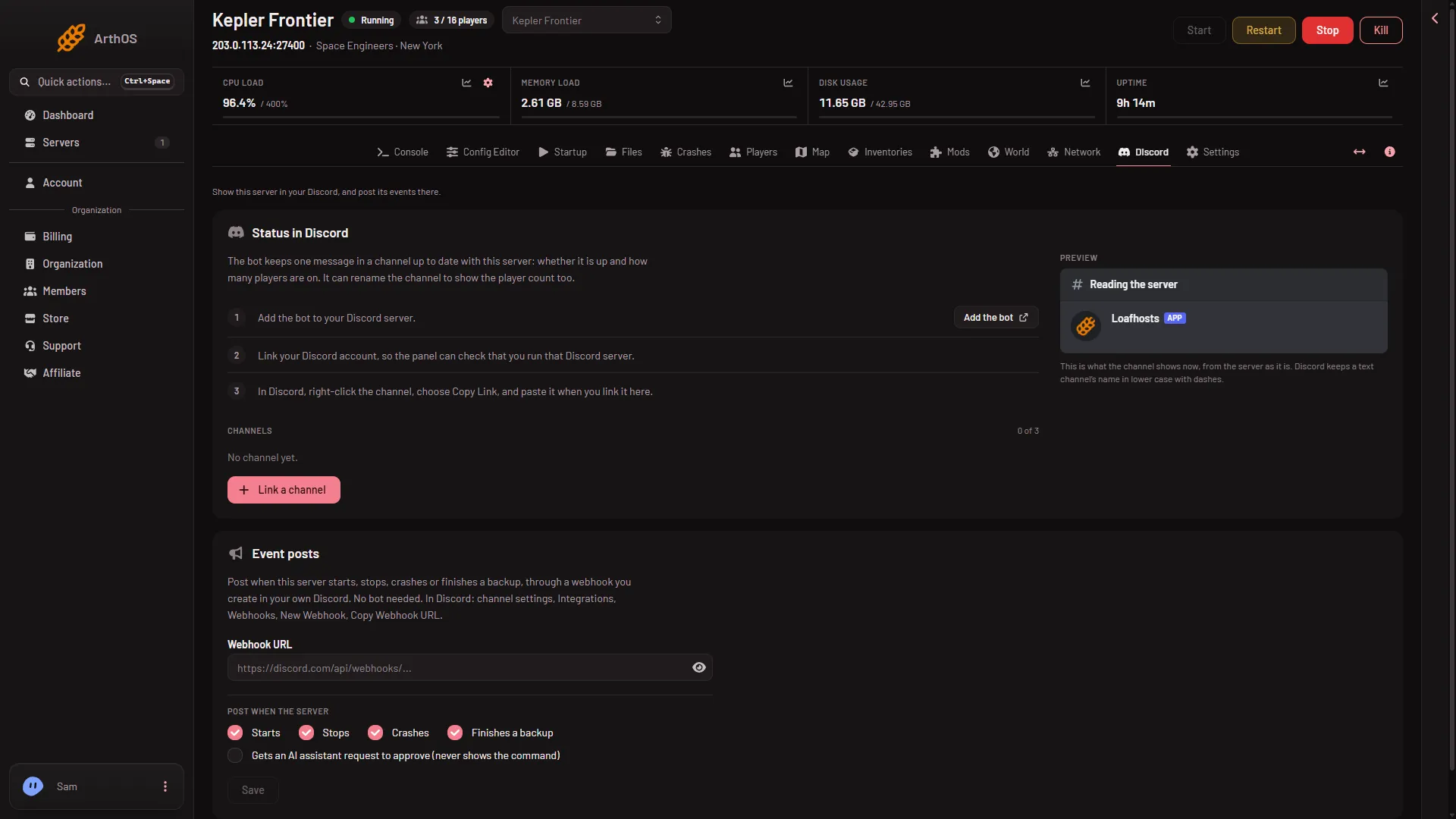
- Open the Discord tab. The Status in Discord card lists three steps.
- Press Add the bot and add it to your Discord server.
- Link your Discord account, so the panel can check that you run that Discord server.
- In Discord, right-click the channel and choose Copy Link. Back in the panel, press Link a channel and paste it.
The card shows a preview of what the channel will show. You can link up to 3 channels.
Event posts by webhook
Event posts need no bot. They use a webhook you make in your own Discord: open the channel’s settings, then Integrations, Webhooks, New Webhook, Copy Webhook URL.
- Event posts
- Webhook URL
- On the Discord tab, find Event posts (1).
- Paste the link into Webhook URL (2).
- Under Post when the server, tick what you want: Starts, Stops, Crashes and Finishes a backup. A fifth choice posts when an AI assistant asks for your approval. It never shows the command.
- Press Save.
Treat the webhook link like a password. Anyone who has it can post to your channel.
No join or leave posts
This game has no join or leave posts on the Discord tab. The events are starts, stops, crashes and backups only. To see who joined, use the Console, which tags Join and Leave lines when the panel tools are on. See the console guide.
If nothing appears
- The bot cannot post. Check that it is in your Discord server and can see the channel.
- Online is empty. The names need the panel tools on and loaded. Without them you get the count only.
- A webhook post fails. The link may have been deleted in Discord. Make a new one and paste it in.